

WooCommerce Stock Sync Plugin Comparison
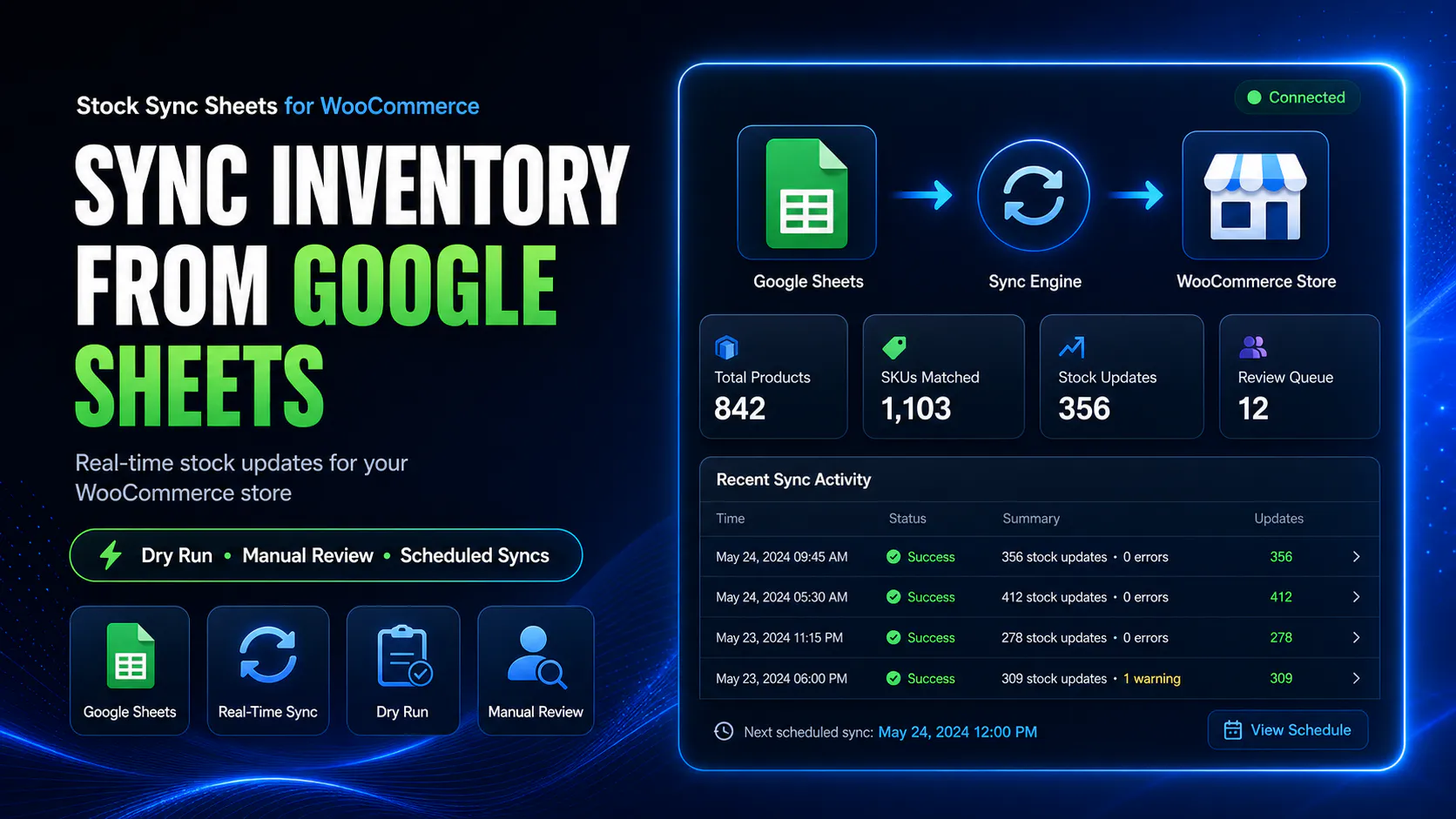
This WooCommerce stock sync plugin comparison shows how different options handle Google Sheets, Dry Run, Manual Review, confirmed matches, logs, schedules, variations, Product Builder, and Push on Sale.
Because live inventory affects real orders, a stock sync plugin should not just move numbers around. Instead, it should help prevent bad updates, bad product matches, stale sheets, and blind automation.
- ✔Compare Google Sheets sync, CSV import, and custom API workflows
- ✔Check whether each plugin supports Dry Run before live updates
- ✔Then look for Manual Review when matches are uncertain
- ✔Also compare confirmed matches, ignored rows, and blacklist controls
- ✔Finally, check variation, product builder, and sheet push workflows
- ✔Choose based on safety, workflow fit, and support needs
Looking for the main WooCommerce Google Sheets stock sync page?
This is the plugin comparison page. However, for the main sheet-to-store workflow, visit WooCommerce Google Sheets stock sync.
If you are comparing stock sync tools, also review the full WooCommerce Google Sheets integration workflow to see how stock sync connects with Sheet Push, price sync, Product Builder, and Manual Review.
WooCommerce stock sync plugin comparison types
First, most WooCommerce stock sync options fall into a few workflow types. However, the right one depends on how much control, review, automation, and Google Sheets integration your store needs.
CSV import tools
For occasional imports, CSV tools can be useful. However, they are often weak for ongoing stock sync, review workflows, confirmed matching, and real-time sheet updates.
Custom API builds
Although custom API builds are flexible, they are expensive to build and maintain. In addition, you still need matching logic, logs, error handling, review controls, and schedule management.
Basic sheet sync plugins
Meanwhile, basic sheet sync plugins can connect sheets and WooCommerce. However, they may not include enough review, matching, blacklist, product, or sheet push controls.
Review-first sync workflows
By contrast, review-first workflows are built around Dry Run, Manual Review, confirmed matches, logs, and safer steps before live WooCommerce stock changes.
WooCommerce stock sync plugin comparison table
Next, use this WooCommerce stock sync plugin comparison table before choosing a plugin. As a result, you can avoid buying based on one feature while missing the controls you actually need.
| Feature / workflow | CSV import | Custom API build | Basic sheet sync plugin | Stock Sync Sheets |
|---|---|---|---|---|
| Google Sheets as stock source | Usually, this is export/import only. | Possible, but it must be custom built. | Usually, this is supported. | Instead, this is built around mapped Google Sheet rows. |
| Dry Run before live updates | Usually, this is limited or missing. | Only if it is custom built. | However, this depends on the plugin. | Therefore, this is a core workflow feature. |
| Manual Review for uncertain matches | Usually, this is missing. | Only if it is custom built. | However, this depends on the plugin. | Instead, this is built for uncertain product matches. |
| Confirmed matches | Usually, there is no real saved match workflow. | Only if it is custom built. | However, this depends on the plugin. | Therefore, approved matches can be reused. |
| Ignored and blacklist controls | Usually, this is missing. | Only if it is custom built. | However, this depends on the plugin. | Instead, this is included for match management. |
| Scheduled stock sync | Usually, this stays manual unless automated separately. | Possible, but needs maintenance. | Often, this is available. | Then it is available after setup is tested. |
| Variation-aware workflow | Unfortunately, this is easy to get wrong. | Possible, but it is complex. | However, this depends on the plugin. | Therefore, it is designed for careful WooCommerce product workflows. |
| Push WooCommerce sales back to Google Sheets | No. | Usually, this requires custom development. | However, this depends on the plugin. | By comparison, Push on Sale can update Sheets after orders reduce stock. |
| Create products from sheet data | Possible, but this is often clunky. | Possible, but it is expensive. | However, this depends on the plugin. | Instead, Product Builder is included. |
| AI content and SEO drafts | No. | Only if it is custom built. | However, this depends on the plugin. | Also, AI Review is included with the Product Builder workflow. |
What matters most when comparing stock sync plugins?
In practice, the best plugin is not the one with the longest feature list. Instead, it is the one that reduces the chance of bad stock updates while fitting your actual WooCommerce workflow.
Can you preview before updating?
For example, Dry Run matters because it shows likely stock changes before WooCommerce products are updated.
Can uncertain matches be reviewed?
Also, Manual Review matters when a sheet row does not clearly match one WooCommerce product.
Can approved matches be reused?
After approval, confirmed matches reduce repeat review work and help future syncs become cleaner.
Can bad matches be blocked?
Finally, ignored rows and blacklist controls help stop unwanted automatic matching from repeating.
Why Stock Sync Sheets is strong in this comparison
Overall, Stock Sync Sheets is strongest for stores that want a controlled Google Sheets workflow instead of blind stock automation. This WooCommerce stock sync plugin comparison is useful because those controls matter before live stock changes happen.
Stock Sync from Google Sheets
First, sync WooCommerce stock quantities and stock status from mapped Google Sheet rows.
Dry Run
Then preview likely changes before live product stock updates happen.
Manual Review
Next, review uncertain product matches before stock changes are applied.
Confirmed Matches
After that, save approved product links so future syncs are cleaner and faster.
Push on Sale
Also, push WooCommerce sale stock changes back to Google Sheets in real time.
Product Builder
In addition, create and update WooCommerce products from mapped Google Sheet data.
AI Review
Meanwhile, stage product content and SEO drafts before importing to WooCommerce.
Price Sync Included
Finally, use the included Price Sync module for regular price and sale price syncing from Google Sheets at no extra cost.
Quick decision guide
Next, use this section to decide which stock sync direction makes sense before going deeper into features.
| Store situation | Best-fit workflow | Why it matters |
|---|---|---|
| You update stock once in a while | CSV import may be enough. | In this case, simple occasional updates may not need a full sync workflow. |
| You manage stock in Google Sheets every week or day | Google Sheets stock sync plugin. | As a result, a direct sheet workflow is faster than repeated export/import. |
| You are worried about wrong product matches | Review-first workflow with Dry Run and Manual Review. | Therefore, it prevents uncertain matches from updating live products blindly. |
| You need WooCommerce sales reflected in your sheet | Sheet Push / Push on Sale workflow. | That way, your Google Sheet stays fresher after orders reduce stock. |
| You need to create products from sheet data | Product Builder workflow. | Otherwise, stock-only sync is not enough if product creation also matters. |
| You want product descriptions and SEO drafts | Product Builder AI Review workflow. | Additionally, AI can save writing time when drafts are reviewed before import. |
Common mistakes when choosing a stock sync plugin
These are the mistakes that cause problems later. Therefore, check them before you install anything on a live WooCommerce store.
Buying only on price
For example, a cheaper plugin can become expensive if bad stock updates cause overselling, support issues, or manual cleanup.
Ignoring product matching
Because stock sync depends on matching sheet rows to the correct WooCommerce products, weak matching controls are risky.
Skipping Dry Run
Without a preview, live stock sync can update the wrong products before you know the setup is wrong.
Forgetting variations
Also, variation stock needs careful product identity, parent/child relationships, and mapped fields.
Ignoring sheet direction
Some workflows only pull data from Sheets to WooCommerce. However, others also push WooCommerce changes back to Sheets.
Mixing stock and price updates blindly
Because stock and pricing are different risks, price changes should use a separate, controlled workflow.
Helpful comparison resources
In addition, these pages help you compare Stock Sync Sheets against other workflows and decide whether it fits your store.
Plugin overview
Start with the main buyer guide for Stock Sync Sheets, including Stock Sync, Dry Run, Manual Review, Product Builder, AI Review, schedules, and Push on Sale.
FlexStock Alternative
Compare Stock Sync Sheets as a FlexStock alternative for WooCommerce Google Sheets stock sync.
If FlexStock is on your shortlist, see the direct Stock Sync Sheets vs FlexStock comparison.
Best Google Sheets Stock Sync Plugin
Learn what to look for when choosing a WooCommerce Google Sheets stock sync plugin.
Stock Sync
Learn how WooCommerce stock sync from Google Sheets works with Dry Run, Manual Review, logs, schedules, and matching controls.
Sheet Push
See how WooCommerce stock and product-related data can be pushed back to Google Sheets.
Setup Guides
Use setup videos and guides before relying on live stock sync or sheet push workflows.
Related WooCommerce Google Sheets stock sync guides
Finally, use these related guides to compare the main WooCommerce Google Sheets stock sync workflows in more detail before choosing the setup that fits your store.
Google Sheets to WooCommerce Stock Sync
First, learn how stock data can move from Google Sheets into WooCommerce using mapped rows, product matching, previews, and controlled updates.
WooCommerce Inventory Sync with Google Sheets
Next, see how Google Sheets can support WooCommerce inventory sync for supplier stock, warehouse counts, internal sheets, and shared stock workflows.
WooCommerce Bulk Stock Update from Google Sheets
Then compare bulk stock update workflows and learn why preview, matching, and review controls matter before live WooCommerce stock changes.
WooCommerce Stock Import with Dry Run
After that, learn why Dry Run is important when importing or syncing stock from Google Sheets into WooCommerce products.
WooCommerce Stock Sync with Manual Review
Also, see how Manual Review helps store owners stop uncertain product matches from changing live stock without approval.
Supplier Stock Sheets to WooCommerce
For supplier workflows, learn how supplier stock sheets can be used as a WooCommerce stock source when your availability data comes from outside the store.
Multi-Store WooCommerce Inventory with Google Sheets
For shared workflows, understand how shared Google Sheets can support multi-store or multi-team WooCommerce inventory workflows.
WooCommerce Google Sheets REST API Alternative
For technical planning, compare custom REST API builds with a no-code Google Sheets workflow for stock syncing, previewing, matching, and review.
WooCommerce Stock Sync Without Coding
Finally, see how store owners can connect WooCommerce stock and Google Sheets without building a custom sync integration from scratch.
WooCommerce Stock Sync Plugin Comparison FAQs
What should I compare in a WooCommerce stock sync plugin?
Start by comparing the stock source, matching workflow, Dry Run support, Manual Review, logs, scheduled syncs, variation handling, confirmed matches, and whether WooCommerce can push changes back to your sheet.
Is Google Sheets a good stock source for WooCommerce?
Yes. Google Sheets can be a practical stock source when the workflow includes clear mapping, product matching, preview, review, and logs before live updates.
Why does Dry Run matter for stock sync?
Because Dry Run lets you preview stock changes before live WooCommerce products are updated, it helps catch sheet, mapping, and matching problems first.
Why does Manual Review matter for stock sync?
Manual Review helps stop uncertain product matches from being applied automatically. Then you can approve the correct product before stock changes go live.
Should stock sync and price sync use separate workflows?
Yes. Stock updates and price updates carry different risks, so they use separate controlled workflows inside Stock Sync Sheets. Price Sync is included in the main plugin at no extra cost.
What makes Stock Sync Sheets different?
In this WooCommerce stock sync plugin comparison, Stock Sync Sheets stands out because it focuses on a review-first Google Sheets workflow with Dry Run, Manual Review, confirmed matches, ignored and blacklist controls, Product Builder, AI Review, Sheet Push, and Push on Sale.
Choose a WooCommerce stock sync plugin that fits your workflow
Therefore, use Stock Sync Sheets if your store needs Google Sheets stock sync with Dry Run, Manual Review, confirmed matches, Product Builder, AI Review, Sheet Push, and Push on Sale.