WooCommerce Stock Sync Plugin for safer spreadsheet-based stock updates
Update WooCommerce stock from Google Sheets with Dry Run previews, Manual Review controls, safer matching, and real-time Sheet Push after each sale.
If you manage inventory in spreadsheets, supplier files, or repeatable stock sheets, this workflow helps you sync faster without blindly pushing risky bulk changes into your store.
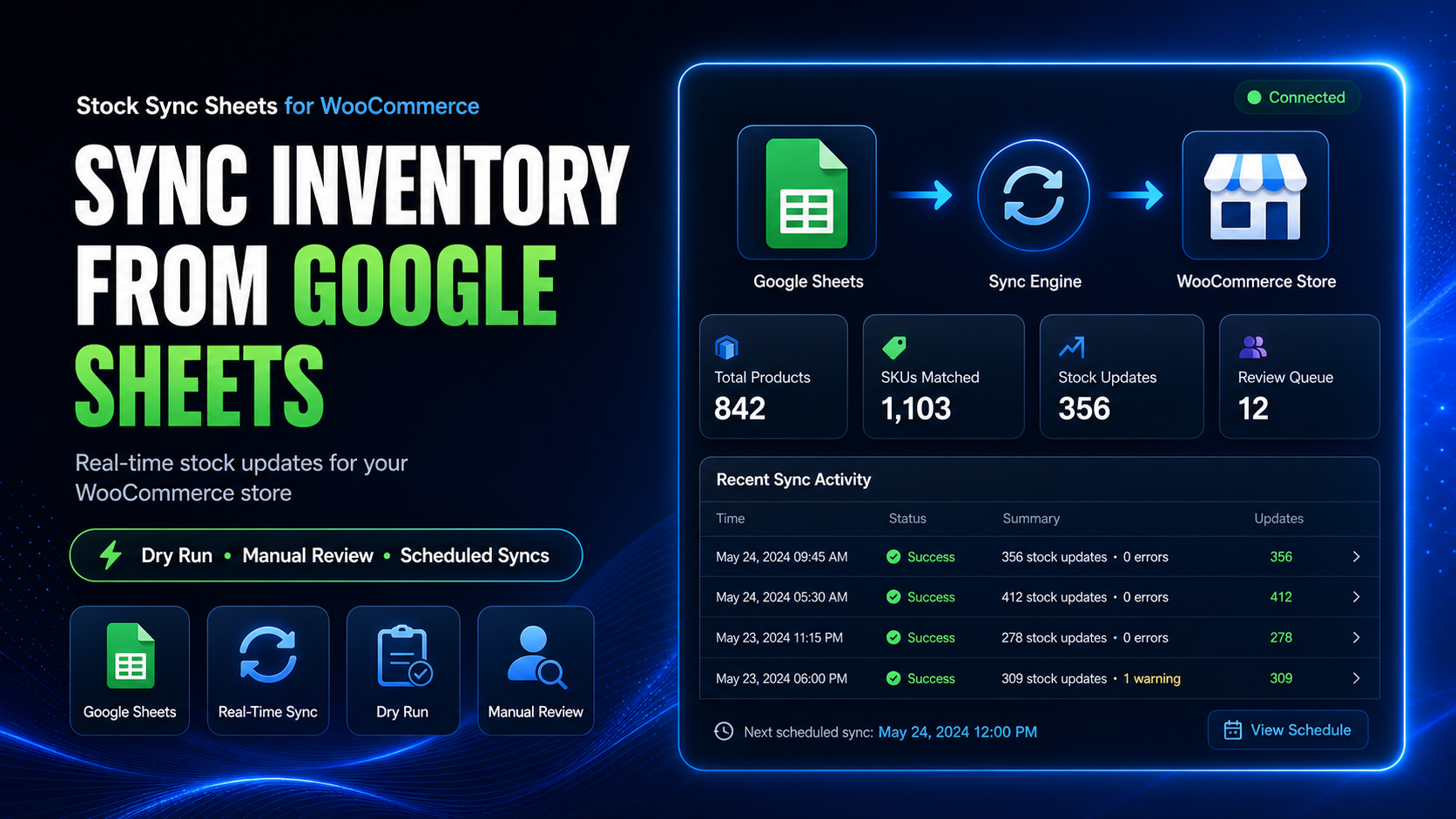
Built for WooCommerce stores that already live in spreadsheets
This is not just a raw import button. It is a safer WooCommerce stock sync workflow for teams that want visibility before sync runs, cleaner product matching, and a practical way to keep Google Sheets aligned with store activity.
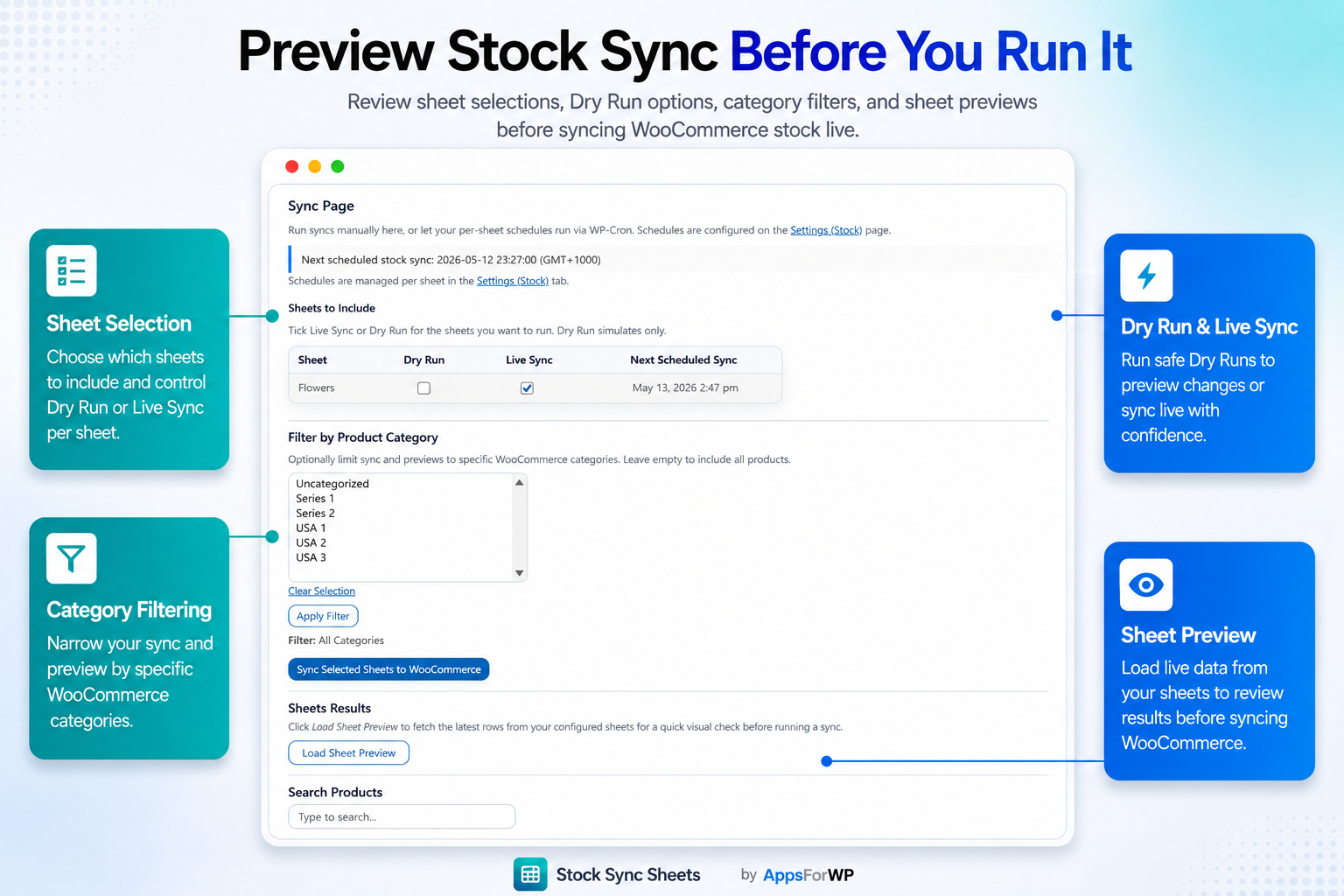
Preview before you sync
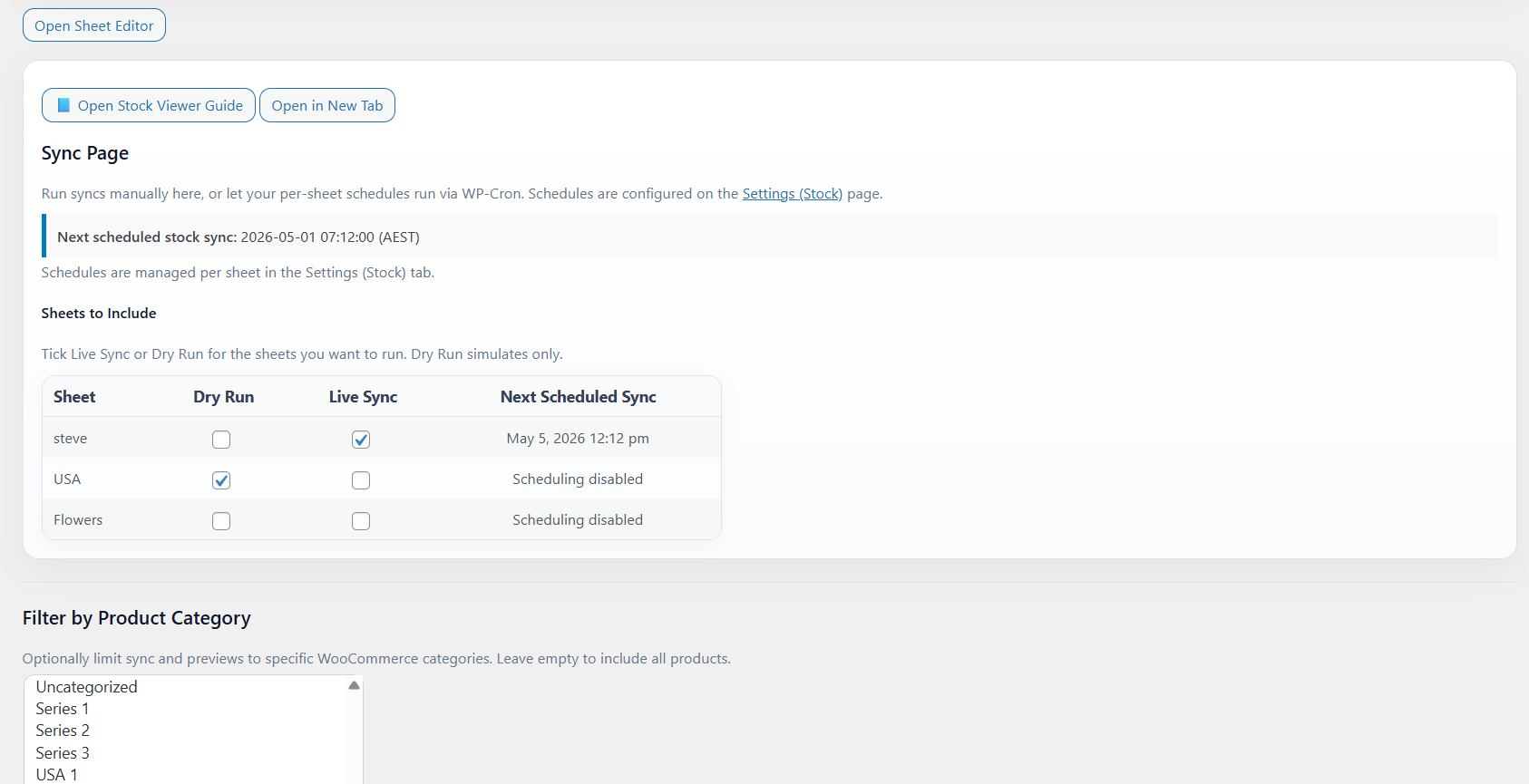
Use Dry Run to inspect likely stock updates before they touch live WooCommerce inventory.
Review matches manually
Manual Review gives you a safer checkpoint when product data, SKUs, or supplier sheets need validation.
Keep Sheets current after orders
Real-time Sheet Push sends sales changes back to your spreadsheet so your stock source stays updated.
How the WooCommerce stock sync workflow works
A practical flow for stores that want fewer inventory mistakes and better control over spreadsheet-based stock updates.
Connect your stock sheet
Work from your Google Sheets inventory file and prepare the stock values you want WooCommerce to receive.
Run Dry Run and review
Preview the results, inspect matching behaviour, and use Manual Review before committing updates.
Sync stock and push sales back
Complete the sync, then use Sheet Push so WooCommerce sales can update the sheet in real time.
Dry Run helps you catch stock mistakes before they go live
Bulk inventory changes can break fast when sheet values are off, rows are misaligned, or product references do not match cleanly. Dry Run gives you a preview step so you can inspect the sync outcome first.
- See what will change before updating WooCommerce stock
- Reduce risky blind imports from supplier or warehouse sheets
- Use a repeatable process for regular stock update cycles
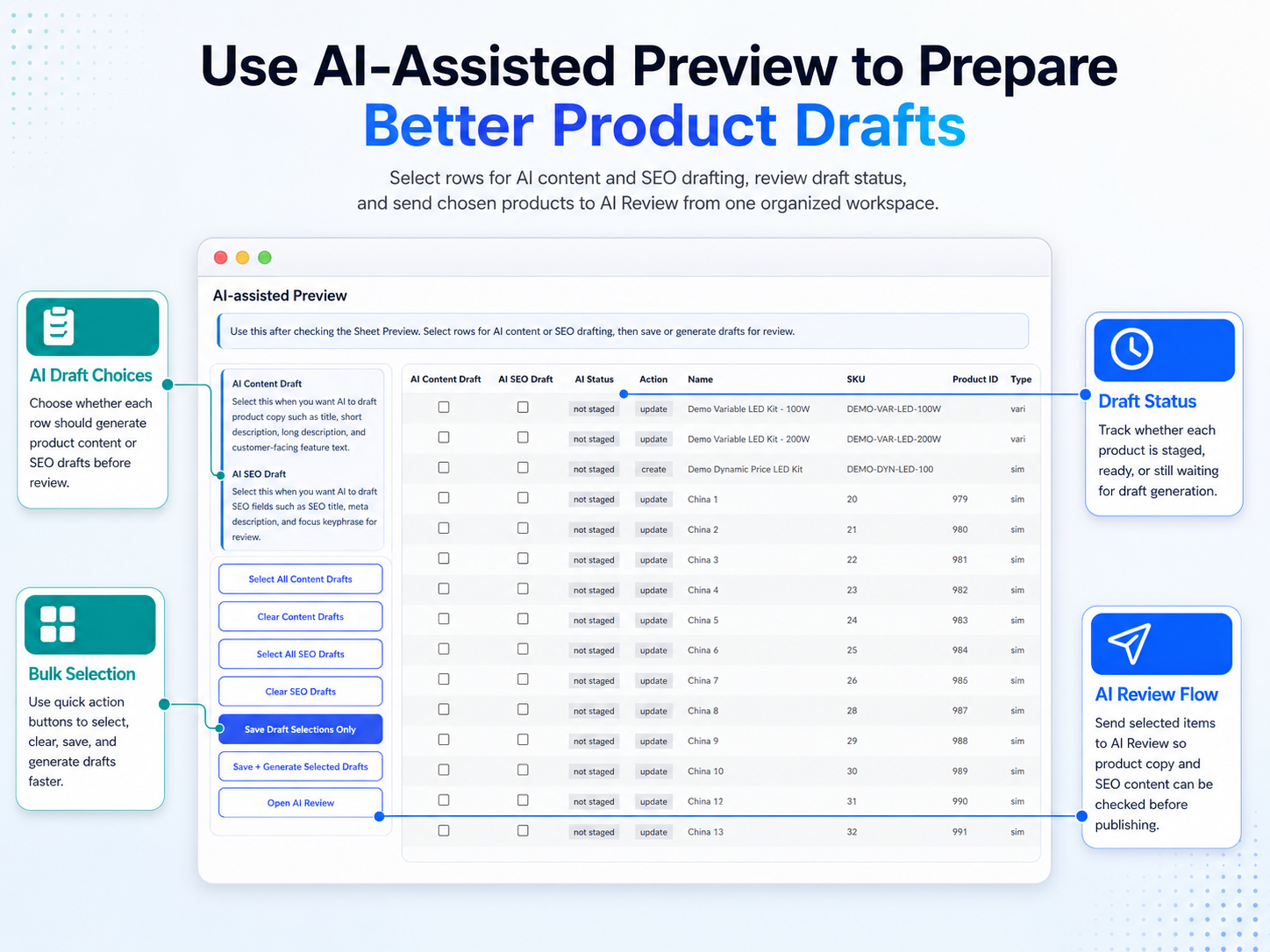
Manual Review gives you more control over each sync run
When stock sheets are not perfectly structured, a review step matters. Manual Review adds a safer checkpoint so you can validate updates before applying them to your store.
- Review row-level changes before final sync
- Reduce accidental quantity mismatches
- Use a more controlled workflow for important inventory changes
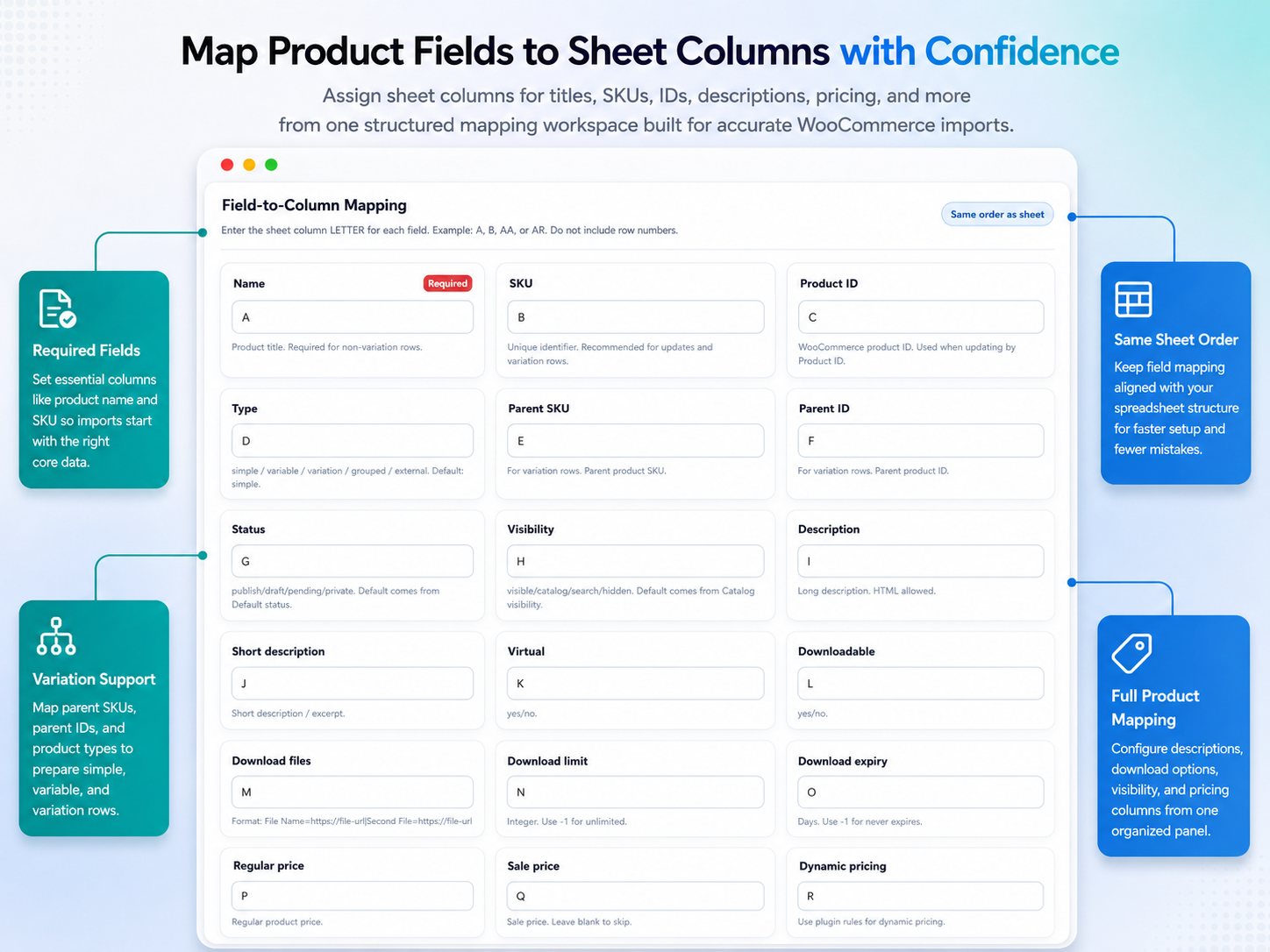
Safer matching for spreadsheet-driven inventory updates
Messy product data is one of the fastest ways to create stock errors. This workflow is designed to make matching safer, especially when you are working with mixed supplier exports, product builders, or evolving stock sheets.
- Support a more reliable matching process between sheet data and WooCommerce products
- Help reduce bad updates caused by unclear references
- Improve confidence before syncing large batches
Real-time Sheet Push after each sale
Updating WooCommerce from Sheets is only half the workflow. If your spreadsheet is the source your team checks every day, it also needs to reflect what happens after checkout.
Sheet Push sends WooCommerce sale changes back to your sheet in real time so your inventory workflow stays aligned after orders are placed.
- Push sales updates back to Google Sheets automatically
- Keep spreadsheet stock records closer to live store activity
- Useful for teams managing stock outside WooCommerce day to day
Best fit for these WooCommerce stock management use cases
This page is strongest for stores managing inventory through Google Sheets, supplier files, or recurring stock workflows rather than editing every product manually inside WooCommerce.
Google Sheets inventory teams
For store owners and staff who already manage stock in spreadsheets and want a safer sync process into WooCommerce.
Supplier-driven stock updates
For businesses receiving regular spreadsheet updates and needing review steps before quantities go live.
Stores needing two-way workflow visibility
For teams that want stock synced into WooCommerce and sale data pushed back out to Sheets after checkout.
Useful resources before you decide
Use the public resources already on AppsForWP to see how the workflow works, compare pages, and review setup guidance.
Related workflow pages
If your process also includes product creation, multi-store inventory, or sales push workflows, these pages support that buyer journey.
WooCommerce Stock Sync Plugin FAQs
Short answers for buyers comparing spreadsheet-based stock sync options.
Can I preview stock changes before syncing?
Yes. The Dry Run workflow is the main buyer-facing advantage here. It helps you preview likely changes before updating live WooCommerce stock.
Why is Manual Review important?
Manual Review is useful when source data is not perfect. It gives you a checkpoint before bulk inventory updates are committed.
What does safer matching mean?
It means the workflow is designed to reduce risky mismatches between sheet rows and WooCommerce products, especially when spreadsheet data is messy or changing.
Can WooCommerce sales update my sheet too?
Yes. Real-time Sheet Push is part of the broader workflow so sales activity can be pushed back to Google Sheets after checkout.
See if this WooCommerce stock sync workflow fits your store
If your team manages inventory in Google Sheets and wants a safer way to sync stock into WooCommerce, start with the pricing page, demo, and guides. That will show you the workflow before you commit.