Why Stock Sync Sheets
Why Stock Sync Sheets matters for WooCommerce stores using Google Sheets is simple: you need more control before live stock changes hit your catalog. This workflow is built for safer syncing with Dry Run, Manual Review, safer matching, and real-time Sheet Push after sales.
- Preview stock changes before updating live products
- Review uncertain matches before they affect inventory
- Keep confirmed matches cleaner for repeat sync runs
- Push sale stock changes back to Google Sheets in real time
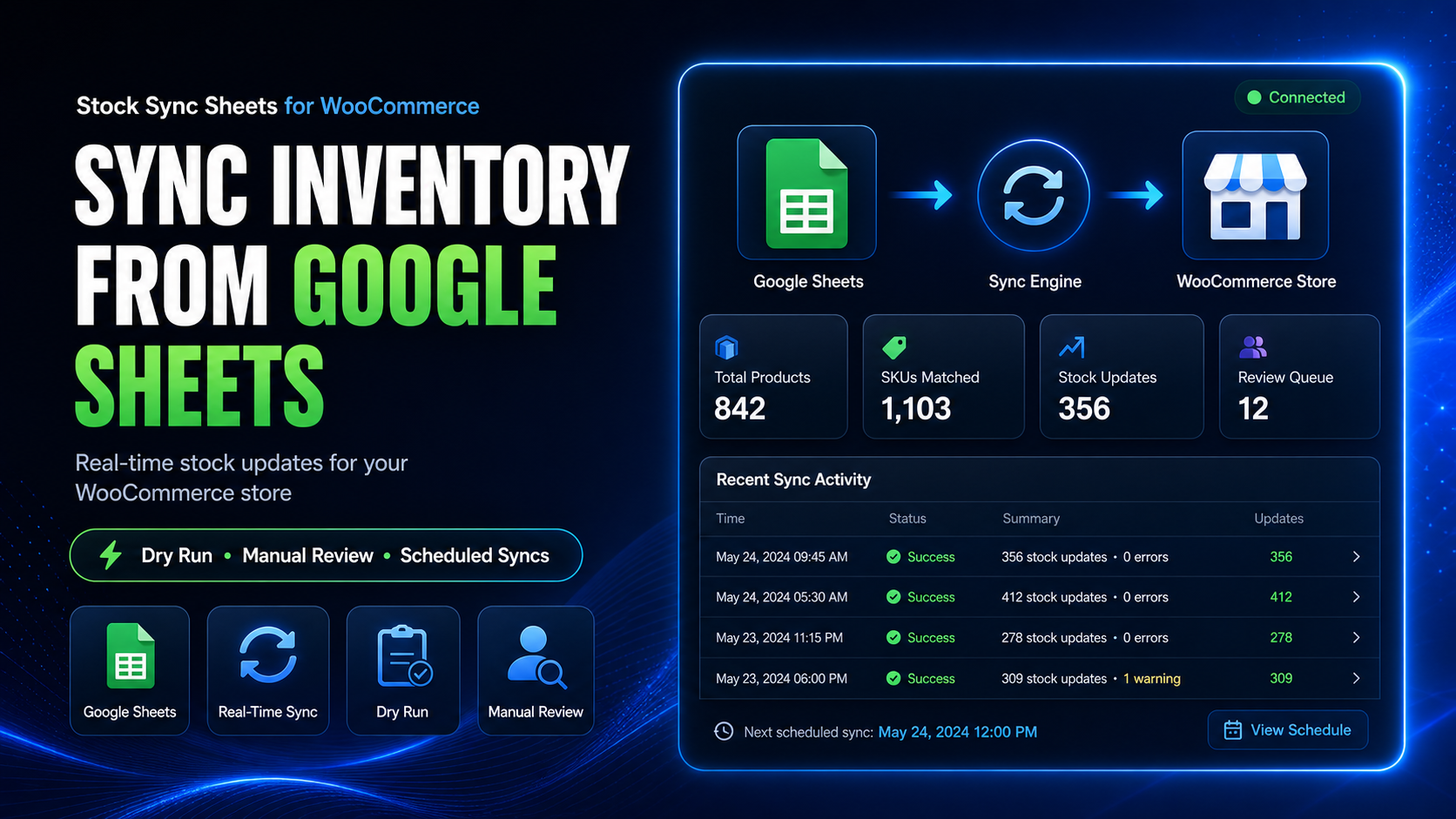
Why Stock Sync Sheets helps stores sell with less risk
Why Stock Sync Sheets is different from a basic sync tool is that it focuses on control, review, and repeatable workflows instead of blind bulk updates.
Dry Run before live changes
Preview likely stock changes first so your team can spot issues before they reach live WooCommerce products.
Manual Review for uncertain rows
When supplier sheets and store products do not line up cleanly, review the risky rows instead of letting them update blindly.
Safer matching over guesswork
Cleaner confirmed matches help repeat sync runs become more reliable and reduce unnecessary cleanup work later.
Why Stock Sync Sheets works better for real store workflows
Spreadsheet-driven inventory management is usually messy in real life. The right workflow has to account for uncertainty, repeat syncs, and post-sale updates.
What store owners usually need
- A clear preview before stock changes go live
- A way to stop uncertain matches from damaging inventory
- Cleaner repeat syncs after initial confirmation work
- A method to keep Google Sheets aligned after orders
What Stock Sync Sheets gives them
- Dry Run previews before committing updates
- Manual Review for uncertain mapping and match cases
- Safer matching with confirmed product workflows
- Real-time Sheet Push after sales activity
How the workflow helps you before and after the sale
This is not just about importing stock once. It is about keeping WooCommerce and Google Sheets working together more safely over time.
Connect your sheet
Map the workflow to the stock data your team already maintains in Google Sheets.
Preview and review
Use Dry Run and Manual Review to catch issues before live WooCommerce stock is touched.
Sync and keep Sheets current
Run stock workflows and use Sheet Push after sales so sheet data does not drift away from store activity.
Basic sync tool vs safer workflow
If your inventory data is important, fast alone is not enough. Control matters.
Built for stores that already live in spreadsheets
If your inventory process already depends on Google Sheets, supplier files, or repeatable stock sheets, this page exists to explain why Stock Sync Sheets fits that reality better than a blind importer.
Good fit for
- WooCommerce stores updating stock from Google Sheets
- Teams managing supplier or warehouse sheet workflows
- Agencies handling repeatable spreadsheet-based store operations
- Stores that want more confidence before syncing live inventory
Especially useful when
- Your sheet data is not always perfectly clean
- You need review checkpoints before stock changes go live
- You want safer matching instead of risky assumptions
- You need WooCommerce sale changes reflected back into Sheets
Frequently asked questions
Short answers for buyers comparing stock sync options.
Is this only for stock sync?
No. The broader workflow also supports connected sheet operations like Sheet Push after sales, and your site also references Product Builder and Price Sync workflows where relevant.
Why not just use a simple importer?
Because simple importers often prioritise speed over control. If bad matches or wrong rows get through, the cleanup cost can be worse than the time saved.
What makes this safer?
Dry Run, Manual Review, safer matching, and real-time Sheet Push after sales are the strongest reasons buyers choose this workflow.
Can I learn the workflow before buying?
Yes. Your public guides, demo site, and walkthrough videos help buyers understand the setup and workflow before running it on their own store.
See why Stock Sync Sheets fits your workflow
If you want WooCommerce stock sync from Google Sheets with more control, this is the safer workflow to review first. Start with pricing, try the demo, or read the setup guide.