
WooCommerce Google Sheets Automation
Automate the WooCommerce and Google Sheets workflows that slow store teams down: stock updates, sale stock reductions, product creation, price changes, sheet review, matching checks and repeatable inventory processes.
- Stock sync from Google Sheets
- Sale updates back to Sheets
- Product building from sheet rows
- Regular and sale price workflows
What can you automate between WooCommerce and Google Sheets?
WooCommerce Google Sheets automation can mean different things. Some stores need inventory updates. Others need product creation, price changes, sale stock updates, or a safer way to review sheet data before it reaches live products.
Stock quantities and status
Update WooCommerce inventory from mapped Google Sheet rows when your stock data already lives in a spreadsheet.
Sale updates back to Sheets
Send WooCommerce sale stock reductions back to Google Sheets so shared stock workflows stay closer to store activity.
Product creation and updates
Create or update WooCommerce product data from mapped sheet rows, including catalog details and product content workflows.
Regular and sale prices
Manage WooCommerce regular prices and sale prices from Google Sheets with a pricing workflow that can be reviewed.
Review, matching and logs
Use previews, manual review, confirmed matches and logs so sheet automation does not become blind bulk editing.
Choose the right automation method
There is more than one way to connect WooCommerce to Google Sheets. The right choice depends on how often data changes, how much control you need, and whether the workflow is stock, products, prices, orders, or a custom business process.
Dedicated WooCommerce plugin
Best when Google Sheets is part of a repeated WooCommerce workflow and you need mapped columns, product matching, previews, logs and review controls.
Zapier / Make automation
Useful for lightweight event-based tasks, such as sending new orders or customer details to a sheet. Less suited to careful stock matching or catalog updates.
Google Apps Script / REST API
Best for custom systems when you have developer resources and can maintain authentication, error handling, retries, product matching and logs.
CSV/manual import
Suitable for occasional one-off updates. It is simple, but it can become slow or risky when stock, prices and product data change often.
Where Stock Sync Sheets fits
Stock Sync Sheets fits the dedicated WooCommerce plugin path. It is built for stores that use Google Sheets as a practical stock, catalog or pricing workflow and need more control than a basic export or blind import.
Use it when your team needs repeatable WooCommerce Google Sheets automation with review steps before live product data changes.
- Mapped Google Sheet columns for WooCommerce workflows
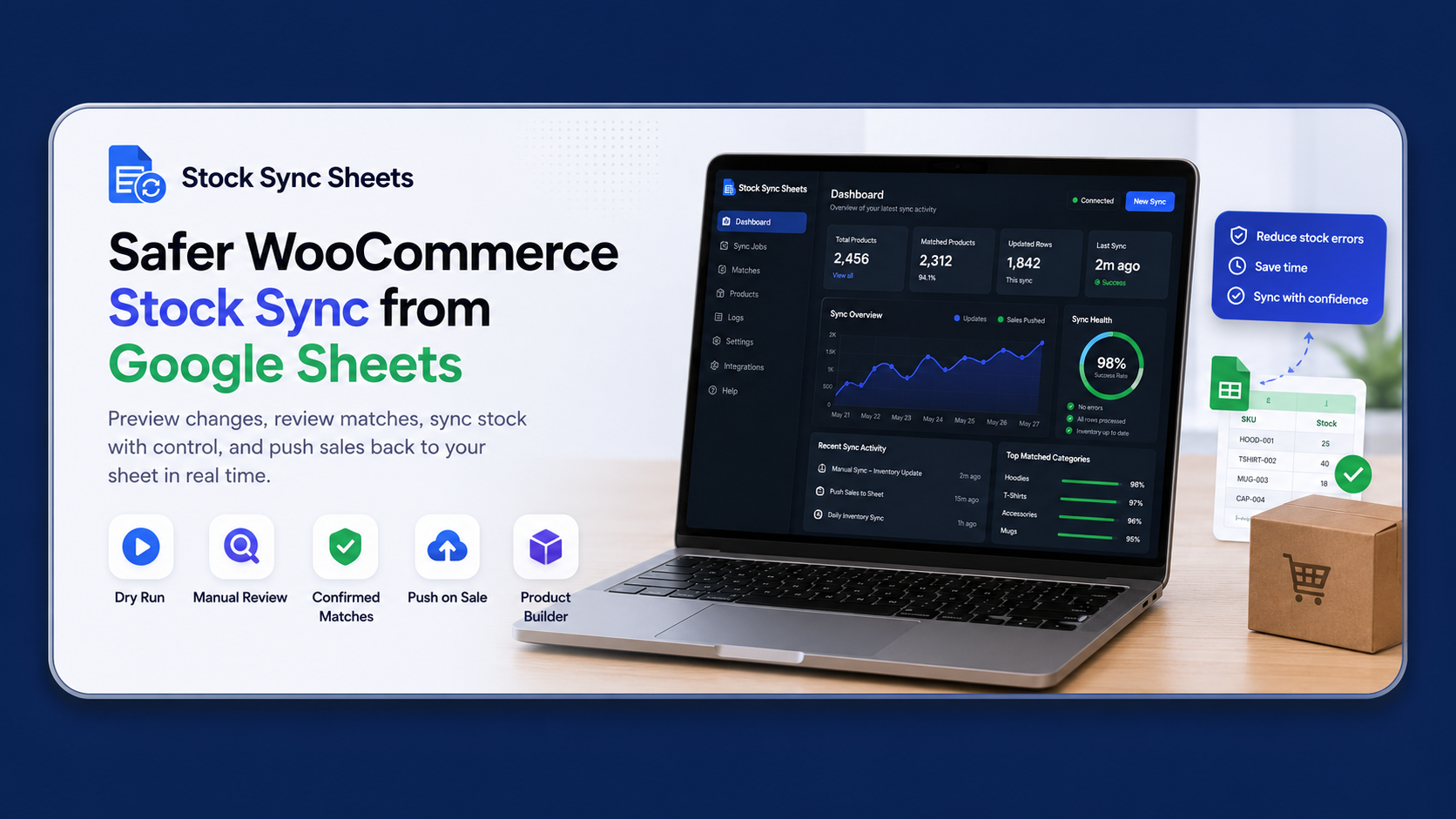
- Dry Run previews before live stock updates
- Manual Review for uncertain product matches
- Confirmed matches for cleaner repeat syncs
- Sheet Push, Product Builder and included Price Sync workflows
When it is not the right tool
Stock Sync Sheets is not the best choice if you only need a one-time CSV import, a simple order export, or a broad automation platform that connects many unrelated apps.
It may also be the wrong fit if your business needs a fully custom private integration maintained by developers. In that case, Google Apps Script or a direct WooCommerce REST API build may be better.
- One-off product edits may only need CSV tools
- Simple order-to-sheet logging may suit Zapier or Make
- Custom business systems may need REST API development
- Stock Sync Sheets is strongest for repeated WooCommerce sheet workflows
Which WooCommerce Google Sheets workflow do you need?
Start with the job you need to solve. Each workflow has a dedicated page with clearer setup details and examples.
Stock Sync
Sync WooCommerce stock from Google Sheets with review-first controls.
View Stock Sync →Sheet Push
Push WooCommerce stock changes and sale reductions back to Google Sheets.
View Sheet Push →Product Builder
Create or update WooCommerce products from mapped Google Sheet rows.
View Product Builder →Price Sync
Sync WooCommerce regular prices and sale prices from Google Sheets.
View Price Sync →Setup Guides
Use guides for Stock Sync, Sheet Push, Product Builder, Price Sync and troubleshooting.
Open Guides →Support
Get setup help when you need guidance on matching, logs, sheets or workflows.
Get Support →When automation should stay simple
Automation helps when the workflow repeats. If the job is small, rare or highly custom, a simpler method can be the better choice.
Use CSV for occasional updates
If you only update a few products now and then, a manual CSV process may be enough. Automation is more useful when the same work keeps coming back.
Use Zapier or Make for simple events
If the goal is to copy order or customer information into a sheet, a no-code automation tool may be a practical fit.
Use REST API for custom systems
If your store has private business rules, custom middleware or developer-maintained processes, a direct API build may be more appropriate.
WooCommerce Google Sheets automation FAQs
Quick answers for store owners comparing plugins, sheet workflows, no-code automation and manual updates.
Can WooCommerce automatically update Google Sheets after sales?
Yes. Use a store-to-sheet workflow such as Sheet Push when WooCommerce sale stock reductions should update Google Sheets after orders change inventory.
Can Google Sheets update WooCommerce stock?
Yes. A dedicated WooCommerce Google Sheets plugin can use mapped sheet columns to update stock quantities and stock status, ideally with preview and review controls before live changes run.
Can I create WooCommerce products from Google Sheets?
Yes. Product Builder is designed for creating or updating WooCommerce product data from mapped Google Sheet rows, including structured catalog fields.
Can I sync WooCommerce prices from Google Sheets?
Yes. Price Sync handles regular price and sale price updates from Google Sheets using a dedicated pricing workflow.
Is Zapier better than a WooCommerce Google Sheets plugin?
Zapier or Make can be better for simple event automation across many apps. A dedicated WooCommerce plugin is usually better for repeated stock, price, product and matching workflows where review controls matter.
Should I use CSV or live Google Sheets automation?
Use CSV for occasional manual changes. Use Google Sheets automation when your store repeatedly updates stock, prices or product data and needs a cleaner process.
Start with the workflow that matches your store
If your WooCommerce team already works from Google Sheets, start with Stock Sync Sheets and choose the module that matches the job: stock sync, Sheet Push, Product Builder, Price Sync, guides or support.