Safer WooCommerce Stock Sync
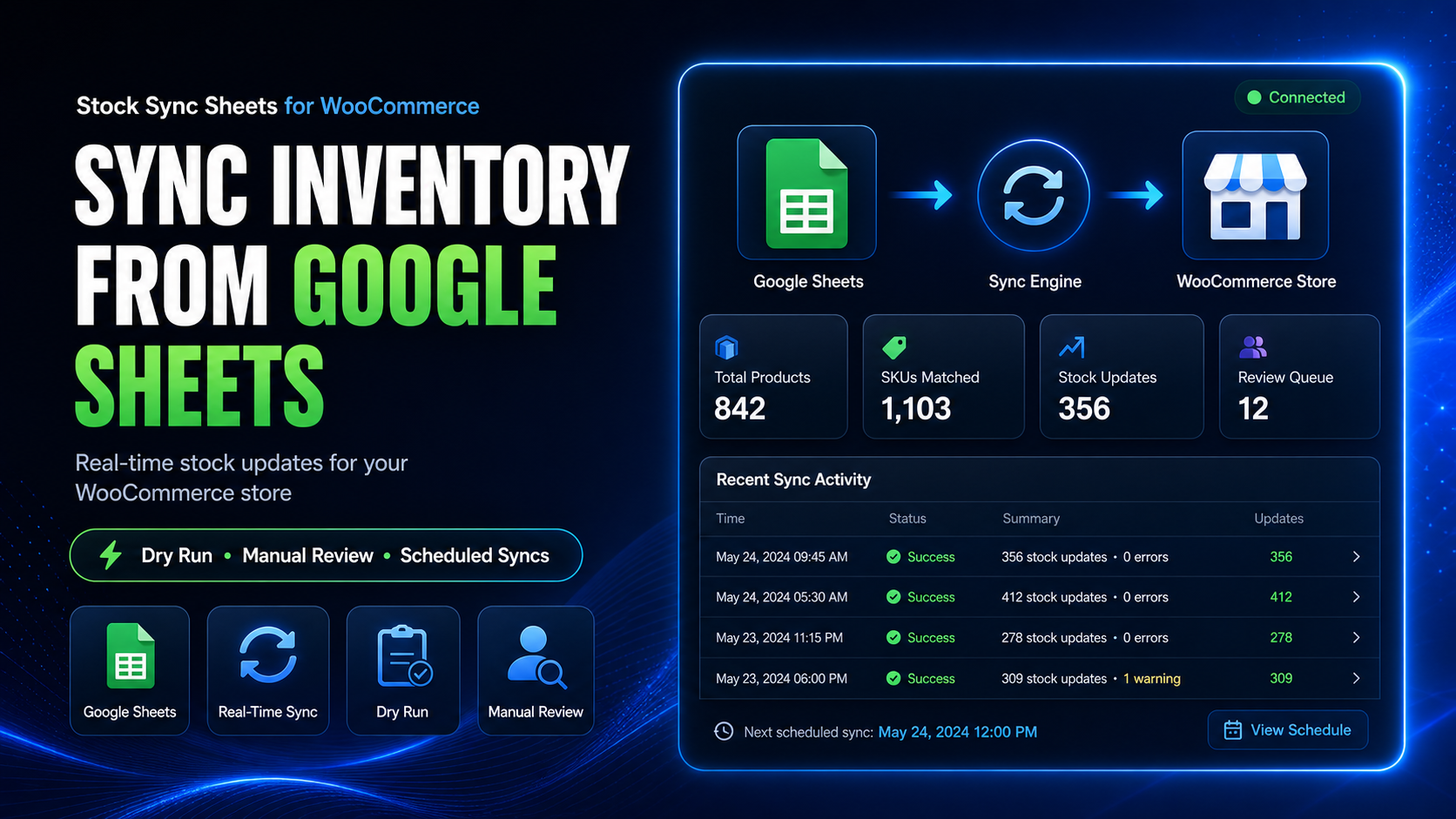
WooCommerce stock sync from Google Sheets should not rely on blind bulk updates. Stock Sync Sheets helps you preview changes with Dry Run, review uncertain matches manually, confirm products more safely, and keep live stock updates more controlled.
- Dry Run before live stock changes
- Manual Review for uncertain matches
- Safer matching and confirmed product control
- Sheet Push workflows after sales activity
Why WooCommerce stock sync from Google Sheets needs control
When spreadsheet stock affects live WooCommerce products, mistakes become expensive fast. Wrong matches, inconsistent supplier sheets, unclear SKUs, and rushed bulk updates can create overselling problems, incorrect availability, and cleanup work you did not need. A safer workflow gives you checkpoints before live stock changes run.
Blind bulk updates
Running live stock changes without previewing them first makes it harder to catch issues before your storefront is affected.
Uncertain product matches
Supplier sheets and store catalogs do not always line up cleanly. That is where manual checkpoints matter.
Messy correction work
Bad stock pushes often lead to manual cleanup, stock confusion, and lost time that should have been avoidable.
Disconnected workflows
Stock updates and after-sale sheet activity should work together, not create more spreadsheet maintenance.
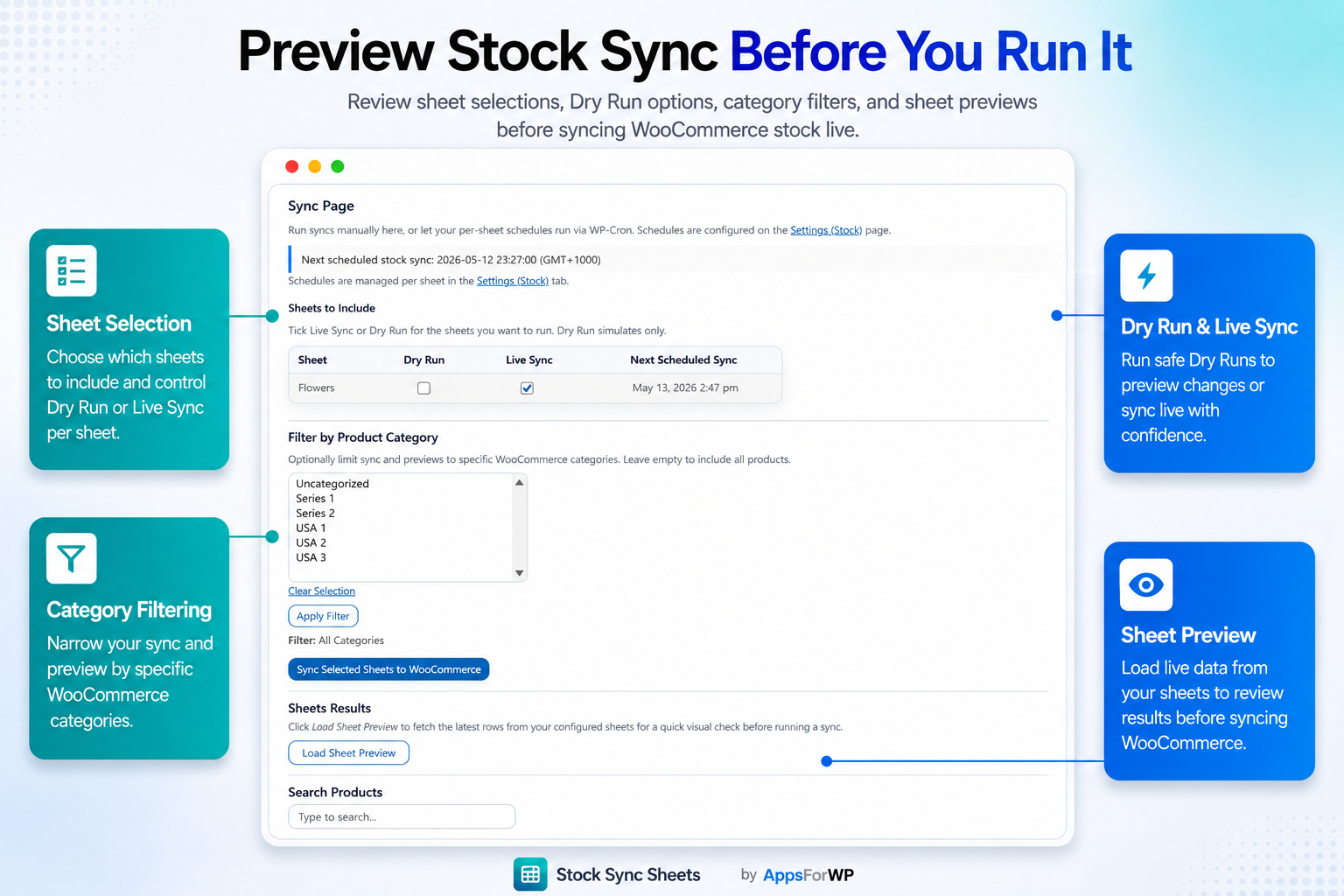
Use WooCommerce stock sync from Google Sheets with Dry Run first
Dry Run helps you inspect what the sync is about to change before committing updates to live WooCommerce stock. That makes WooCommerce stock sync from Google Sheets more practical for stores that do not want to trust blind automation.
- Check what the sync is about to update before it changes your store
- Spot likely issues earlier instead of discovering them after live stock is already wrong
- Build more confidence before scheduling repeat workflows
- Reduce time spent cleaning up avoidable stock mistakes later
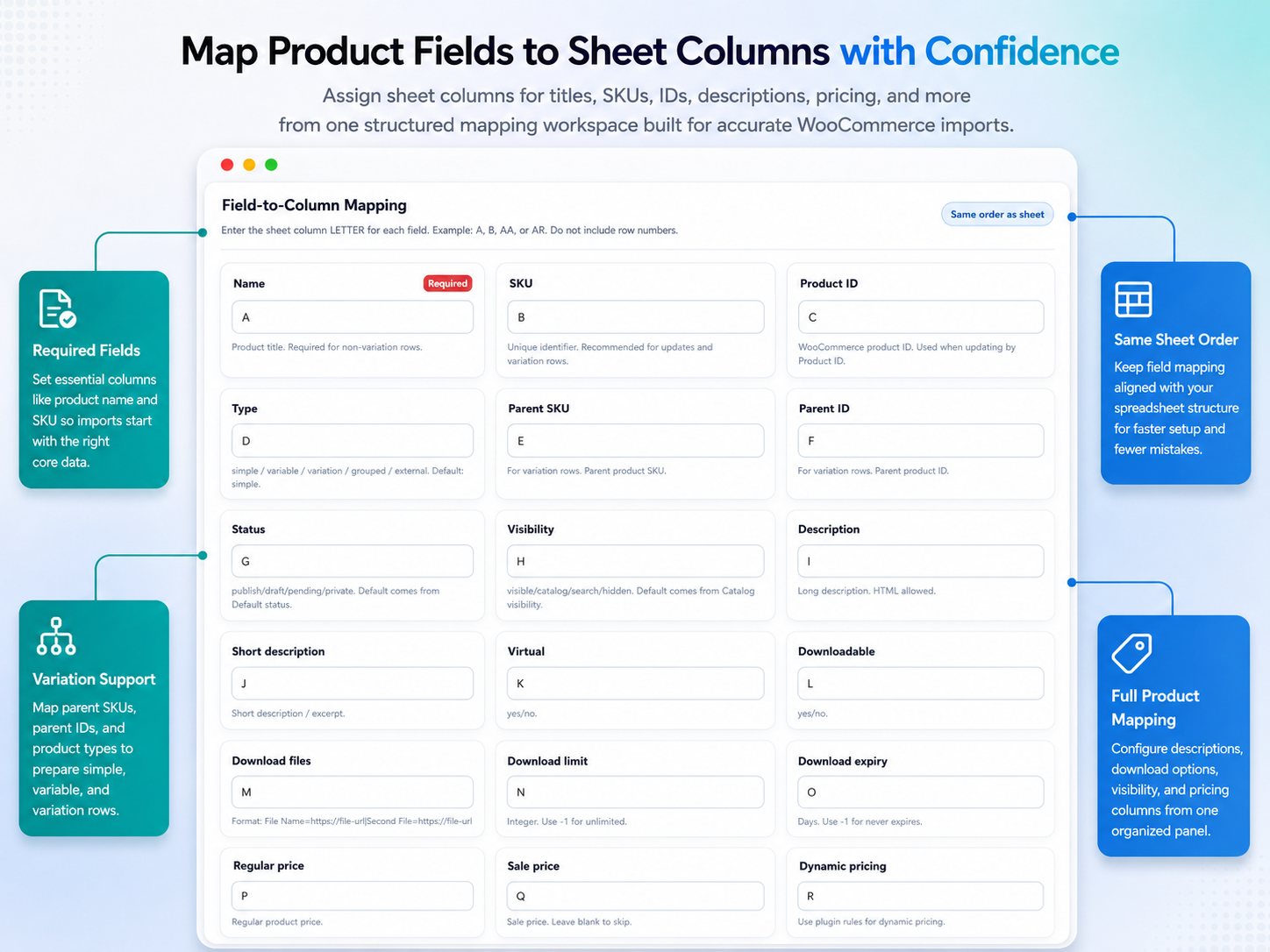
Review uncertain product matches before live updates
WooCommerce stock sync from Google Sheets gets riskier when product references are inconsistent. Manual Review gives you a checkpoint when matching is uncertain, so you can confirm the right products before live stock changes go through.
- Useful when supplier sheets have inconsistent naming or SKUs
- Helps you avoid updating the wrong WooCommerce product by mistake
- Supports cleaner review workflows instead of forced automatic matching
- Gives you more control when store data is not perfectly structured
Safer matching matters more than claiming a sync is fast
If the wrong product gets updated, speed does not help. Stock Sync Sheets focuses on safer matching, confirmed product review, and more controlled workflows so your spreadsheet process stays usable as your catalog changes.
Keep cleaner product links
Once products are reviewed and confirmed, repeat workflows become easier to trust and manage.
Handle edge cases properly
Not every store catalog is neat. Review checkpoints help handle the cases that should not be automated blindly.
Reduce avoidable mismatch risk
A safer matching process can help reduce the chance of accidental stock changes across the wrong products.
Work with spreadsheet reality
Real stores deal with supplier sheets, changing references, and inconsistent data. The workflow should reflect that.
Keep sheet activity moving after WooCommerce sales
Safer stock control is not only about incoming updates. Your workflow can also stay more connected after orders are placed. Sheet Push helps move sales-related data back to Google Sheets in real time, which supports stores that manage stock and reporting around spreadsheets.
- Useful for teams that keep Google Sheets central to store operations
- Supports real-time Sheet Push after sales activity
- Helps reduce gaps between WooCommerce orders and spreadsheet workflows
- Fits the wider Stock Sync Sheets operating model, not just one sync action
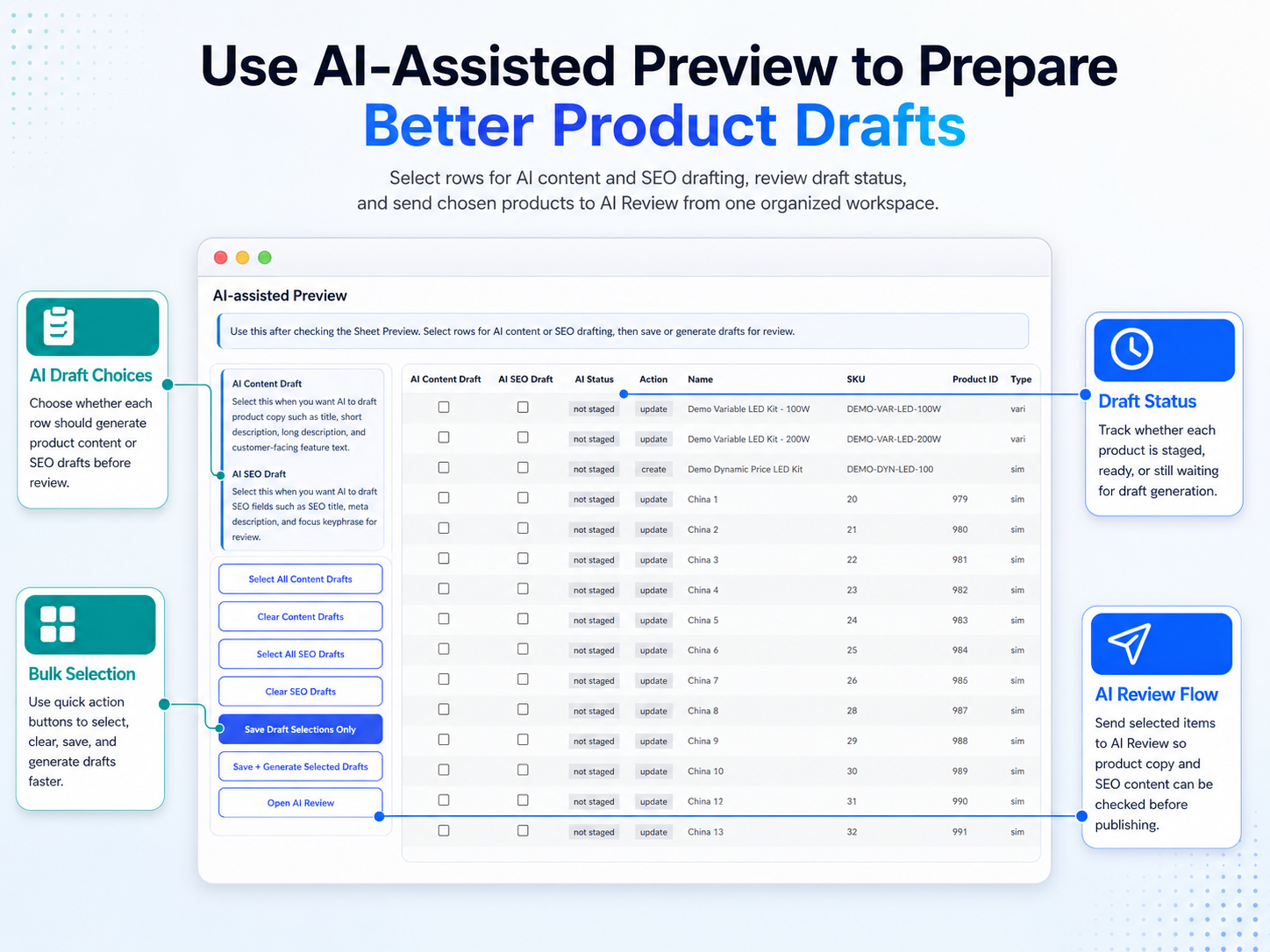
How the safer workflow fits together
You do not need a complicated process. You need a workflow that gives you visibility before updates run and better control when product matching is uncertain.
Connect your sheet
Set up the Google Sheet, sheet ID, and tab details your stock workflow depends on.
Run Dry Run first
Preview the expected changes before allowing live stock updates to affect the store.
Review uncertain items
Use Manual Review and confirmed matching steps where the sheet data needs closer checking.
Run with more confidence
Move to live updates and connected sheet workflows once the matching and preview checks look right.
Built for spreadsheet-driven WooCommerce stores
WooCommerce stock sync from Google Sheets is most useful when it reflects how real stores operate. If your team works from supplier spreadsheets, internal stock tabs, or repeat update routines, a safer preview-first workflow is the difference between controlled syncing and unnecessary cleanup.
FAQ about safer WooCommerce stock sync
Why is WooCommerce stock sync from Google Sheets risky without preview?
Because spreadsheet-driven updates can affect many live products quickly. Without a preview step, mistakes are easier to miss until the storefront is already showing incorrect stock.
What is the point of Manual Review?
Manual Review gives you a checkpoint when product matching is uncertain. That is especially useful when SKUs, names, or supplier references are inconsistent.
Does this workflow help with repeat syncs?
Yes. Confirmed matches and preview-first workflows make repeat operations easier to manage with more confidence than blind bulk updates.
What happens after sales activity?
For stores that depend on spreadsheets operationally, Sheet Push can send sales-related data back to Google Sheets in real time as part of the broader workflow.
See the safer stock sync workflow before you buy
If you want WooCommerce stock sync from Google Sheets with Dry Run, Manual Review, safer matching, and real-time sheet workflows after sales, explore the demo first or view pricing for Stock Sync Sheets.