

Simple pricing for WooCommerce stores using Google Sheets
Choose the Stock Sync Sheets license that fits your store. Every license now includes Stock Sync and Price Sync in one connected workflow, together with Dashboard, Dry Run, manual review, confirmed matches, scheduled syncs, Product Builder, AI Review, Sheet Editor, Sheet Push, and Push on Sale.
- ✔ The main plugin includes Stock Sync, regular price syncing, and sale price syncing
- ✔ Also, AI Review stays optional and uses your own OpenAI API key
- ✔ Price Sync is included with every license at no extra cost
- ✔ Finally, WooCommerce.com handles secure checkout, updates, support, and the 30-day refund policy
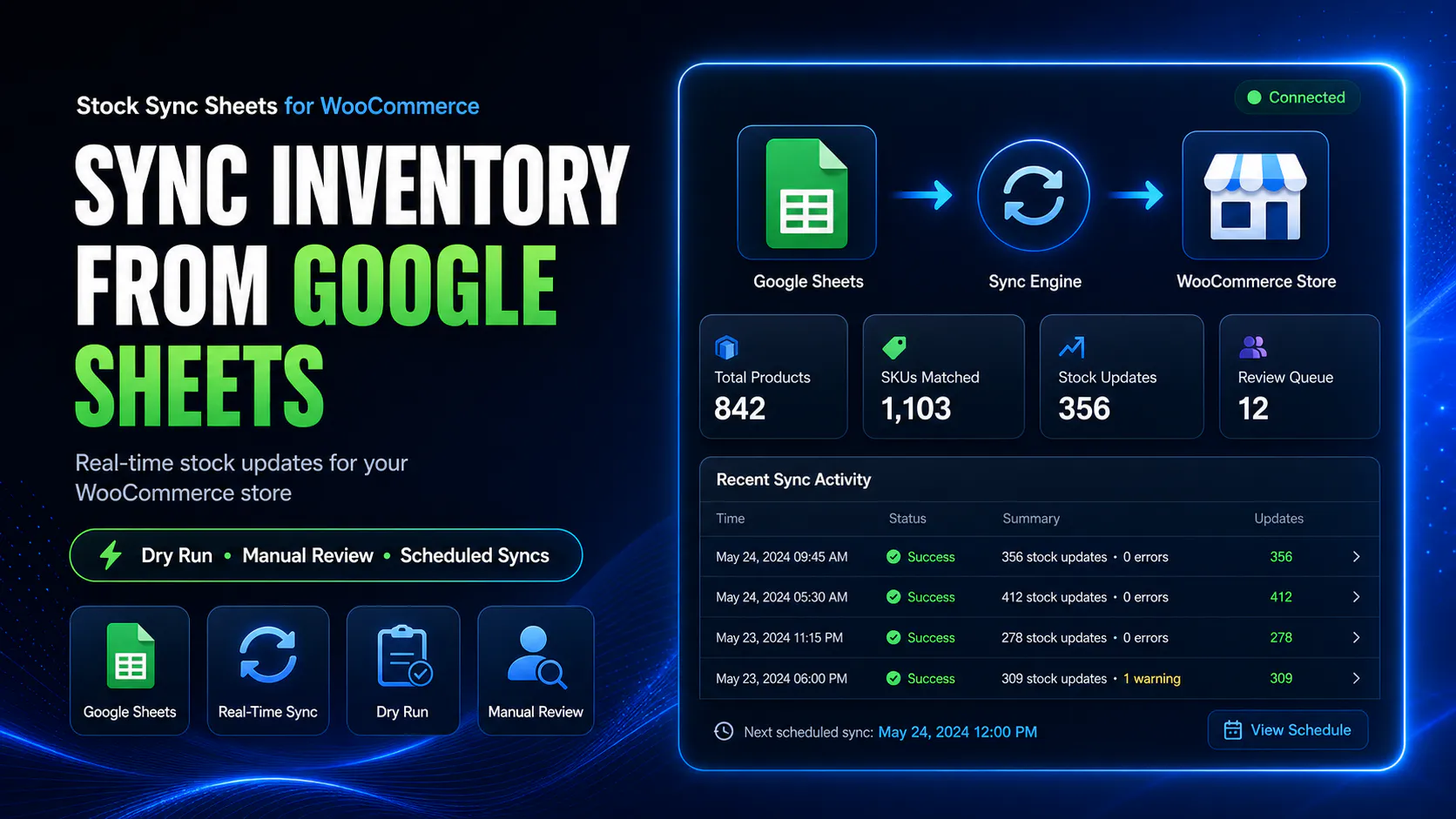
Everything you need is in the main plugin
Stock Sync Sheets does more than import spreadsheet rows. Every license gives you one connected workflow for stock syncing, regular and sale price syncing, product building, AI review, sheet editing, sheet push, match review, and safer scheduled operations.
Dashboard included
See Stock Sync, Price Sync, Product Builder, AI Review, Sheet Push, Push on Sale, manual review counts, confirmed matches, ignored items, and blacklist counts from one place.
Google Sheets stock sync
Sync WooCommerce stock quantities and stock status from one or more Google Sheets. As a result, you avoid messy CSV import work.
Regular and sale price sync included
Sync WooCommerce regular prices and sale prices from Google Sheets with the main plugin. Price Sync is included with every license at no extra cost.
Dry Run and manual review
Preview likely changes first. Then, review uncertain matches and confirm the right WooCommerce products before applying live stock updates.
Confirmed, ignored, and blacklist controls
Save approved matches, ignore items that should not auto-match, and blacklist bad match pairs. Therefore, repeated mistakes become easier to prevent.
Sheet Push and Push on Sale included
Push WooCommerce stock data back to Google Sheets with Full Export, Incremental Push, and Push on Sale workflows. Also, this helps shared sheets stay fresher after orders.
Product Builder included
Create or update WooCommerce products from mapped Google Sheet fields. In addition, you can keep product work inside the same workflow-driven system.
AI Review included
Use optional AI-assisted product content and SEO drafts from the Product Builder workflow. Before import, review the staged drafts yourself.
Sheet Editor included
Use Sheet Editor as part of the wider workflow. For example, it supports spreadsheet-driven product and stock operations from inside the plugin setup.
Choose your license
Both options give you the same main plugin features. However, the coverage length changes depending on the license you choose.
1-Year License
This plan suits store owners who want a lower upfront cost. However, it still gives full access to the main Stock Sync Sheets workflow.
- Google Sheets stock sync
- Regular and sale price sync at no extra cost
- Dashboard overview
- Dry Run mode and manual review
- Confirmed matches
- Ignored and blacklist controls
- Scheduled syncs
- Sheet Push and Push on Sale
- Sheet Editor
- Product Builder
- AI Review with your own OpenAI API key
- 30-day money-back guarantee
2-Year License
This plan suits store owners who already want longer coverage. Therefore, it gives better long-term value than renewing sooner.
- Everything in the 1-Year License
- 24 months of updates and support
- Lower long-term cost
- More time covered without renewal hassle
- Built for ongoing WooCommerce use
- Same Dashboard, Stock Sync, Price Sync, Product Builder, AI Review, Sheet Editor, Sheet Push, and Push on Sale features
- 30-day money-back guarantee
What is included
Every Stock Sync Sheets license includes the complete stock, price, product, AI review, sheet editing, and sheet push workflow. There is no separate Price Sync purchase and no extra Price Sync charge.
| Feature | Included with every license | What it covers |
|---|---|---|
| Stock Sync | Included | Sync WooCommerce stock quantities and stock status from Google Sheets. |
| Regular Price Sync | Included at no extra cost | Sync WooCommerce regular prices from Google Sheets. |
| Sale Price Sync | Included at no extra cost | Sync WooCommerce sale prices from Google Sheets. |
| Dashboard | Included | View Stock Sync, Price Sync, product, review, and sheet workflow status from one place. |
| Dry Run | Included | Preview likely updates before applying live changes. |
| Manual Review | Included | Review uncertain stock and price matches before approval. |
| Confirmed Matches | Included | Reuse approved matches for safer repeat syncing. |
| Ignored and Blacklist Controls | Included | Prevent unwanted or incorrect stock and price match pairs. |
| Scheduled Syncs | Included | Run configured stock and price syncing automatically. |
| Product Builder | Included | Create or update WooCommerce products from mapped Google Sheet fields. |
| AI Review | Included, with your own OpenAI key | Generate optional product and SEO drafts for review before import. |
| Sheet Editor | Included | Support spreadsheet-driven stock, price, and product workflows. |
| Sheet Push | Included | Push WooCommerce stock data back to Google Sheets. |
| Push on Sale | Included | Keep connected stock sheets updated after WooCommerce sales. |
AI usage is optional and bring-your-own-key
AI Review comes with the Product Builder workflow. However, AI usage requires the store owner’s own OpenAI API key.
No AI markup, no AI commission
Stock Sync Sheets does not sell AI credits, add markup, or take commission from AI calls. Instead, you use your own OpenAI API key and pay your AI provider directly for what you use.
Optional AI drafts
Use AI to help draft product titles, short descriptions, long descriptions, bullet features, SEO titles, meta descriptions, and focus keyphrases. Then, edit the output before import.
Review before import
The plugin stages AI output for review first. Therefore, drafts do not automatically overwrite live WooCommerce products.
Your own OpenAI API key
You control your AI provider account, usage, and billing. Meanwhile, Stock Sync Sheets only provides the workflow inside the plugin.
Why this is better than generic alternatives
Many spreadsheet integrations try to do a bit of everything. By contrast, Stock Sync Sheets focuses on WooCommerce and gives store owners safer workflows around stock, products, AI drafts, sheet editing, and push operations.
Built specifically for WooCommerce
We built this around WooCommerce stock, product, match review, and sheet workflows. Instead of supporting every platform at once, it stays focused on store needs.
Safer matching workflow
Dry runs, manual review, confirmed matches, ignored controls, and blacklists help reduce bad update risks. For example, they help when sheet rows are not perfectly clear.
Better for repeat syncing
Once your confirmed matches build up, future syncs get faster and cleaner. As a result, the workflow does not stay messy every time.
Supports wider workflows
Dashboard, Sheet Push, Push on Sale, Product Builder, AI Review, Sheet Editor, and shared-sheet workflows add wider value. Therefore, the plugin offers more than a basic stock-only connector.
What you are really paying for
The value is not just row syncing. Instead, the plugin replaces manual stock, product, and sheet work with a repeatable WooCommerce workflow that saves time and reduces avoidable mistakes.
Less manual stock editing
Stop updating stock one product at a time. Also, avoid rebuilding CSV files every time quantities change.
More control before going live
Review uncertain matches before they cause problems. Therefore, you avoid relying on a blind sync that can update the wrong items.
A workflow that improves over time
As your confirmed matches grow and bad pairs move to the blacklist, your sync process gets faster. In addition, it becomes more reliable and easier to manage.
More than stock-only syncing
The main plugin also gives you Price Sync, Dashboard, Product Builder, AI Review, Sheet Editor, Sheet Push, and Push on Sale. As a result, you get a broader Google Sheets workflow.
Everything is included in one license
Keep the buying decision simple. The main plugin includes the connected WooCommerce Google Sheets workflow for stock, regular prices, sale prices, products, AI review, sheet editing, and sheet push.
Included in Stock Sync Sheets
The main plugin includes Google Sheets stock sync, regular and sale price sync, Dashboard, Dry Run, manual review, confirmed matches, ignored and blacklist controls, scheduled syncs, Product Builder, AI Review, Sheet Editor, Sheet Push, and Push on Sale.
Price Sync included at no extra cost
Sync WooCommerce regular prices and sale prices from Google Sheets with the same Stock Sync Sheets license. No separate add-on or additional Price Sync payment is required.
Buy through WooCommerce.com
WooCommerce.com handles your purchase, licensing, updates, and refund policy. Therefore, buying and renewing stay cleaner.
Frequently asked questions
Do both licenses include the same plugin features?
Both licenses give you the same main plugin features. However, the length of updates and support coverage changes.
What is included in the main plugin?
The main plugin gives you Google Sheets stock sync, regular and sale price sync, Dashboard, Dry Run mode, manual review, confirmed matches, ignored and blacklist controls, scheduled syncs, Product Builder, AI Review, Sheet Editor, Sheet Push, and Push on Sale.
Is Price Sync included in this price?
Yes. Regular price and sale price syncing are included with every Stock Sync Sheets license at no extra cost. You do not need to buy or install a separate paid Price Sync add-on.
Is AI usage included in the license price?
AI Review comes with Product Builder. However, AI usage requires your own OpenAI API key. Stock Sync Sheets does not sell AI credits, add usage markup, or take commission from AI calls.
What happens after I buy?
You purchase through WooCommerce.com. After that, WooCommerce.com handles licensing, access, updates, support, and the refund policy.
Can I use this if I manage stock in Google Sheets already?
Yes, that workflow fits Stock Sync Sheets well. We built it for WooCommerce stores that already rely on spreadsheets for stock, product, supplier, and workflow management.
Can I preview updates before changing live stock?
Yes. Dry Run mode lets you inspect likely changes before you run a live sync.
Does this help with multi-store workflows?
Yes. Shared-sheet workflows, Push on Sale, Sheet Push, and scheduled syncs can help businesses manage stock more cleanly across one or multiple WooCommerce stores.
Choose the license that fits your store
Get Stock Sync Sheets through WooCommerce.com. Then, replace manual stock, price, product, match review, and sheet work with one cleaner Google Sheets to WooCommerce workflow.
Buy 1-Year License Buy 2-Year License