Stock Sync Sheets vs FlexStock: Safety-First, Review-Driven Workflows
Stock Sync Sheets vs FlexStock compares two WooCommerce Google Sheets workflows with different priorities. FlexStock publicly focuses on two-way inventory sync, bulk editing, product export, and variable products. It also highlights real-time and scheduled auto sync. In contrast, Stock Sync Sheets uses a safety-first, review-driven workflow. Dry Run, Manual Review, Confirmed Matches, Sheet Push, Push on Sale, and built-in Price Sync support that workflow.
This FlexStock comparison fits inside the broader WooCommerce Google Sheets integration funnel. In addition, Stock Sync Sheets connects stock sync, Sheet Push, Price Sync, Product Builder, and Manual Review.
For a wider comparison of stock sync options, see the WooCommerce stock sync plugin comparison.
Looking for a standalone WooCommerce Google Sheets stock sync plugin rather than a competitor comparison? Explore the full Stock Sync Sheets product overview.
- ✔ Careful comparison based on visible workflow differences
- ✔ No competitor attack or unfair claims
- ✔ Clear buyer guidance for WooCommerce Google Sheets stock sync
- ✔ Focus on safety, review controls, product workflows, and real-time sheet updates
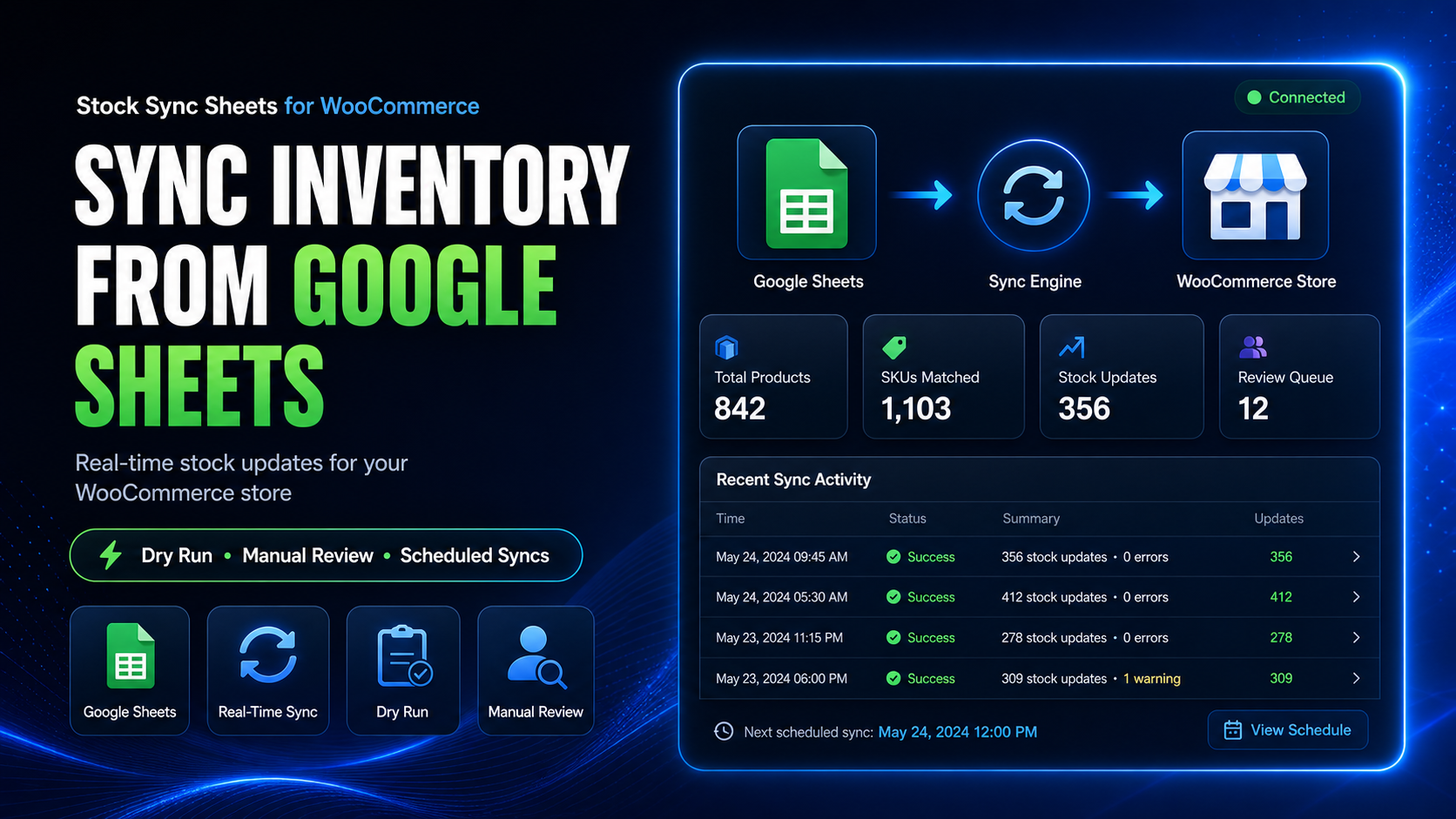
Stock Sync Sheets vs FlexStock: which workflow fits your store?
Choose based on how you want to manage risk. Both plugins support WooCommerce and Google Sheets workflows. In contrast, Stock Sync Sheets suits stores that value previews, review steps, confirmed matching, and broader product workflows.
Choose a spreadsheet sync workflow if
You mainly want WooCommerce and Google Sheets to stay connected for stock, product data, exports, bulk editing, and inventory visibility.
Choose a safety-first workflow if
For example, you can use Dry Run, Manual Review, Confirmed Matches, logs, ignored rows, and blacklist controls before live stock updates.
Choose a broader product workflow if
You may also want Product Builder, Product Builder AI, Sheet Push, Push on Sale, and built-in Price Sync at no extra cost.
Choose based on workflow, not hype
The better plugin is the one that matches how your store actually manages stock, products, sheets, reviews, and sale updates.
FlexStock Google Sheets workflow focus
FlexStock focuses on WooCommerce inventory management with Google Sheets. Specifically, its public pages highlight stock sync, product export, variable products, bulk editing, real-time auto sync, and scheduled auto sync.
FlexStock Google Sheets workflow themes
According to its public product and plugin pages, FlexStock highlights these workflows:
- WooCommerce inventory management with Google Sheets.
- Product stock and inventory sync between WooCommerce and Google Sheets.
- Apps Script setup from Google Sheets.
- Variable product sync and attribute handling.
- One-click product export to Google Sheets.
- Bulk editing products directly from synced sheet data.
- Real-time auto sync.
- Scheduled auto sync.
- WooCommerce order, product detail, and stock updates syncing to Google Sheets in real time.
What Stock Sync Sheets focuses on
In contrast, Stock Sync Sheets uses controlled WooCommerce stock sync from Google Sheets. Review steps come before live updates. In addition, the plugin supports product workflows, AI drafts, Sheet Push, sale updates, and built-in Price Sync.
Dry Run safety
For example, preview stock updates before changing live WooCommerce products.
Manual Review
Then, review uncertain product matches instead of forcing risky automatic updates.
Confirmed Matches
Afterward, save approved product links so future syncs become cleaner and faster.
Ignored and Blacklist controls
In addition, block unwanted rows or bad product matches from being reused.
Product Builder
For example, create and update WooCommerce products from mapped Google Sheets data.
Product Builder AI
Then, draft product content and SEO fields from sheet data for review before publishing.
Sheet Push
Create or update Google Sheets from WooCommerce product data.
Push on Sale
Push WooCommerce stock changes back to Google Sheets when orders reduce stock.
Stock Sync Sheets vs FlexStock comparison table
In short, this table compares visible workflow positioning. It does not claim that FlexStock lacks a feature when its public pages do not make that feature a main focus.
| Workflow area | FlexStock visible focus | Stock Sync Sheets visible focus |
|---|---|---|
| Core purpose | WooCommerce inventory management and Google Sheets stock/product sync workflow. | WooCommerce stock sync from Google Sheets with safer review, matching, push, product, and AI workflows. |
| Google Sheets stock sync | Publicly positioned around syncing WooCommerce inventory and stock with Google Sheets. | Syncs WooCommerce stock quantities and stock status from one or more Google Sheets. |
| Setup style | Public page describes applying script code through Google Sheets Apps Script. | Uses WordPress plugin settings for sheet ID, tab, row range, column mapping, and sync controls. |
| Preview before live updates | Not the main visible positioning on the public comparison basis used here. | Dry Run is a core workflow so users can preview updates before live stock changes. |
| Manual product match review | Not the main visible positioning on the public comparison basis used here. | Manual Review is a core workflow for uncertain product matches before syncing. |
| Confirmed product matches | Not the main visible positioning on the public comparison basis used here. | Confirmed Matches are used to remember approved product links for cleaner future syncs. |
| Ignored and Blacklist controls | Not the main visible positioning on the public comparison basis used here. | Ignored and Blacklist controls help stop unwanted rows or bad matches from repeating. |
| Product export to Google Sheets | Publicly highlights one-click product export and automatic product detail updates on Google Sheets. | Sheet Push supports creating or updating Google Sheets from WooCommerce product data. |
| Real-time WooCommerce to Google Sheets updates | Publicly highlights real-time auto sync and WooCommerce-to-Google-Sheets updates. | Push on Sale sends WooCommerce stock reductions back to Google Sheets when orders reduce stock. |
| Scheduled sync | Publicly highlights scheduled auto sync. | Supports scheduled stock syncs after the Dry Run and review workflow are tested. |
| Bulk editing | Publicly highlights bulk editing products directly from synced sheets. | Focuses more on stock sync safety, Product Builder, product updates, and controlled mapped workflows. |
| Variable product workflows | Publicly highlights variable product sync and attribute handling from Google Sheets. | Supports variation-aware workflows when product identity and variation data are mapped correctly. |
| AI product content workflow | Not the main visible positioning on the public comparison basis used here. | Product Builder AI drafts product content and SEO fields for review. |
| Price syncing | Public pages mention product fields and bulk editing workflows. | Price Sync is included in Stock Sync Sheets at no extra cost and uses a dedicated workflow for regular and sale prices. |
| Best fit | Stores that want a Google Sheets inventory sync and bulk editing style workflow. | Stores that want a safety-first WooCommerce Google Sheets workflow with preview, manual review, confirmed matches, push workflows, Product Builder, AI, and built-in Price Sync at no extra cost. |
Choose FlexStock Google Sheets workflows when
For example, FlexStock-style positioning suits stores comparing Google Sheets inventory sync, bulk editing, product export, and automatic store-to-sheet updates.
You want inventory visibility in Google Sheets
A Google Sheets-focused inventory workflow can be useful when your team wants product and stock data visible in a shared sheet.
You want bulk editing from sheets
If bulk editing product data directly from a sheet is the top priority, compare how each workflow handles field editing and sync direction.
You want automatic store-sheet syncing
If automatic two-way visibility is the main goal, compare real-time and scheduled sync behaviour carefully before choosing.
You want variable product sheet workflows
If variable product and attribute handling is the main concern, compare how each plugin expects sheets to be structured.
Choose Stock Sync Sheets when
In contrast, Stock Sync Sheets suits stores that need a safer path from Google Sheets into WooCommerce before live stock changes.
Stock Sync Sheets is the better fit if you need:
- Dry Run before live stock updates.
- Manual Review for uncertain matches.
- Confirmed Matches for repeat sync accuracy.
- Ignored and Blacklist controls for bad rows or bad matches.
- Detailed sync logs for checking what happened.
- Category filters, row ranges, mapped columns, and controlled sheet setup.
- Sheet Push for WooCommerce-to-Google-Sheets product workflows.
- Push on Sale for real-time sale-to-sheet stock updates.
- Product Builder for creating and updating WooCommerce products from sheets.
- Product Builder AI for product content and SEO draft workflows.
- A built-in Price Sync module at no extra cost, with stock and price syncing kept in separate controlled workflows.
Stock Sync Sheets safety and workflow control
In short, both plugins work with WooCommerce and Google Sheets. Stock Sync Sheets places more emphasis on checking stock changes before they affect live products.
Preview first
To begin with, use Dry Run to inspect likely stock changes before applying them to WooCommerce.
Review uncertain matches
Then, use Manual Review when sheet rows need human confirmation before syncing.
Save approved matches
Afterward, use Confirmed Matches so future sync runs are cleaner and less repetitive.
Automate after testing
Finally, enable scheduled syncs only after the first setup, Dry Run, and live sync are proven.
Stock Sync Sheets vs FlexStock FAQ
Careful answers for store owners comparing WooCommerce Google Sheets stock sync plugins.
Is this saying FlexStock is bad?
No. This comparison does not say FlexStock is bad. Instead, it compares visible workflow positioning. FlexStock publicly focuses on Google Sheets inventory sync, bulk editing, product export, variable products, and automatic sync. In contrast, Stock Sync Sheets emphasizes Dry Run, Manual Review, Confirmed Matches, Sheet Push, Push on Sale, and built-in Price Sync.
Which plugin is better for safety before stock updates?
Stock Sync Sheets is built around a safety-first workflow with Dry Run, Manual Review, Confirmed Matches, logs, ignored rows, and blacklist controls before live stock updates.
Which plugin is better for bulk editing from Google Sheets?
If your main goal is bulk editing product fields directly from Google Sheets, compare each plugin’s bulk editing workflow carefully. FlexStock publicly highlights bulk editing. Stock Sync Sheets focuses more on controlled stock sync, product building, sheet push, and review-based workflows.
Does Stock Sync Sheets support real-time sale updates?
Yes. Push on Sale can send WooCommerce stock reductions back to Google Sheets when orders reduce stock.
Does Stock Sync Sheets include Product Builder AI?
Yes. Product Builder AI is designed to draft product content and SEO fields for review as part of the broader spreadsheet-to-WooCommerce product workflow.
Is price sync part of Stock Sync Sheets?
Yes. Price Sync is included in Stock Sync Sheets at no extra cost. It has its own controlled workflow inside the plugin, so stock updates and regular or sale price updates remain easier to manage separately.
Choose a safer Stock Sync Sheets workflow for WooCommerce
In summary, Stock Sync Sheets supports a safety-first Google Sheets stock sync workflow. Use Dry Run, Manual Review, Confirmed Matches, and blacklist controls before live updates. Then use Sheet Push, Push on Sale, Product Builder, Product Builder AI, and built-in Price Sync as your store needs them.
Get Stock Sync Sheets Try Demo Site