WooCommerce Google Sheets REST API Alternative
Looking for a WooCommerce Google Sheets REST API alternative? Stock Sync Sheets gives stores a plugin-based workflow for stock sync, Sheet Push, Product Builder, Dry Run, Manual Review, confirmed matches, and safer controls.
A custom REST API build can work, but it also means code, authentication, product matching, error handling, logs, schedules, testing, and maintenance. Stock Sync Sheets is built for stores that want the workflow without building the full system themselves.
- ✔Sync WooCommerce stock from Google Sheets
- ✔Push WooCommerce data back to Google Sheets
- ✔Use Dry Run before live stock updates
- ✔Review uncertain matches before syncing
- ✔Create products from Google Sheets with Product Builder
- ✔Avoid custom REST API maintenance for common workflows
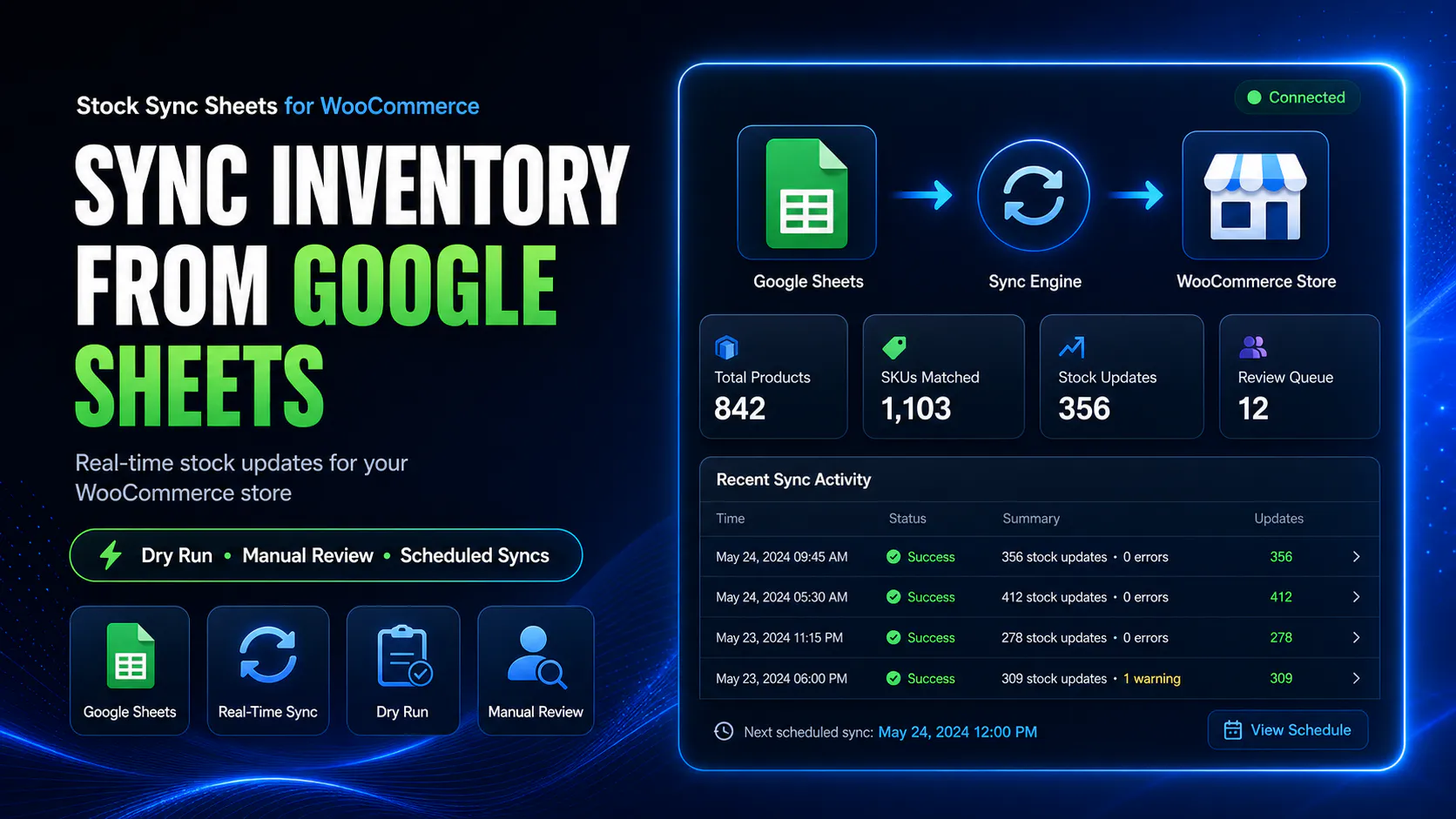
Why stores look for a WooCommerce Google Sheets REST API alternative
Custom REST API integrations sound flexible, but the real work is not just sending data between WooCommerce and Google Sheets. The hard parts are product matching, review, logging, schedules, recovery, and maintenance.
Authentication work
Custom builds need secure authentication, permissions, keys, request handling, and protection against bad requests.
Product matching logic
The integration must correctly match sheet rows to WooCommerce products, variations, SKUs, product IDs, or model codes.
Logging and debugging
Without useful logs, it becomes hard to know which rows updated, skipped, failed, or matched incorrectly.
Scheduling and reliability
Custom sync schedules need error handling, retries, safe timing, and protection against overlapping jobs.
Use a plugin workflow instead of building everything from scratch
A custom REST API system can be a good choice for highly specialised stores, but most WooCommerce stores simply need a safer way to connect Google Sheets with stock, product, and sheet update workflows.
Stock Sync Sheets gives you ready-made admin workflows for stock sync, Dry Run, Manual Review, confirmed matches, ignored matches, blacklist controls, Sheet Push, Product Builder, AI Review, and Push on Sale.
- ✔Use Google Sheets as a stock source
- ✔Preview stock changes before live sync
- ✔Review uncertain product matches
- ✔Push WooCommerce stock data back to Google Sheets
REST API is not the hard part — safe syncing is
Sending data through an API is only one piece. The real risk is what happens when the data is wrong, the product match is uncertain, the row range changes, or a schedule runs at the wrong time.
Stock Sync Sheets is built around safer store workflows: preview, review, logs, confirmed matches, ignored rows, and controlled sync actions.
- ✔Dry Run before live updates
- ✔Manual Review for uncertain matches
- ✔Confirmed Matches for repeat syncs
- ✔Logs to understand what happened
Custom REST API build vs Stock Sync Sheets
A custom build can be powerful, but it is not always necessary. For many stores, a plugin-based workflow is faster to launch and easier to maintain.
| Workflow need | Custom REST API build | Stock Sync Sheets |
|---|---|---|
| Google Sheets to WooCommerce stock sync | Requires custom code, authentication, mapping and update logic. | Built as a configured stock sync workflow from Google Sheets. |
| Preview before live updates | Must be custom built. | Dry Run is part of the workflow. |
| Uncertain product matches | Needs custom matching and review screens. | Manual Review can hold uncertain matches before live sync. |
| Confirmed matches | Needs custom storage and lookup logic. | Approved matches can be saved for future syncs. |
| WooCommerce to Google Sheets updates | Requires reverse sync logic. | Sheet Push and Push on Sale support WooCommerce-to-sheet workflows. |
| Product creation from sheets | Requires a full product import system. | Product Builder helps create and update products from Google Sheets. |
| AI product content drafts | Requires separate AI integration and review logic. | AI Review can stage product content and SEO drafts before import. |
| Maintenance | Ongoing developer responsibility. | Plugin workflow with admin settings and support path. |
When Stock Sync Sheets is the better fit
Stock Sync Sheets is the better fit when you need practical WooCommerce Google Sheets workflows without commissioning a custom integration.
You need stock sync
Sync stock quantities and stock status from Google Sheets into WooCommerce.
You need Sheet Push
Push WooCommerce stock and product-related data back to Google Sheets.
You need Push on Sale
Update Google Sheets when WooCommerce orders reduce stock in a connected workflow.
You need Product Builder
Create and update WooCommerce products from mapped Google Sheets data.
You need AI Review
Stage product content and SEO field drafts before approving WooCommerce updates.
You need review controls
Use Dry Run, Manual Review, confirmed matches, ignored matches and blacklist controls.
When a custom REST API build may still make sense
This page should be honest: not every store should use a plugin workflow. Some stores still need custom development.
Highly custom business rules
If your stock logic is unique, layered, or connected to multiple private systems, custom development may still be needed.
Enterprise middleware
If your store depends on ERP, WMS, POS, CRM, vendor portals, and middleware rules, a custom integration may be required.
Complex two-way conflict handling
If multiple systems can edit the same field and conflicts must be resolved automatically, custom logic may be necessary.
Strict internal security policies
Some businesses require internal development, private infrastructure, custom audit controls, or approval workflows.
The better question: do you need custom code or a safer workflow?
If you only need to move stock and product data between WooCommerce and Google Sheets, custom REST API development may be overkill.
If you need a controlled workflow with preview, review, matching, logs, Sheet Push, Product Builder and AI Review, Stock Sync Sheets gives you a ready-made starting point.
- ✔Less custom code for standard workflows
- ✔Safer stock sync controls
- ✔Google Sheets and WooCommerce admin workflow
- ✔Product Builder and AI Review included
Helpful REST API alternative resources
These pages explain the connected Stock Sync, Sheet Push, Product Builder, AI Review and comparison workflows.
Plugin overview
See the main Stock Sync Sheets buyer guide covering Stock Sync, Product Builder, AI Review, Sheet Push, Push on Sale and Price Sync.
Stock Sync
Sync WooCommerce stock from Google Sheets with Dry Run, Manual Review, confirmed matches and logs.
Stock Sync Without Coding
See how WooCommerce stores can sync stock from Google Sheets without building custom code or REST API logic.
Push on Sale
Update Google Sheets when WooCommerce orders reduce stock in a connected workflow.
Product Builder
Create and update WooCommerce products from mapped Google Sheets data.
Plugin comparison
Compare WooCommerce stock sync plugin workflows before building custom API logic.
WooCommerce Google Sheets REST API Alternative FAQs
Is there an alternative to building a WooCommerce Google Sheets REST API integration?
Yes. Stock Sync Sheets gives WooCommerce stores a plugin-based Google Sheets workflow for stock sync, Sheet Push, Product Builder, Dry Run and Manual Review without building a custom REST API integration from scratch.
Why avoid a custom WooCommerce REST API build?
A custom REST API build can require development, testing, authentication, error handling, logging, product matching, scheduling and ongoing maintenance.
Can Stock Sync Sheets replace every custom API workflow?
No. Highly specialised integrations may still need custom development. Stock Sync Sheets is best for WooCommerce stores that want Google Sheets stock sync, product workflows, Sheet Push and review controls without building everything from scratch.
Does Stock Sync Sheets include review controls?
Yes. Stock Sync Sheets includes Dry Run, Manual Review, confirmed matches, ignored matches, blacklist controls and logs for safer WooCommerce Google Sheets workflows.
Can it push WooCommerce data back to Google Sheets?
Yes. Sheet Push can send WooCommerce stock and product-related data back to Google Sheets, and Push on Sale can update Sheets when WooCommerce orders reduce stock.
Can it create products from Google Sheets?
Yes. Product Builder helps create and update WooCommerce products from mapped Google Sheets data, including product content and AI Review workflows.
Use a plugin workflow instead of building a custom REST API sync
Use Stock Sync Sheets to connect WooCommerce and Google Sheets with stock sync, Sheet Push, Product Builder, Dry Run, Manual Review, confirmed matches and safer workflow controls.