Best WooCommerce Google Sheets Stock Sync Plugin
The best WooCommerce Google Sheets stock sync plugin should do more than update stock quickly. Instead, it should help you preview changes, review uncertain matches, protect live products, confirm correct product links, and keep WooCommerce and Google Sheets working together safely.
- ✔ Preview updates first with Dry Run
- ✔ Review uncertain product matches before syncing
- ✔ Save Confirmed Matches for cleaner future runs
- ✔ Use Ignored and Blacklist controls to avoid repeat mistakes
- ✔ Push WooCommerce sale stock changes back to Google Sheets
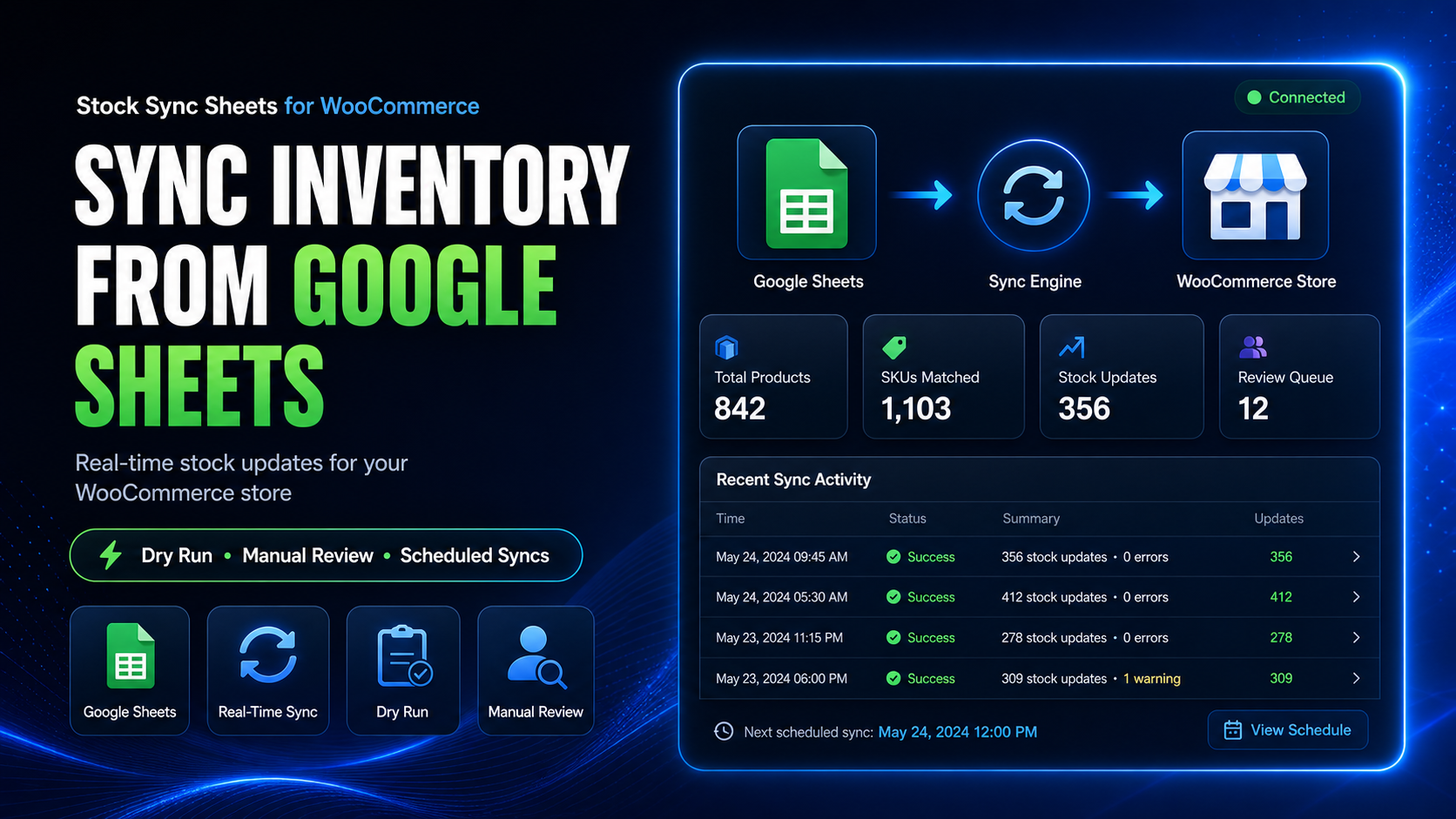
What makes a WooCommerce Google Sheets stock sync plugin good?
A good plugin should do more than move numbers from a spreadsheet into WooCommerce. More importantly, it should protect your store from bad rows, wrong matches, and untested updates.
Dry Run before live sync
You should be able to preview stock updates before the plugin changes live WooCommerce products.
Manual Review for uncertain matches
If a sheet row does not clearly match the right product, the plugin should pause for review instead of guessing blindly.
Confirmed Matches
After you approve a product match, the plugin should remember it for cleaner future syncs.
Ignored and Blacklist controls
You need a way to stop unwanted rows and bad matches from repeating.
Why Stock Sync Sheets supports safer stock sync
Stock Sync Sheets uses a safer workflow: preview, review, confirm, sync, and then automate only after you test the setup.
The recommended workflow
For best results, a serious WooCommerce Google Sheets stock sync plugin should support this workflow:
- First, connect your Google Sheet by sheet ID and tab name.
- Next, choose the row range and mapped columns used for stock updates.
- Then, match sheet rows to WooCommerce products using product identity fields.
- Before going live, run a Dry Run so you can review stock changes first.
- After that, check logs for matched, skipped, updated, and uncertain rows.
- When the plugin is not certain about a product match, use Manual Review.
- Once the match is correct, save it as a Confirmed Match for cleaner future syncs.
- If you do not want to reuse rows or matches, use Ignored and Blacklist controls.
- Finally, run live stock syncs only after the preview result is clear.
- Then, enable scheduled stock syncs after the first manual workflow proves reliable.
WooCommerce Google Sheets stock sync workflows compared
This comparison focuses on workflow type, not attacking competitors. However, the right option still depends on how much control, safety, and automation your store needs.
| Workflow | Best for | Main risk | Best-fit store |
|---|---|---|---|
| Manual WooCommerce product editing | Very small catalogs with occasional stock changes | Slow, repetitive, and easy to miss products when stock changes often | Stores with only a few products and simple stock needs |
| CSV import/export | Occasional bulk updates | Wrong columns, wrong rows, and limited review flow before changes go live | Stores that update stock rarely and are comfortable checking files manually |
| Custom WooCommerce REST API integration | Developer-led custom inventory systems | Needs development, testing, authentication, logs, matching logic, and maintenance | Businesses with developers and highly custom infrastructure |
| Basic Google Sheets sync plugin | Simple spreadsheet-to-store updates | Often lacks deeper review controls, confirmed matching, blacklist controls, or two-way sheet workflows | Stores with simple sheets and low-risk matching |
| Stock Sync Sheets | WooCommerce stores that want safer Google Sheets stock sync | Needs careful first setup and a proper Dry Run before automation | Stores that need Dry Run, Manual Review, Confirmed Matches, Sheet Push, Push on Sale, Product Builder, and optional Price Sync |
Stock Sync Sheets feature checklist
Because safer syncs need more than speed, Stock Sync Sheets is a strong fit for stores comparing WooCommerce Google Sheets stock sync options.
Google Sheets stock source
Use Google Sheets as the working source for WooCommerce stock quantities and stock status updates. As a result, teams can manage stock from a familiar spreadsheet workflow.
Dry Run
Preview what will happen before the plugin changes live WooCommerce product stock.
Manual Review
Check uncertain product matches and approve the correct WooCommerce product before syncing. Therefore, risky rows get a review step first.
Confirmed Matches
Save approved product matches so repeat syncs are cleaner and faster. In addition, this helps reduce repeated manual checks.
Ignored and Blacklist controls
Stop unwanted rows or bad product matches from returning in future syncs.
Scheduled syncs
Run repeat stock syncs after you test the first setup, Dry Run, and manual review workflow.
Sheet Push
Create or update Google Sheets from WooCommerce product data for shared inventory workflows.
Push on Sale
Push WooCommerce stock changes back to Google Sheets when sales reduce product stock.
More than stock sync
A strong WooCommerce Google Sheets plugin should support the wider spreadsheet workflow, not only stock quantity updates. For example, many stores also need product creation, push workflows, and price controls.
Product Builder
Create and update WooCommerce products from mapped Google Sheets data, including more advanced product workflows.
Product Builder AI
Draft product titles, descriptions, short descriptions, bullet features, SEO titles, meta descriptions, and focus keyphrases for review. Then, store owners can check the output before publishing.
Sheet Push
Use WooCommerce product data to create or update Google Sheets for store-to-sheet workflows.
Price Sync Add-On
Keep regular price and sale price syncing separate from stock syncing with a dedicated add-on workflow. This keeps price updates easier to control.
Buyer checklist: what to look for before choosing a plugin
Use this checklist before choosing a WooCommerce Google Sheets stock sync plugin. Fast updates are useful, but safety controls matter more when you manage live inventory.
A good plugin should answer these questions clearly
- Can I preview stock changes before they go live?
- Which products matched, and which rows did the sync skip?
- Is there a Manual Review step for uncertain matches?
- Will the plugin save approved matches for future syncs?
- Can I ignore or block wrong and unwanted matches?
- Does the plugin handle the fields my sheet actually uses?
- Can I control which rows, tabs, or categories the sync uses?
- Can I run manual syncs before turning on schedules?
- Will WooCommerce stock changes push back to Google Sheets?
- Can I keep product creation, product updates, AI drafts, and price sync in separate workflows if needed?
When Stock Sync Sheets is the best fit
Stock Sync Sheets is strongest when your store already uses Google Sheets and you need a safer, reviewable path into WooCommerce. In that case, the review tools matter as much as the stock update itself.
You manage stock in Google Sheets
Your supplier data, warehouse counts, SKUs, model codes, or product IDs already live in a spreadsheet. Therefore, you can keep your existing workflow instead of starting again.
You want safer syncing
You do not want a blind stock import changing live WooCommerce products without preview or review. Instead, you want a safer step before live changes happen.
You need repeat workflows
You want confirmed matches, scheduled syncs, logs, and repeatable setup instead of manual editing every time. As a result, repeat updates become easier to manage.
You want room to grow
You may later need Sheet Push, Push on Sale, Product Builder, Product Builder AI, or the separate Price Sync Add-On. Also, keeping these workflows connected gives the plugin room to grow with the store.
When Stock Sync Sheets may not be the right fit
Being honest matters. No plugin is best for every store. However, Stock Sync Sheets fits WooCommerce stores that want a spreadsheet-based stock workflow with review controls.
Choose a different path if your workflow needs something else
If you only have a handful of products, direct WooCommerce editing may be enough. However, if you need a fully custom ERP integration, a developer-built REST API workflow may be better. Also, if you want a simple blind import with no review process, Stock Sync Sheets may be more controlled than you need.
Very small stores
If you only update a few products occasionally, manual WooCommerce editing may be simpler. Therefore, very small catalogs may not need a full sync workflow.
Fully custom systems
If you need a custom ERP or warehouse platform, a developer-built integration may be the better choice. In that case, custom logic may matter more than a ready plugin workflow.
No review process wanted
If you want to import blindly without checking matches, the safety-focused workflow may feel too structured. However, that structure is useful when live inventory accuracy matters.
Related WooCommerce Google Sheets stock sync guides
Use these related guides to compare stock sync options, understand Google Sheets workflows, and choose the safest setup for your WooCommerce store. Also, they help explain when each workflow makes sense.
FlexStock Alternative
Compare Stock Sync Sheets as a FlexStock alternative for WooCommerce stores that need Google Sheets stock sync, Dry Run, Manual Review, Product Builder, Sheet Push, and Push on Sale. Then, choose the workflow that matches your store.
WooCommerce Stock Sync Plugin Comparison
Compare WooCommerce stock sync plugin workflows by safety controls, matching, preview steps, Google Sheets support, and store-management features. As a result, the differences are easier to judge.
Google Sheets to WooCommerce Stock Sync
Learn how Google Sheets stock data can move into WooCommerce through mapping, preview, review, and sync steps without editing every product manually.
WooCommerce Inventory Sync with Google Sheets
See how Google Sheets can support WooCommerce inventory sync when your stock data comes from suppliers, warehouses, or shared internal sheets. Therefore, your spreadsheet can become part of the store workflow.
WooCommerce Bulk Stock Update from Google Sheets
Learn how a spreadsheet workflow can handle bulk stock updates with preview, review, matching, and safer update controls.
WooCommerce Stock Import with Dry Run
Understand why Dry Run matters before importing stock changes from Google Sheets into live WooCommerce products. In short, it helps you catch problems before they affect customers.
WooCommerce Stock Sync with Manual Review
See how Manual Review helps prevent bad product matches by giving uncertain rows a review step before the plugin updates live WooCommerce stock.
Supplier Stock Sheets to WooCommerce
Learn how supplier stock sheets can feed WooCommerce stock workflows when availability comes from external spreadsheet data. This is useful when stock numbers change outside your store.
Multi-Store WooCommerce Inventory with Google Sheets
Use Google Sheets as a shared stock source for stores or teams that need inventory values visible outside one WooCommerce admin screen. Meanwhile, teams can keep working from a familiar sheet.
WooCommerce Google Sheets REST API Alternative
See when a custom REST API build makes sense and when a no-code WooCommerce Google Sheets workflow is safer and easier to manage. This helps you avoid overbuilding the setup.
WooCommerce Stock Sync Without Coding
Learn how store owners can connect WooCommerce stock and Google Sheets without building a custom integration from scratch. As a result, setup can stay more practical.
Best WooCommerce Google Sheets stock sync plugin FAQ
Clear answers for store owners comparing plugins, custom API work, CSV imports, and spreadsheet-based WooCommerce inventory workflows. Also, these answers explain where Stock Sync Sheets fits best.
What is the best WooCommerce Google Sheets stock sync plugin?
The best plugin depends on your workflow. However, Stock Sync Sheets is a strong fit for stores that want Google Sheets stock sync with Dry Run, Manual Review, Confirmed Matches, Ignored and Blacklist controls, schedules, Sheet Push, Push on Sale, Product Builder, Product Builder AI, and a separate Price Sync Add-On.
Why is Dry Run important for stock sync?
Dry Run lets you preview likely stock changes before the plugin updates live WooCommerce products. This matters because stock mistakes can affect what customers can buy.
Why does Manual Review matter?
Manual Review helps stop the plugin from applying uncertain product matches automatically. Instead, it gives you a place to choose the correct WooCommerce product before syncing.
Can Stock Sync Sheets push WooCommerce sales back to Google Sheets?
Yes. Push on Sale can send WooCommerce stock changes back to Google Sheets when sales reduce product stock.
Does Stock Sync Sheets only sync stock?
No. It also includes Product Builder, Product Builder AI, Sheet Push, and Push on Sale. The Price Sync Add-On handles price syncing separately.
Should I build a custom REST API integration instead?
Use a custom REST API integration if you have a developer and need a fully custom system. However, use Stock Sync Sheets if you want a ready WooCommerce Google Sheets workflow without building the sync system yourself.
Choose a stock sync workflow that protects your live store
Stock Sync Sheets helps WooCommerce stores use Google Sheets stock sync with preview, review, confirmed matching, logs, schedules, Sheet Push, Push on Sale, Product Builder, AI, and optional price sync separation. Therefore, you can start with safer stock sync and expand the workflow later.
Get Stock Sync Sheets Try Demo Site