WooCommerce Stock Import with Dry Run
Import WooCommerce stock from Google Sheets with Dry Run preview, Manual Review, confirmed matches, logs, and safer stock controls before live stock changes are applied.
Stock imports can go wrong fast when the sheet column, row range, product match, or stock value is incorrect. Dry Run lets you check the result before WooCommerce products are updated.
- ✔Import stock values from Google Sheets into WooCommerce
- ✔Run Dry Run before live stock changes
- ✔Preview matched products and stock changes first
- ✔Send uncertain matches to Manual Review
- ✔Use confirmed matches for cleaner future imports
- ✔Check logs before trusting scheduled stock sync
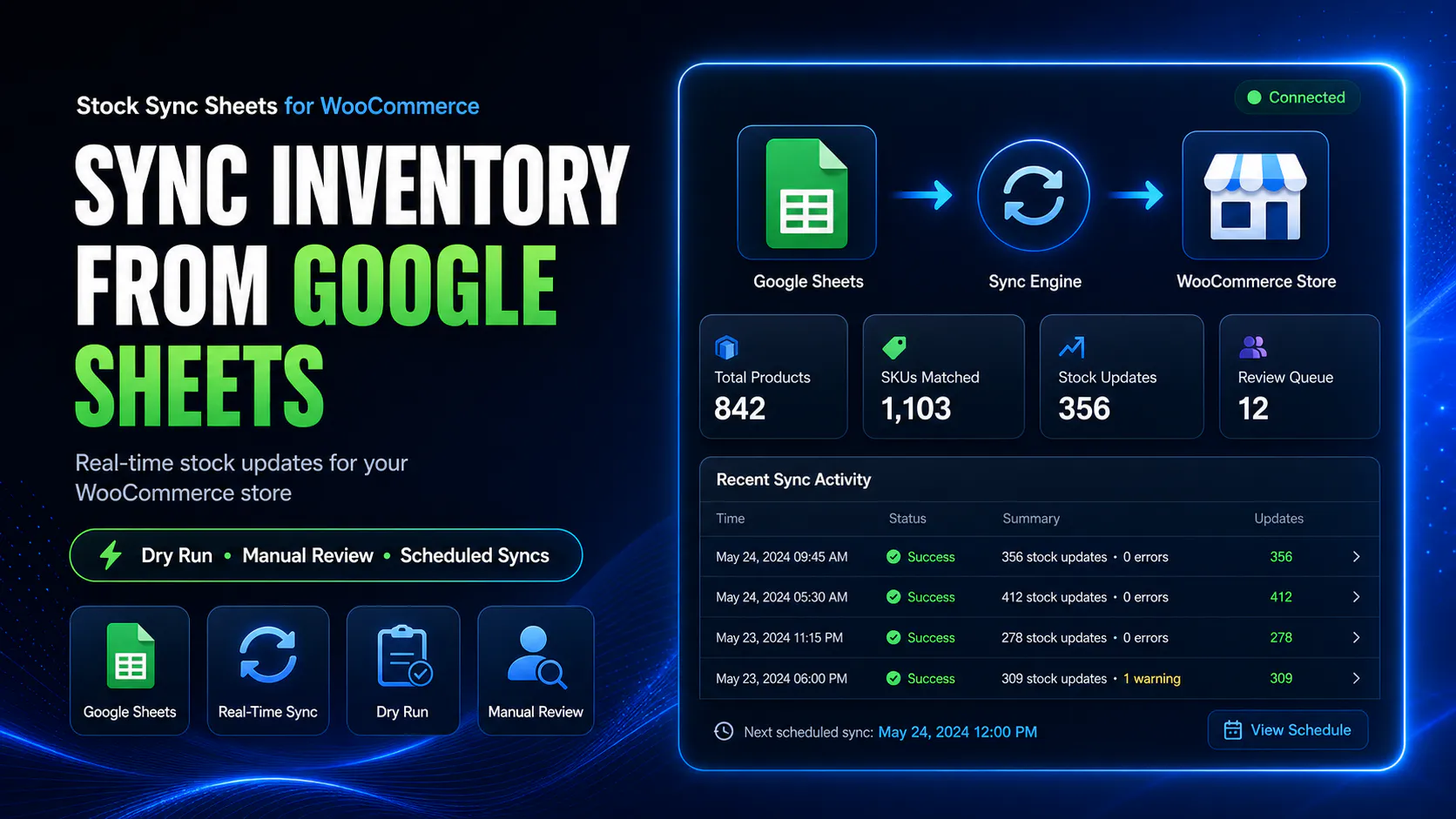
How stock import with Dry Run works
Dry Run gives you a safer process for importing stock from Google Sheets into WooCommerce. You preview first, review problem rows, then run the live update only when the output looks correct.
Connect your Google Sheet
Add your sheet, tab, row range, product identity fields, and stock quantity column.
Run Dry Run
Preview the stock import without changing live WooCommerce products.
Review output
Check matched products, skipped rows, no matches, warnings, and uncertain matches.
Run live sync
Apply stock changes only after the Dry Run and review process look correct.
Why Dry Run matters before importing stock
A stock import is only safe when the sheet data, row range, column mapping, and product matching are correct. If one of those is wrong, WooCommerce products can be updated with the wrong stock values.
Dry Run helps reduce that risk by showing what would happen before the plugin updates live products.
- ✔Check product matches before stock changes
- ✔Check quantity values before live sync
- ✔Find skipped rows and no-match rows
- ✔Review warnings before trusting automation
Dry Run is not optional for serious stores
Live stock imports without preview are risky. A single setup mistake can affect many products at once, especially when using supplier files or large stock sheets.
Stock Sync Sheets is designed so store owners can run a Dry Run, inspect the output, resolve uncertain matches, and only then apply live updates.
- ✔Preview before live stock import
- ✔Catch wrong sheet setup before sync
- ✔Review uncertain product matches
- ✔Use logs before enabling schedules
What Dry Run should help you check
A useful Dry Run should make the stock import easier to verify before live data changes.
Product identity
Check whether the sheet rows are matching the right WooCommerce products using product ID, SKU, model code, name, or configured fields.
Stock values
Check that the plugin is reading the correct stock quantity column and row range.
No-match rows
See which sheet rows did not find a matching WooCommerce product.
Warnings
Watch for skipped rows, missing values, unexpected sheet data, and uncertain results.
Logs
Use logs to understand what was found, changed, skipped, or sent to review.
Confirmed matches
Use approved matches so future stock imports become cleaner and easier to trust.
Stock import with Dry Run compared with blind imports
Blind imports can be faster at first, but they are dangerous when a sheet is wrong. Dry Run adds a review step before damage happens.
| Workflow | Blind stock import | Stock import with Dry Run |
|---|---|---|
| Before live changes | Updates may happen immediately. | Preview shows likely changes first. |
| Wrong column risk | Can update products with bad values. | Dry Run helps reveal incorrect mappings. |
| Wrong product risk | Bad matches may update live products. | Uncertain matches can go to Manual Review. |
| Skipped rows | May be missed until later. | Logs can show skipped and no-match rows. |
| Confidence before sync | Low unless manually checked elsewhere. | Higher because the output is visible first. |
| Scheduled sync safety | Risky if enabled too early. | Schedule after Dry Run and logs are verified. |
When to use stock import with Dry Run
Dry Run is especially important when many products, supplier sheets, warehouse stock, or scheduled automation are involved.
Supplier stock imports
Check supplier stock data before it updates WooCommerce products.
Warehouse stock imports
Preview internal inventory sheets before applying stock values live.
High-SKU stores
Use Dry Run when many WooCommerce products are included in one stock import.
Before scheduled sync
Run Dry Run and check logs before trusting automatic stock imports.
Dry Run works with Manual Review and confirmed matches
Dry Run is only one part of the safer workflow. When product matches are uncertain, Manual Review lets you choose the correct WooCommerce product before stock is changed.
Confirmed Matches then help future stock imports reuse approved product links, reducing repeated review work.
- ✔Dry Run previews stock import results
- ✔Manual Review handles uncertain matches
- ✔Confirmed Matches improve future runs
- ✔Logs show what happened during import
Helpful Dry Run stock import resources
These pages explain related workflows for stock sync, bulk updates, inventory sync, Manual Review, and plugin comparison.
Plugin overview
See the main Stock Sync Sheets buyer guide covering Stock Sync, Dry Run, Manual Review, Product Builder, AI Review, schedules, and Push on Sale.
Stock Sync
Learn how WooCommerce stock sync from Google Sheets works with Dry Run, Manual Review, logs, schedules, and matching controls.
Bulk Stock Update
Bulk update WooCommerce stock from Google Sheets with safer preview and review controls.
Inventory Sync
Read the WooCommerce inventory sync guide for stock quantity and stock status workflows from Google Sheets.
Manual Review
Review uncertain WooCommerce product matches before live stock changes are applied.
Supplier Stock Sheets
Learn how supplier stock sheets can feed WooCommerce stock imports when product availability comes from external spreadsheet data.
Multi-Store Inventory
See how shared Google Sheets can support multi-store WooCommerce inventory workflows before live stock imports are automated.
Plugin comparison
Compare WooCommerce stock sync plugin workflows before choosing a system for your store.
WooCommerce Stock Import with Dry Run FAQs
Can I import WooCommerce stock with a Dry Run first?
Yes. Stock Sync Sheets includes Dry Run so store owners can preview stock changes before live WooCommerce products are updated.
Can I import stock from Google Sheets into WooCommerce?
Yes. Stock Sync Sheets can import or sync stock values from mapped Google Sheet rows into WooCommerce products.
Why is Dry Run important before importing stock?
Dry Run helps catch wrong columns, bad row ranges, incorrect product matches, skipped rows, and unexpected stock changes before live products are updated.
What happens after Dry Run finds uncertain matches?
Uncertain matches can be sent to Manual Review so the store owner can approve the correct WooCommerce product before stock changes are applied.
Can I run live stock sync after Dry Run?
Yes. After checking the Dry Run output, resolving manual review items, and checking logs, you can run the live stock sync.
Should I enable scheduled sync before Dry Run?
No. The safer workflow is to test the sheet setup with Dry Run first, check logs, confirm matches, and only then enable schedules if needed.
Import WooCommerce stock with Dry Run before live updates
Use Stock Sync Sheets to preview Google Sheets stock imports, review uncertain matches, check logs, and update WooCommerce stock with more control.