Manage WooCommerce Inventory With Google Sheets
Use Google Sheets to manage WooCommerce inventory workflows including stock levels, pricing updates, product data, and variable product rows.
Stock Sync Sheets connects your spreadsheet workflow to WooCommerce with Dry Run checks, Manual Review, confirmed matches, Product Builder, Sheet Push, and real-time Push on Sale.
- ✔Sync WooCommerce stock quantities from Google Sheets
- ✔Use the included Price Sync workflow for regular and sale price updates at no extra cost
- ✔Manage product and variable product data with Product Builder
- ✔Use Dry Run before changing live inventory
- ✔Send uncertain product matches to Manual Review
- ✔Use real-time Push on Sale after WooCommerce orders
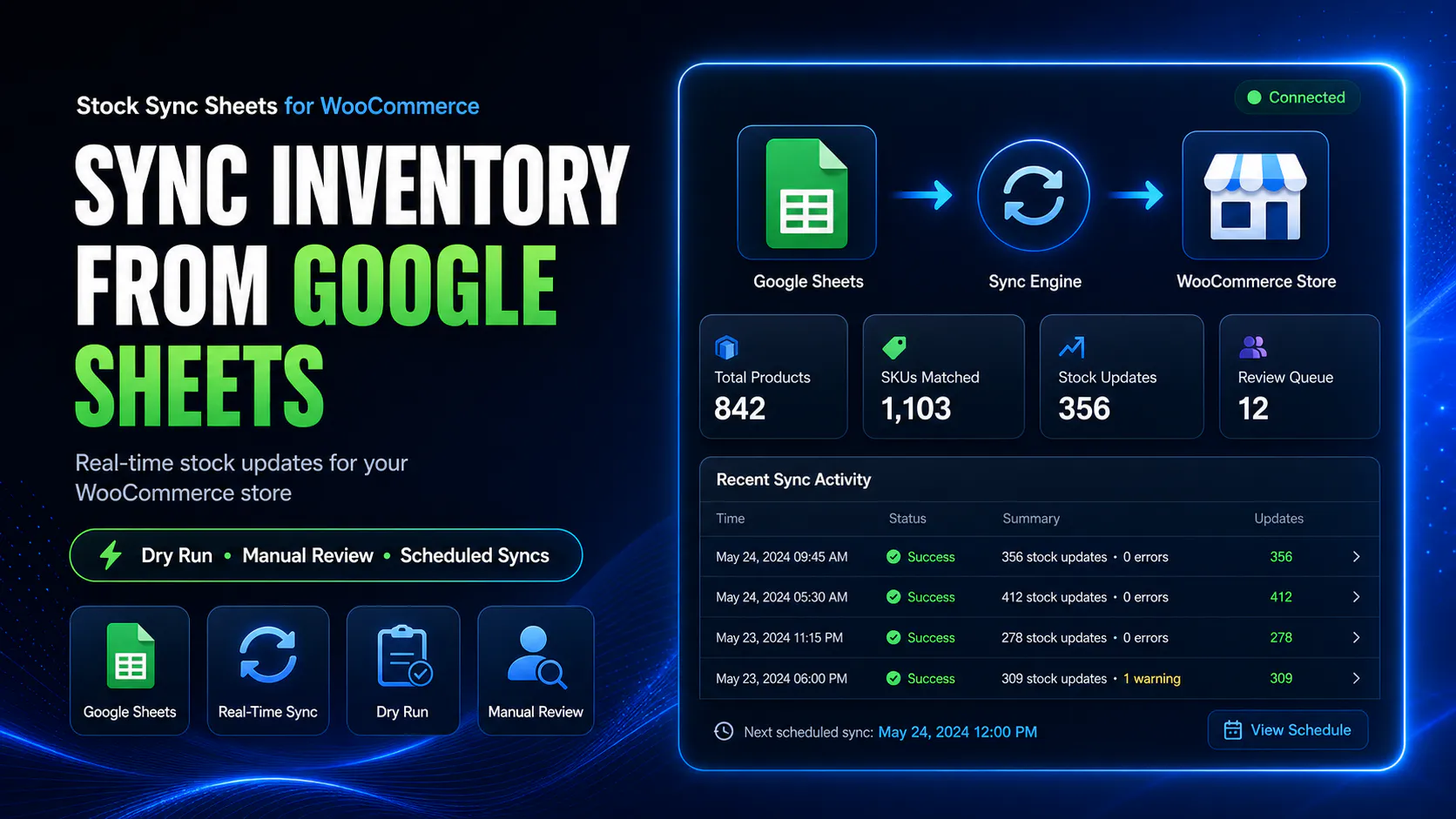
Table of contents
Jump to the WooCommerce inventory workflow you need.
WooCommerce Inventory Google Sheets Workflow Facts
Use this page when your store needs more than a basic stock edit. This workflow connects stock, pricing, product data, variation rows, review steps, and sheet updates.
Edit Stock, Adjust Prices, And Manage Product Variants From Google Sheets
WooCommerce inventory work is not only stock quantity. Many stores also need to adjust prices, manage product rows, update variants, and keep shared spreadsheets current after sales.
Price Sync
Use the included WooCommerce price sync from Google Sheets workflow when regular prices and sale prices need spreadsheet control. Price Sync is built into Stock Sync Sheets at no extra cost.
Product Builder
Use Product Builder for WooCommerce Google Sheets when your spreadsheet controls product creation or product updates.
Variable products
Use mapped fields to prepare parent products, variation rows, SKUs, attributes, prices, and stock fields. See how to create WooCommerce variable products from Google Sheets.
Connected inventory workflow
Use Stock Sync for inventory levels, the included Price Sync workflow for prices, Product Builder for product data, and Push on Sale to update Google Sheets after orders.
How WooCommerce inventory sync with Google Sheets works
In WooCommerce, inventory usually means product stock quantities and stock status. Stock Sync Sheets connects those inventory values to your Google Sheets workflow.
Prepare your inventory sheet
Add stock values, product identity fields, and the sheet columns needed for matching WooCommerce products.
Map your stock fields
Choose the sheet columns used for product matching, stock quantity, and stock status behaviour.
Run Dry Run
Preview inventory changes before live WooCommerce products are updated.
Review and sync
Resolve uncertain matches, check logs, then apply inventory updates when the workflow is ready.
Use Google Sheets as your inventory control source
Many WooCommerce stores use Google Sheets to manage supplier stock, warehouse counts, stock planning, internal product notes, or shared inventory files.
Stock Sync Sheets lets that spreadsheet become part of your WooCommerce inventory workflow by syncing mapped stock values into your store.
- ✔Use Google Sheets for product stock quantities
- ✔Map rows to WooCommerce products
- ✔Preview changes before inventory is updated
- ✔Check sync logs after updates
Do not blindly automate inventory updates
Inventory mistakes can cause overselling, false out-of-stock products, wrong availability, customer complaints, and manual cleanup.
Stock Sync Sheets is built around safer inventory syncing with Dry Run, Manual Review, confirmed matches, logs, ignored rows, and blacklist controls.
- ✔Preview inventory changes before updating WooCommerce
- ✔Review uncertain matches before live sync
- ✔Save confirmed matches for future syncs
- ✔Use logs to check what happened
Inventory fields this workflow can help manage
The exact setup depends on your Google Sheet, but the inventory workflow usually focuses on stock identity, quantity, and status.
Product identity
Use product ID, SKU, model code, product name, or configured matching fields to connect rows to WooCommerce products.
Stock quantity
Sync mapped quantity values from Google Sheets to WooCommerce product stock.
Stock status
Update stock status based on mapped stock quantities or configured stock rules.
Sheet organisation
Use supplier tabs, row ranges, sheet configs, and category filters where your store workflow needs them.
WooCommerce inventory sync compared with manual editing and custom code
Manual inventory editing can work for small stores. Custom code can work for technical teams. Both become harder to manage when stock, price workflows, product data, suppliers, variations, and shared sheets are involved.
| Workflow | Manual WooCommerce editing | Inventory sync with Google Sheets |
|---|---|---|
| Many stock updates | Update products one by one or pay for a custom script. | Use mapped Google Sheet rows to update stock faster. |
| Supplier inventory sheets | Copy supplier values manually. | Use the supplier or internal sheet as the stock source. |
| Preview before changes | Depends on manual checking. | Dry Run previews likely inventory updates before live sync. |
| Uncertain product matches | Manually search and update products. | Manual Review can hold uncertain rows before stock is changed. |
| Future matching | Repeat the same product lookup work. | Confirmed Matches help future syncs become cleaner. |
| Sync history | No dedicated sync log. | Logs show what was found, changed, skipped, or reviewed. |
Who needs WooCommerce inventory sync with Google Sheets?
This workflow is for stores that already rely on spreadsheets and want WooCommerce stock to follow that source more safely.
Supplier-driven stores
Useful when supplier sheets or buying team spreadsheets drive inventory decisions.
Warehouse stock workflows
Use internal warehouse stock sheets as the source for WooCommerce inventory updates.
High-SKU WooCommerce stores
Reduce repetitive stock editing when many products need frequent inventory updates.
Teams using shared stock sheets
Use one shared sheet as the reference point for teams that manage stock together.
Need inventory updates pushed back to Google Sheets?
Inventory sync usually means pulling stock from Google Sheets into WooCommerce. Stock Sync Sheets also includes workflows for sending WooCommerce changes back to Google Sheets.
Sheet Push can send WooCommerce stock and product-related data back to Google Sheets, while Push on Sale can update Google Sheets in real time when WooCommerce orders reduce stock.
- ✔Google Sheets to WooCommerce inventory sync
- ✔WooCommerce to Google Sheets Sheet Push
- ✔Real-time Push on Sale after WooCommerce orders
- ✔Better shared inventory workflows
Helpful WooCommerce inventory sync resources
These pages explain the connected stock, inventory, sheet push, product builder, and comparison workflows.
Plugin overview
See the main Stock Sync Sheets buyer guide covering Stock Sync, Dry Run, Manual Review, Product Builder, AI Review, schedules, and Push on Sale.
Stock Sync
Learn how WooCommerce stock sync from Google Sheets works with Dry Run, Manual Review, logs, schedules, and matching controls.
Google Sheets to WooCommerce stock sync
Read the focused guide for syncing stock from Google Sheets into WooCommerce products.
Sheet Push
See how WooCommerce stock and product-related data can be pushed back to Google Sheets.
Price Sync
Use the included Price Sync workflow when your store needs regular price and sale price updates from Google Sheets. It is built into Stock Sync Sheets at no extra cost.
Product Builder
Create or update WooCommerce product data from mapped Google Sheet fields, including variation workflows where available.
Push on Sale
Learn how WooCommerce sale stock changes can be pushed back to Google Sheets in real time.
Stock sync plugin comparison
Compare WooCommerce stock sync plugin workflows before choosing a system for your store.
Related WooCommerce inventory sync guides
These related guides explain the main stock, inventory, supplier, multi-store, dry run, manual review, and no-code workflows connected to WooCommerce inventory sync with Google Sheets.
WooCommerce Bulk Stock Update from Google Sheets
Learn how bulk stock updates from Google Sheets can be handled with mapped rows, preview checks, and safer WooCommerce stock controls.
WooCommerce Stock Import with Dry Run
See why Dry Run matters before importing or syncing inventory changes from Google Sheets into live WooCommerce products.
WooCommerce Stock Sync with Manual Review
Learn how Manual Review helps stop uncertain product matches from changing WooCommerce inventory before they are approved.
Supplier Stock Sheets to WooCommerce
Use supplier stock sheets as a WooCommerce inventory source when stock availability comes from external spreadsheets.
Multi-Store WooCommerce Inventory with Google Sheets
Understand how shared Google Sheets can support multi-store or multi-team WooCommerce inventory workflows.
WooCommerce Stock Sync Without Coding
See how store owners can connect WooCommerce inventory and Google Sheets without building a custom integration from scratch.
WooCommerce Inventory Sync with Google Sheets FAQs
Can I manage WooCommerce inventory with Google Sheets?
Yes. Stock Sync Sheets connects WooCommerce inventory workflows with Google Sheets, including stock sync, Dry Run checks, Manual Review, confirmed matches, logs, schedules, Sheet Push, and Push on Sale.
Can I sync WooCommerce stock from Google Sheets?
Yes. Stock Sync Sheets can sync WooCommerce stock quantities and stock status from mapped Google Sheet rows.
Is WooCommerce inventory sync the same as stock sync?
In WooCommerce, inventory sync usually means syncing product stock quantities and stock status. Stock Sync Sheets focuses on syncing those stock values from Google Sheets to WooCommerce.
Can I preview inventory changes before updating WooCommerce?
Yes. Dry Run lets store owners preview likely inventory changes before live WooCommerce products are updated.
Can uncertain inventory matches be reviewed?
Yes. Uncertain product matches can go to Manual Review so the store owner can approve the correct WooCommerce product before stock changes are applied.
Can I update WooCommerce prices from Google Sheets?
Yes. Regular price and sale price workflows are handled by the included Price Sync workflow inside Stock Sync Sheets at no extra cost.
Can I manage WooCommerce variable products from Google Sheets?
Yes. Product Builder can help prepare WooCommerce product and variation data from mapped Google Sheet fields, including product identity, variation rows, attributes, prices, and stock fields.
Can I use scheduled inventory sync?
Yes. Scheduled stock sync can be used after your sheet setup, matching workflow, Dry Run output, and logs have been tested.
Can WooCommerce sales update my Google Sheet in real time?
Yes. Push on Sale can update Google Sheets in real time when WooCommerce sales reduce stock, helping shared inventory sheets stay fresher after orders.
Manage WooCommerce inventory with Google Sheets from one workflow
Use Stock Sync Sheets to connect Google Sheets with WooCommerce stock, pricing workflows, Product Builder, variable product data, Dry Run checks, Manual Review, Sheet Push, and real-time Push on Sale.