WooCommerce Bulk Stock Update from Google Sheets
Bulk update WooCommerce stock from Google Sheets with Dry Run, Manual Review, confirmed matches, logs, schedules, and safer inventory controls before live stock changes are applied.
Stock Sync Sheets helps WooCommerce stores update many products from a spreadsheet without manually editing every product one by one.
- ✔Bulk update WooCommerce stock quantities from Google Sheets
- ✔Update stock status from mapped sheet values
- ✔Preview bulk changes with Dry Run before live updates
- ✔Send uncertain product matches to Manual Review
- ✔Use confirmed matches for cleaner future bulk updates
- ✔Use scheduled syncs after your workflow is tested
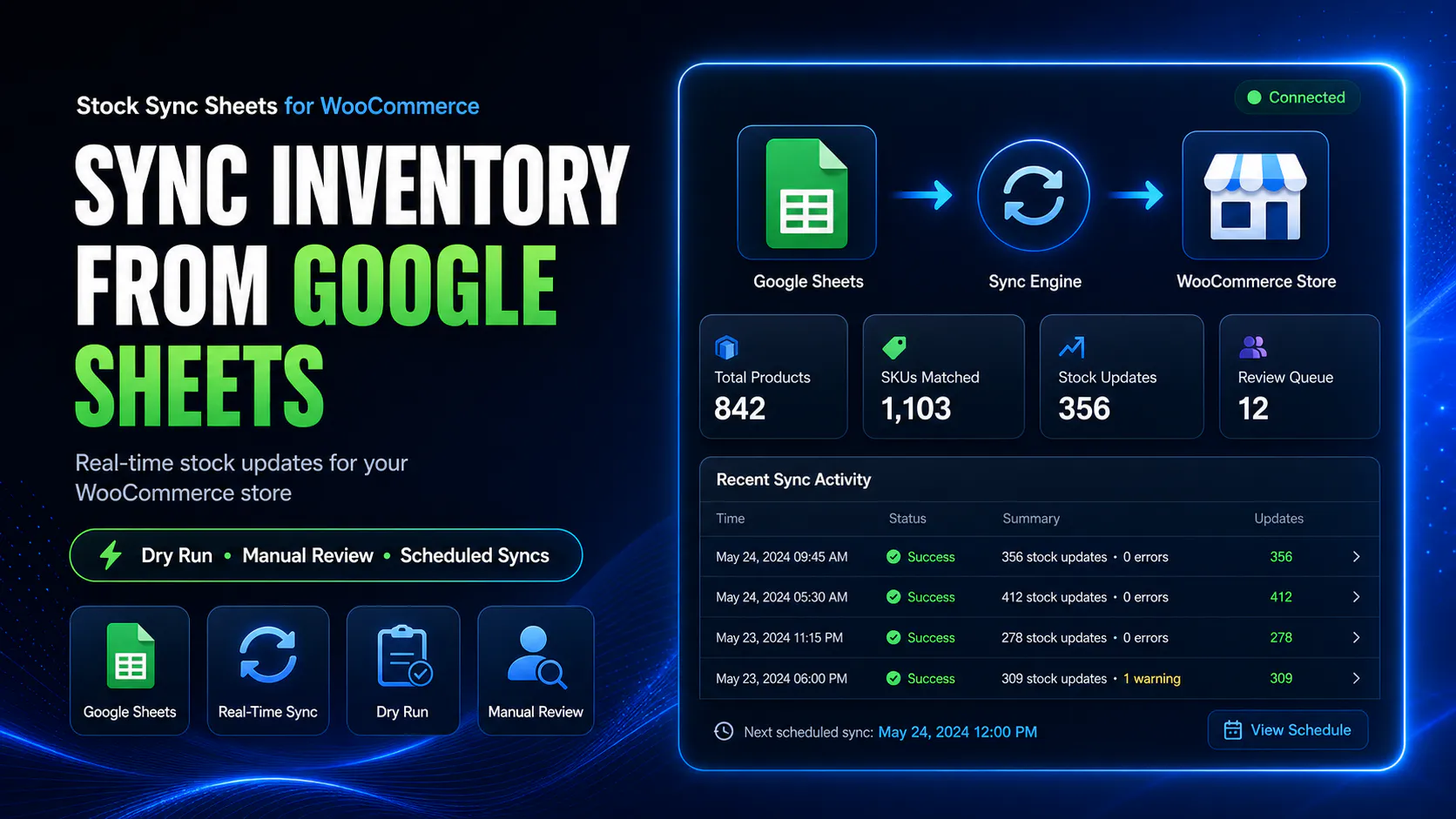
How bulk stock updates from Google Sheets work
The safest bulk update workflow is simple: prepare your sheet, map the product and stock fields, run a Dry Run, review uncertain matches, then apply live updates when the output is correct.
Prepare your stock sheet
Add product identity fields, stock quantities, and any stock status values needed for your WooCommerce workflow.
Map the stock fields
Tell the plugin which columns contain product matching data and stock values.
Run a Dry Run
Preview all bulk stock changes before WooCommerce products are updated.
Review and sync
Resolve uncertain matches, check logs, then run the live bulk stock update.
Bulk update stock without editing products one by one
Manually updating WooCommerce stock can work when you only have a few products. It becomes slow and risky when you have hundreds or thousands of products, supplier stock sheets, warehouse files, or frequent inventory changes.
Stock Sync Sheets lets you use Google Sheets as the source for bulk stock updates, so you can prepare and review stock changes in a structured spreadsheet before updating WooCommerce.
- ✔Bulk update stock quantities from Google Sheets
- ✔Use product IDs, SKUs, model codes, names, or configured matching fields
- ✔Preview changes before updating live products
- ✔Use logs to review what happened
Bulk updates need stronger safety checks
Bulk stock updates can save hours, but they also create bigger risk. One bad mapping or wrong product match can affect many WooCommerce products at once.
Stock Sync Sheets is built around safer bulk updating with Dry Run, Manual Review, confirmed matches, ignored rows, blacklist controls, and logs.
- ✔Dry Run before bulk live updates
- ✔Manual Review for uncertain product matches
- ✔Confirmed Matches for future bulk syncs
- ✔Logs for checking what changed or skipped
Common bulk stock update workflows
Bulk stock updates from Google Sheets are useful when your store already receives or manages stock data in spreadsheet form.
Supplier stock updates
Use supplier stock sheets or prepared supplier data to update WooCommerce stock in bulk.
Warehouse stock updates
Use warehouse inventory files or internal team sheets as the source for WooCommerce stock quantities.
High-SKU product updates
Update stock across many WooCommerce products without editing every product manually.
Category-based stock updates
Use category filters and sheet settings where your workflow needs more controlled stock update groups.
Bulk stock update compared with manual editing
Manual editing can be fine for a small number of products. For larger catalogs, a controlled sheet workflow is usually safer and faster.
| Workflow | Manual WooCommerce editing | Bulk update from Google Sheets |
|---|---|---|
| Updating many products | Slow product-by-product editing. | Use mapped spreadsheet rows for faster stock updates. |
| Supplier stock changes | Copy stock values manually. | Use the supplier or internal sheet as the stock source. |
| Preview before updates | Depends on manual checking. | Dry Run previews the bulk update before live sync. |
| Wrong product risk | Manual search mistakes can happen. | Manual Review can hold uncertain matches before syncing. |
| Repeat work | Repeated product lookup and editing. | Confirmed Matches can make future syncs cleaner. |
| Tracking what happened | No dedicated bulk stock sync log. | Logs show changes, skipped rows, warnings, and review items. |
What to check before running a bulk stock update
Bulk stock updates should be tested before live use. Do not connect a sheet and run live updates without checking these items first.
Product identity fields
Check that your sheet uses reliable product IDs, SKUs, model codes, names, or configured matching fields.
Correct stock column
Make sure the quantity column and row range point to the correct stock values.
Dry Run output
Check the preview before running live stock updates.
Sync logs
Review logs for updated products, skipped rows, no matches, low-confidence matches, and warnings.
Manual Review items
Resolve uncertain matches instead of forcing questionable stock updates live.
Schedule only after testing
Enable scheduled syncs only after your sheet setup and bulk update workflow are working correctly.
Need bulk updates to flow back to Google Sheets too?
Bulk stock update usually means Google Sheets to WooCommerce. Stock Sync Sheets also includes workflows for pushing WooCommerce data back to Google Sheets.
Sheet Push can export or update Google Sheets from WooCommerce data, and Push on Sale can update Google Sheets when WooCommerce orders reduce stock.
- ✔Bulk stock update from Google Sheets to WooCommerce
- ✔Sheet Push from WooCommerce back to Google Sheets
- ✔Push on Sale after WooCommerce orders
- ✔Better shared stock workflow for teams
Helpful bulk stock update resources
These pages explain the connected workflows around bulk stock updates, inventory sync, stock sync, sheet push, and plugin comparison.
Plugin overview
See the main Stock Sync Sheets buyer guide covering Stock Sync, Dry Run, Manual Review, Product Builder, AI Review, schedules, and Push on Sale.
Stock Sync
Learn how WooCommerce stock sync from Google Sheets works with Dry Run, Manual Review, logs, schedules, and matching controls.
Inventory Sync
Read the WooCommerce inventory sync guide for stock quantity and stock status workflows from Google Sheets.
Sheet Push
See how WooCommerce stock and product-related data can be pushed back to Google Sheets.
Push on Sale
Learn how WooCommerce sale stock changes can be pushed back to Google Sheets in real time.
Plugin comparison
Compare WooCommerce stock sync plugin workflows before choosing a system for your store.
WooCommerce Stock Import with Dry Run
Learn why Dry Run matters before importing or applying bulk stock changes from Google Sheets into WooCommerce.
WooCommerce Stock Sync with Manual Review
See how Manual Review helps stop uncertain product matches before bulk stock updates change live WooCommerce products.
Supplier Stock Sheets to WooCommerce
Learn how supplier stock sheets can be used as a source for WooCommerce bulk stock update workflows.
Multi-Store WooCommerce Inventory with Google Sheets
Understand how shared Google Sheets can support stock workflows across multiple stores, teams, or stock sources.
WooCommerce Bulk Stock Update from Google Sheets FAQs
Can I bulk update WooCommerce stock from Google Sheets?
Yes. Stock Sync Sheets can bulk update WooCommerce stock quantities and stock status from mapped Google Sheet rows.
Can I preview bulk stock updates before changing WooCommerce?
Yes. Dry Run lets store owners preview bulk stock changes before live WooCommerce products are updated.
What if some bulk stock update rows match the wrong product?
Uncertain product matches can go to Manual Review so store owners can approve the correct product before stock changes are applied.
Can bulk stock updates run on a schedule?
Yes. Scheduled stock sync can be used after the sheet setup, product matching, Dry Run output, and logs have been tested.
Is bulk stock update safer than manual editing?
It can be safer when the workflow uses clean sheet data, reliable product matching, Dry Run, Manual Review, and logs before live updates.
Can WooCommerce sales update the sheet after a bulk stock update?
Yes. Push on Sale can update Google Sheets when WooCommerce orders reduce stock, helping the sheet stay fresher after sales.
Bulk update WooCommerce stock from Google Sheets with more control
Use Stock Sync Sheets to prepare stock updates in Google Sheets, preview changes with Dry Run, review uncertain matches, and update WooCommerce stock safely.