WooCommerce Stock Sync Without Coding
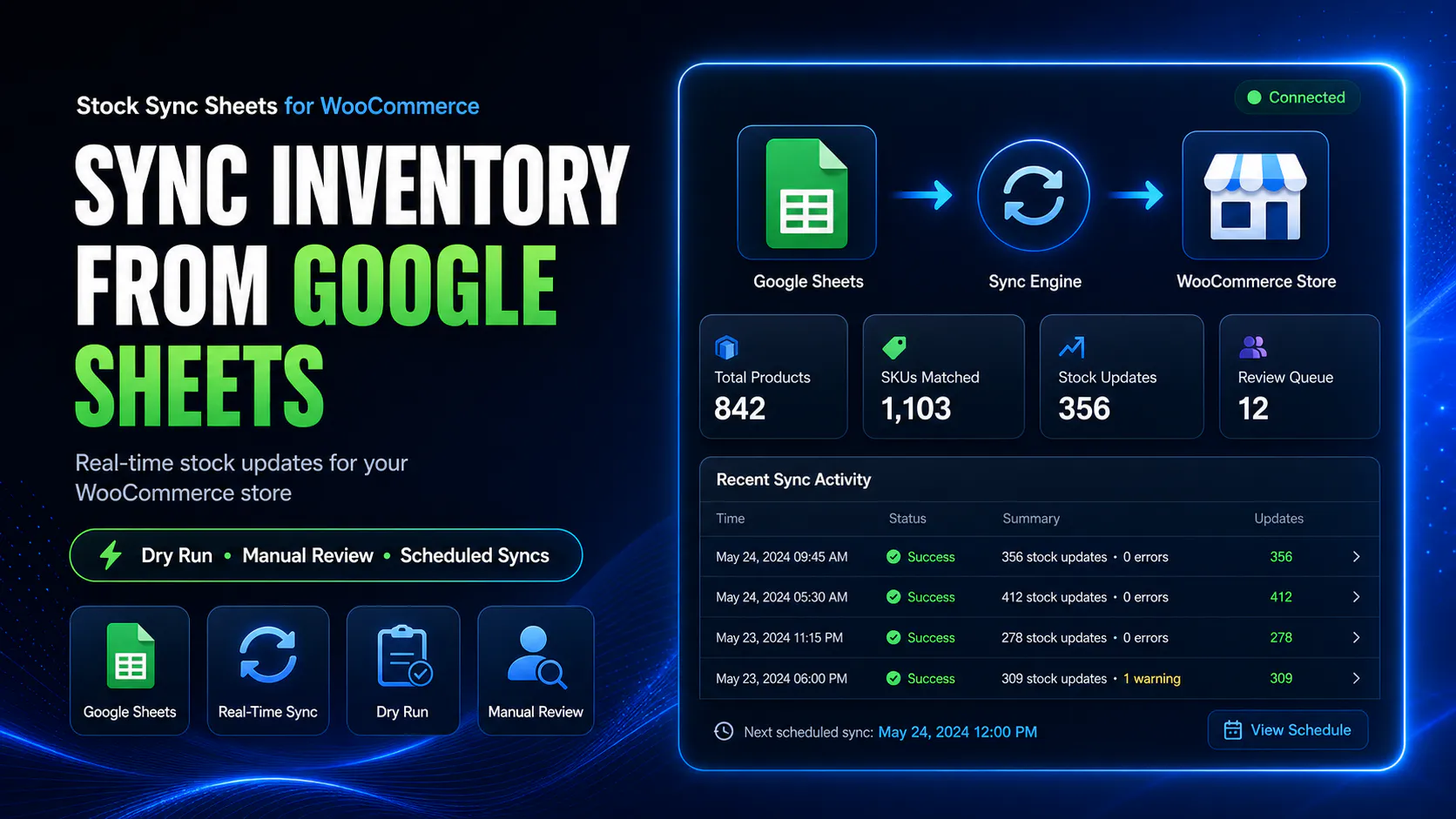
Sync WooCommerce stock with Google Sheets without coding using Stock Sync Sheets, Dry Run, Manual Review, confirmed matches, logs, schedules, Sheet Push, Product Builder, and safer stock controls.
You should not need to build a custom script just to update stock from a spreadsheet. Stock Sync Sheets gives store owners a configurable WooCommerce Google Sheets workflow without starting from code.
- ✔Sync stock from Google Sheets without custom coding
- ✔Preview stock changes with Dry Run before live updates
- ✔Use Manual Review for uncertain product matches
- ✔Save confirmed matches for cleaner future syncs
- ✔Push WooCommerce data back to Google Sheets with Sheet Push
- ✔Create and update products with Product Builder
Looking for the main WooCommerce Google Sheets stock sync page?
This page explains the no-code setup angle. For the main stock sync workflow, use the dedicated Stock Sync page.
How WooCommerce stock sync without coding works
The workflow is designed for store owners who want Google Sheets stock control without building REST API scripts, cron jobs, matching logic, logs, or custom admin screens.
Prepare your Google Sheet
Add product identity fields, stock quantities, stock status values, supplier data, warehouse data, or product planning fields.
Map your columns
Use plugin settings to map the sheet columns used for product matching, stock quantity, stock status, and row ranges.
Run Dry Run first
Preview what will happen before any live WooCommerce stock values are changed.
Review and sync
Resolve uncertain matches, check logs, save confirmed matches, then run the live stock sync when ready.
Use Google Sheets without building custom code
Many WooCommerce stores already manage stock in Google Sheets. The problem is getting that sheet data into WooCommerce safely without manually editing products or paying for custom development.
Stock Sync Sheets provides the stock sync workflow through WordPress admin screens, so you can configure the sheet, preview the result, review uncertain matches, and sync with more control.
- ✔No custom REST API script needed for standard stock sync
- ✔No custom cron job required for normal scheduled workflows
- ✔No custom matching screen to build
- ✔No manual product-by-product stock editing
No-code does not mean no control
A stock sync tool should not blindly update products just because it is easy to set up. Easy setup without safety checks can still cause overselling, wrong stock levels, and cleanup work.
Stock Sync Sheets is built around review-first controls so store owners can use a no-code workflow while still checking the output before live updates.
- ✔Dry Run before live updates
- ✔Manual Review for uncertain matches
- ✔Confirmed Matches for future syncs
- ✔Logs to show what happened
What you avoid building yourself
A custom WooCommerce Google Sheets sync system is more than one script. You need matching, preview, review, logging, schedules, permissions, and maintenance.
Custom REST API code
Avoid building a custom WooCommerce and Google Sheets REST API workflow for standard stock sync needs.
Product matching screens
Manual Review helps handle uncertain matches without building your own admin interface.
Preview logic
Dry Run helps preview stock changes before they affect live products.
Sync logs
Logs help show matched rows, skipped rows, no matches, updates, warnings and review items.
Schedule controls
Use scheduled syncs after your sheet setup, matching and logs have been tested.
Reverse sheet updates
Sheet Push and Push on Sale can send WooCommerce stock data back to Google Sheets where needed.
Without coding compared with custom development
Custom development can be powerful, but it is expensive and unnecessary for many standard WooCommerce Google Sheets stock workflows.
| Workflow need | Custom coding | Stock Sync Sheets |
|---|---|---|
| Google Sheets stock source | Requires API setup, parsing, authentication and update logic. | Configure sheet ID, tab, row range and mapped columns. |
| Product matching | Requires custom matching logic and review tools. | Use configured matching, Manual Review and confirmed matches. |
| Preview before live sync | Must be custom built. | Dry Run is part of the workflow. |
| Logs | Requires custom logging and display screens. | Sync logs help show what happened. |
| Scheduled sync | Requires custom cron and safety handling. | Schedules can be configured after setup is tested. |
| Product creation | Requires custom import tooling. | Product Builder can create and update products from Google Sheets. |
| WooCommerce to Google Sheets | Requires reverse sync logic. | Sheet Push and Push on Sale support sheet update workflows. |
| Ongoing maintenance | Developer responsibility. | Plugin workflow with admin settings and support path. |
Best-fit no-code WooCommerce stock sync workflows
This workflow is best for stores that want to control stock from Google Sheets without custom code, while still keeping review and safety controls.
Supplier stock sheets
Use supplier stock sheets in Google Sheets and sync mapped quantities to WooCommerce after review.
Warehouse stock sheets
Use warehouse stock data as the source for WooCommerce stock quantity updates.
High-SKU stores
Reduce product-by-product editing when many WooCommerce products need stock updates.
Team stock sheets
Let staff manage stock in a shared Google Sheet while WooCommerce uses controlled sync workflows.
Push on Sale workflows
Update Google Sheets when WooCommerce orders reduce stock in a connected workflow.
Product Builder workflows
Create and update products from Google Sheets without manually entering every product field.
When coding may still be needed
This page should be honest. No-code stock sync is not always enough. Some stores have highly custom rules, ERP systems, warehouse systems, POS workflows, private APIs, or complex conflict handling.
Stock Sync Sheets is best when your workflow fits Google Sheets, WooCommerce stock sync, Sheet Push, Product Builder, Dry Run and Manual Review. Highly specialised systems may still need a developer.
- ✔Good fit for standard Google Sheets stock workflows
- ✔Good fit for review-first sync controls
- ✔Not a full replacement for every custom ERP integration
- ✔Best used where the plugin workflow matches the store process
Helpful no-code WooCommerce stock sync resources
These pages explain the connected Stock Sync, Google Sheets, Sheet Push, Product Builder, REST API alternative and comparison workflows.
Plugin overview
See the main Stock Sync Sheets buyer guide covering Stock Sync, Product Builder, AI Review, Sheet Push, Push on Sale and Price Sync.
Stock Sync
Sync WooCommerce stock from Google Sheets with Dry Run, Manual Review, confirmed matches and logs.
Google Sheets to WooCommerce
Read the focused guide for syncing stock from Google Sheets into WooCommerce products.
REST API Alternative
See why Stock Sync Sheets can be a simpler alternative to building a custom WooCommerce Google Sheets REST API sync.
Plugin comparison
Compare WooCommerce stock sync plugin workflows before choosing a system for your store.
WooCommerce Stock Sync Without Coding FAQs
Can I sync WooCommerce stock with Google Sheets without coding?
Yes. Stock Sync Sheets provides a plugin-based workflow for syncing WooCommerce stock with Google Sheets without building custom code.
Do I need a developer to use Stock Sync Sheets?
Most standard workflows can be configured through the plugin settings and admin screens. Highly custom business rules may still need developer help.
Can I preview stock changes before syncing?
Yes. Dry Run lets store owners preview likely stock changes before live WooCommerce products are updated.
Can I review uncertain product matches without coding?
Yes. Manual Review can hold uncertain Google Sheets product matches so the store owner can approve the correct WooCommerce product before stock changes are applied.
Can WooCommerce update Google Sheets too?
Yes. Sheet Push can send WooCommerce stock and product-related data back to Google Sheets, and Push on Sale can update Sheets when WooCommerce orders reduce stock.
Can I create products without coding?
Yes. Product Builder helps create and update WooCommerce products from mapped Google Sheets data, including product content and AI Review workflows.
Sync WooCommerce stock with Google Sheets without custom coding
Use Stock Sync Sheets to connect WooCommerce and Google Sheets with Dry Run, Manual Review, confirmed matches, logs, Sheet Push, Product Builder and safer workflow controls.