Manage Inventory with More Control
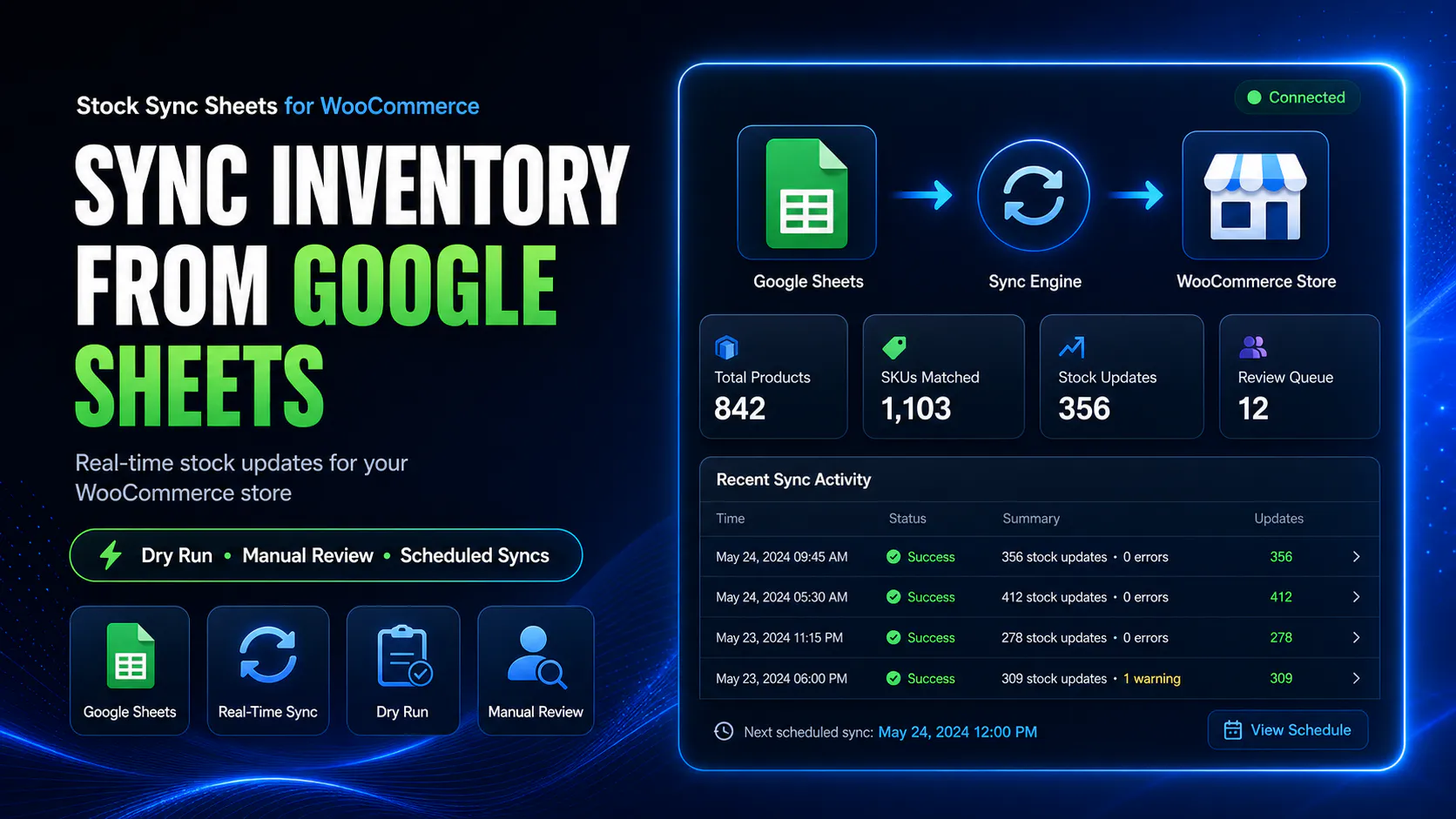
Google Sheets inventory management for WooCommerce works better when you can preview stock changes, review uncertain matches, and keep your sheet current after sales. Stock Sync Sheets is built for stores that already manage inventory in spreadsheets and need safer day-to-day workflows.
- ✓Dry Run before live stock updates
- ✓Manual Review for uncertain rows
- ✓Safer matching for messy sheet data
- ✓Real-time Sheet Push after sales
Why Google Sheets inventory management for WooCommerce needs a safer workflow
When your store inventory lives in Google Sheets, rushed bulk edits and weak product matching can create overselling, bad stock status, and cleanup work you did not need. Google Sheets inventory management for WooCommerce should give you checkpoints before and after live changes.
Manual updates waste time
Copying stock levels between spreadsheets and WooCommerce is slow, repetitive, and easy to get wrong when products change often.
Blind bulk updates are risky
If stock changes go live without preview, one bad sheet row or mismatch can affect large parts of your catalog fast.
Sales can disconnect your sheet
Even when imports work, stores still need a way to keep Google Sheets current after orders reduce WooCommerce stock.
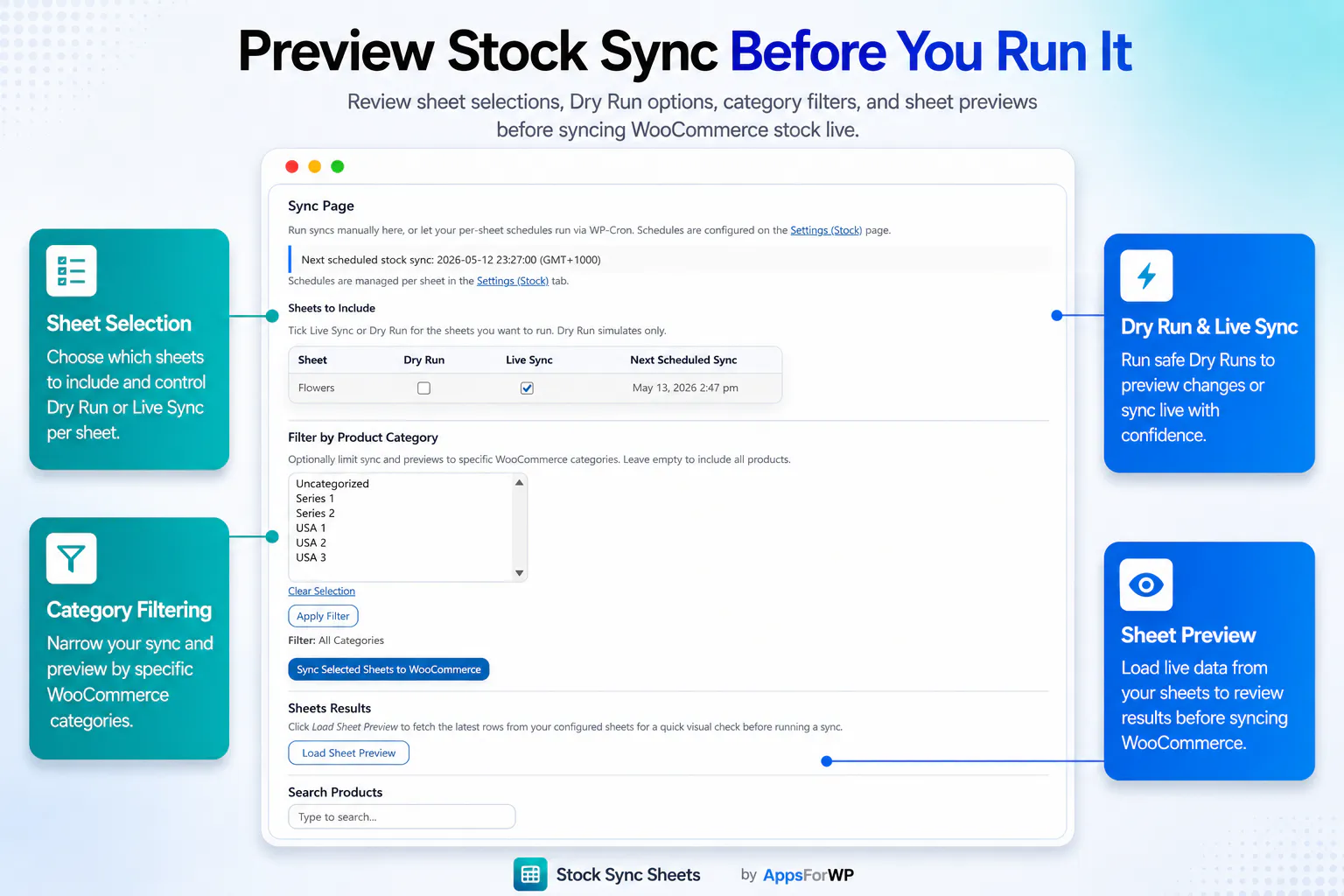
Use Dry Run before live inventory changes
Google Sheets inventory management for WooCommerce is safer when you can inspect likely stock updates first. Dry Run helps you see what is about to change before live product inventory is touched.
Send uncertain rows to Manual Review
Not every supplier sheet or stock file lines up cleanly. Manual Review gives you a checkpoint when matching is uncertain so you can verify rows before syncing.
Keep your sheet current after each sale
Real-time Sheet Push helps your Google Sheets inventory management for WooCommerce continue after the import step by sending sale stock changes back to your sheet.
How the workflow works
This setup is built for teams already using spreadsheets for supplier stock, warehouse tracking, repeatable stock sheets, or multi-person inventory updates.
Connect Google Sheets
Set up your sheet connection, choose the right tab, and prepare the fields you want to use for stock workflows.
Preview and review
Run Dry Run first, inspect likely changes, and move uncertain matches into Manual Review instead of guessing.
Sync with more confidence
Update WooCommerce stock and stock status after the right rows, mappings, and product matches have been checked.
Push sales back to Sheets
Use Sheet Push and Push on Sale workflows so your spreadsheet stays aligned with real store activity.
What makes this better than basic inventory sync
This is not just about moving rows from a spreadsheet into WooCommerce. It is about running Google Sheets inventory management for WooCommerce with fewer avoidable mistakes.
Manual or basic approach
- Copy stock values by hand or trust blind bulk updates
- Catch issues only after live product stock is already wrong
- Struggle when supplier data is inconsistent or incomplete
- Lose alignment between WooCommerce stock and Google Sheets after orders
Stock Sync Sheets workflow
- Preview updates with Dry Run before touching live inventory
- Use Manual Review when product matching is uncertain
- Keep confirmed matches cleaner for repeat sync runs
- Push WooCommerce sale stock reductions back to your sheet in real time
Built for stores that already manage inventory in spreadsheets
If your team already works in Google Sheets, supplier files, or recurring stock tabs, this gives you a safer way to connect that workflow to WooCommerce without treating live inventory changes like a blind import.
- ✓Dry Run to preview stock changes before they go live
- ✓Manual Review to handle uncertain rows properly
- ✓Safer matching for spreadsheet-based product updates
- ✓Real-time Sheet Push after sales for better follow-through
Frequently asked questions
These are the questions store owners usually ask before choosing a spreadsheet-based stock workflow.
Can I manage stock status as well as quantities?
Yes. The workflow is built around stock-related updates from Google Sheets into WooCommerce, including quantity and stock status handling.
Why is Dry Run important?
Dry Run helps you inspect what a sync is likely to change before live inventory updates happen. That matters when supplier sheets, SKUs, or product identifiers are not perfectly clean.
What if my sheet data does not match products cleanly?
That is exactly where Manual Review helps. Instead of pushing uncertain rows live, you can review matching decisions before they affect your catalog.
Can this help keep Sheets current after store sales?
Yes. Real-time Sheet Push after sales helps send WooCommerce sale stock reductions back to Google Sheets so the spreadsheet stays more aligned with store activity.