

Connect WooCommerce to Google Sheets
Connect WooCommerce to Google Sheets so your store can sync stock from a spreadsheet, push sale stock changes back to Google Sheets, update prices, and create products from mapped rows without repeated CSV imports.
- ✔Update WooCommerce stock from Google Sheets
- ✔Push WooCommerce sale stock changes back to Google Sheets in real time
- ✔Sync regular prices and sale prices with the included Price Sync workflow
- ✔Create simple and variable WooCommerce products from mapped sheet rows
- ✔Preview changes first with Dry Run before touching live products
- ✔Review uncertain product matches before they affect your catalog
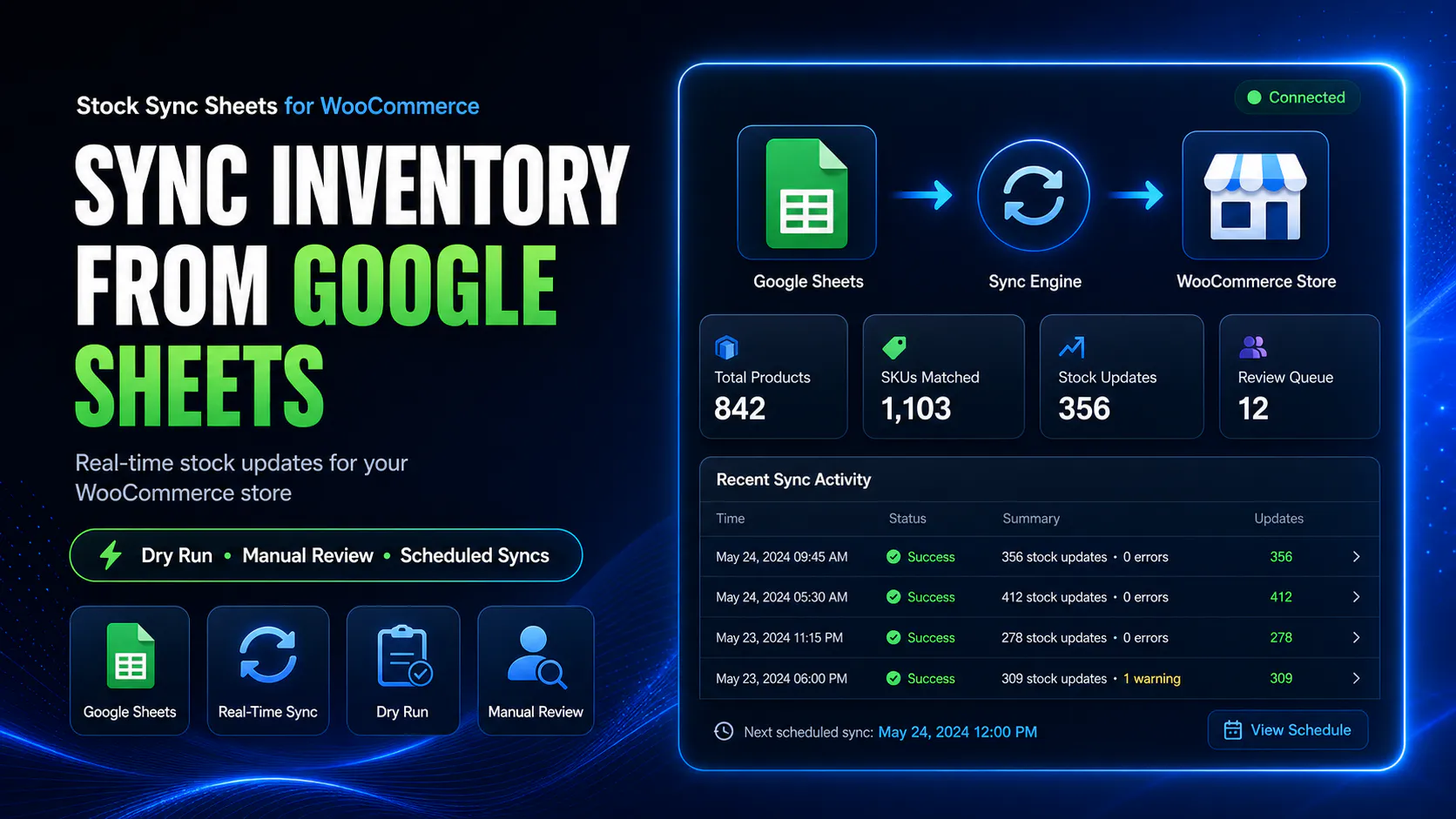
How to connect WooCommerce to Google Sheets for stock sync
Connect the sheet, map your columns, run a Dry Run, review uncertain matches, then approve the live stock sync. You can also push sale stock changes back to Google Sheets, update prices, or build products from mapped rows.
Connect your Google Sheet
Add the Google Sheet source, choose the correct tab and row range, then save the connection used for your WooCommerce workflow.
Map the required columns
Map the product identifier and quantity fields, including SKU or product name and the stock quantity column used by the sheet.
Run Dry Run and Manual Review
Preview the proposed changes first and send uncertain product matches to Manual Review instead of allowing a risky spreadsheet match to update the catalog.
Approve the live workflow
Run the approved stock sync, then use the related workflows for price updates, product creation, or real-time Sheet Push after WooCommerce sales.
The main ways to connect WooCommerce to Google Sheets
There are four common ways to connect WooCommerce to Google Sheets: a dedicated WooCommerce plugin, a Zapier or Make automation, a custom Google Apps Script or WooCommerce REST API build, or a CSV/manual import workflow. The right method depends on whether you need controlled stock updates, two-way sheet workflows, broad automation, custom engineering, or occasional manual data moves.
Dedicated WooCommerce plugin
Use a dedicated plugin when Google Sheets is part of your regular WooCommerce operating workflow. This is usually best for stock sync, price updates, product creation, Dry Run previews, Manual Review, logs, and repeatable inventory processes.
Zapier / Make automation
Use Zapier or Make when you need event-based automation between WooCommerce and Google Sheets, such as adding new orders or customers to a sheet. It can be useful for lightweight workflows, but it may not be ideal for careful bulk stock matching or catalog updates.
Google Apps Script / WooCommerce REST API
Use Apps Script or the WooCommerce REST API when you need a custom integration and have developer resources. This gives flexibility, but you are responsible for authentication, error handling, product matching, logs, retries, and maintenance.
CSV/manual import
Use CSV export and import when updates are occasional and you do not need an always-connected workflow. It is simple, but it can become slow or risky when stock, prices, and product data change often.
Where Stock Sync Sheets fits
Stock Sync Sheets fits the dedicated WooCommerce plugin approach. It is built for stores that use Google Sheets as a practical inventory or catalog workflow and need WooCommerce stock, prices, product data, and sale stock changes handled with more control than a basic export.
It is a good fit when you want mapped columns, Dry Run previews, Manual Review for uncertain product matches, confirmed matches for repeat syncs, Sheet Push after sales, and product-building workflows from spreadsheet rows.
When it is not the right tool
Stock Sync Sheets is not the right tool if you only need a one-time CSV import, a simple order export to a spreadsheet, or a broad no-code automation that connects many unrelated apps. In those cases, WooCommerce CSV tools, Zapier, Make, or a custom REST API integration may be a better fit.
It is also not ideal if you want a fully custom business system with bespoke rules and have developers maintaining a private integration. For that scenario, Google Apps Script or a direct WooCommerce REST API build may be more appropriate.
Connect WooCommerce to Google Sheets without risky blind stock updates
Stock Sync Sheets is a WooCommerce Google Sheets integration for inventory, pricing, and product workflows. Use Dry Run previews, Manual Review for uncertain matches, confirmed matches for repeat updates, and optional Sheet Push after sales.
What is a WooCommerce Google Sheets integration?
A WooCommerce Google Sheets integration connects spreadsheet data with your store. Stock Sync Sheets focuses on inventory and catalog workflows: Google Sheets can update WooCommerce stock, prices, and product data, while WooCommerce sale stock changes can push back to the sheet. Dry Run and Manual Review help you check changes before they affect live products.
Recommended workflow
- Connect your Google Sheet and choose the stock tab.
- Map the product identifier and stock quantity columns.
- Run Dry Run before changing live WooCommerce stock.
- Send uncertain matches to Manual Review instead of guessing.
- Confirm safe matches, then run the live stock sync.
- Use Sheet Push when sales should update your sheet in real time.
I need Google Sheets to update WooCommerce
Use stock sync to update WooCommerce stock quantities and stock status from mapped Google Sheet rows.
View Stock SyncI need WooCommerce to update Google Sheets
Use Sheet Push and Push on Sale to send WooCommerce sale stock changes back to Google Sheets in real time.
View Sheet PushI need to create products from sheets
Use Product Builder to create or update WooCommerce products from mapped Google Sheet rows.
View Product BuilderWooCommerce Google Sheets integration for inventory, prices, and products
Stock Sync Sheets connects the main WooCommerce and Google Sheets workflows in one place. Use Google Sheets to update stock, prepare product data, manage pricing workflows, and keep shared sheets more useful after WooCommerce sales.
Instead of treating stock sync, Sheet Push, Price Sync, and Product Builder as disconnected tools, Stock Sync Sheets gives store owners a clearer spreadsheet workflow for managing WooCommerce data with more control.
- ✔Connect stock sync, Sheet Push, Price Sync, and Product Builder
- ✔Use Google Sheets as a practical WooCommerce workflow tool
- ✔Preview and review changes before updating live products
- ✔Move from setup guides to demo or purchase when ready
What this WooCommerce Google Sheets integration can do
Use the full system for stock sync, Sheet Push, price sync, product creation, variable products, Manual Review, Dry Run, confirmed matches, ignored rows, blacklists, schedules, and logs.
Stock Sync
Update WooCommerce stock quantities and stock status from Google Sheets using mapped columns, previews, confirmed matches, ignored rows, and Manual Review.
Sheet Push
Push WooCommerce sale stock changes back to Google Sheets in real time so your shared stock sheet does not become stale after orders.
Price Sync
Use the included Price Sync workflow to update WooCommerce regular prices and sale prices from mapped Google Sheet data.
Product Builder
Create or update WooCommerce products from mapped Google Sheet rows, including titles, SKUs, descriptions, prices, images, categories, and stock fields.
Variable Products
Prepare variable products and variation rows from Google Sheets, including parent products, variation SKUs, attributes, prices, and stock values.
FlexStock Alternative
Compare Stock Sync Sheets with FlexStock if you are choosing a WooCommerce Google Sheets workflow with stock sync, Sheet Push, Dry Run, and Manual Review.
Keep Google Sheets updated after WooCommerce sales
Sheet Push is built for stores that need WooCommerce stock and sale changes sent back to Google Sheets. When a sale reduces stock, Push on Sale can update the shared sheet in real time so teams are not working from stale spreadsheet values.
That matters because many stores still rely on the sheet after orders happen. If the sheet becomes stale, staff, suppliers, or connected workflows may be working from old stock values.
- ✔WooCommerce sales can update Google Sheets in real time
- ✔Shared inventory sheets stay fresher after orders
- ✔Useful for suppliers, teams, and multi-store workflows
- ✔Built for more than one-way spreadsheet exports
Google Sheets to WooCommerce stock sync
Use stock sync when your spreadsheet is the source of truth for WooCommerce inventory. Stock Sync Sheets can read mapped Google Sheet rows and update matching WooCommerce products when you are ready.
This is useful for stores using supplier sheets, warehouse files, spreadsheet stock lists, or shared inventory workflows where stock quantities need to move from Google Sheets into WooCommerce.
- ✔Sync stock quantities from Google Sheets
- ✔Update WooCommerce stock status
- ✔Use Dry Run before live updates
- ✔Send uncertain matches to Manual Review
- ✔Save confirmed matches for future syncs
Create and update WooCommerce products from Google Sheets
Product Builder helps stores prepare WooCommerce product data from mapped Google Sheet rows, including simple products, variable products, variation rows, images, prices, descriptions, categories, tags, and stock fields.
Create products from sheet rows
Use mapped Google Sheet rows to prepare WooCommerce product names, SKUs, descriptions, prices, images, categories, tags, and stock fields.
Support variable products
Map parent products, variation SKUs, attributes, variation prices, and variation stock values from spreadsheet rows.
Review before import
Use preview and review workflows before product data is written to WooCommerce.
Images and catalog fields
Use mapped fields for images, gallery images, product descriptions, product types, attributes, categories, and tags.
Explore the main WooCommerce Google Sheets workflows
Start with the workflow that matches your store: stock sync, Sheet Push, Price Sync, Product Builder, variable products, plugin comparisons, or setup guides.
| Supporting page | What to use it for |
|---|---|
| Google Sheets to WooCommerce Stock Sync | Use this when Google Sheets needs to update WooCommerce stock quantities and stock status. |
| WooCommerce Google Sheets Stock Sync Plugin | Use this when you are comparing WooCommerce stock sync plugin options for Google Sheets. |
| Sheet Push | Use this when WooCommerce stock and sale changes need to push back to Google Sheets. |
| Price Sync | Use this when regular prices and sale prices need to come from mapped Google Sheet data. |
| Create Variable Products from Google Sheets | Use this when you need to create or update products, variable products, and variation rows from Google Sheets. |
| Stock Sync Sheets vs FlexStock | Use this when comparing Stock Sync Sheets with FlexStock for spreadsheet-based WooCommerce stock workflows. |
| WooCommerce Stock Sync Plugin Comparison | Use this when comparing multiple WooCommerce stock sync plugins before choosing a workflow. |
Who this WooCommerce Google Sheets integration is for
Built for store owners who already rely on spreadsheets and need WooCommerce connected to that workflow.
Supplier-driven stores
Useful when product stock, price, or catalog data comes from supplier spreadsheets or warehouse sheets.
High-SKU WooCommerce shops
Reduce repeated manual editing when you manage many products, frequent stock changes, or spreadsheet-based product data.
Teams using shared sheets
Help staff, suppliers, or teams work from Google Sheets while WooCommerce stays connected to the same stock workflow.
No-code merchants
Connect WooCommerce and Google Sheets without building a custom REST API integration from scratch.
Simple pricing
Stock Sync Sheets includes the core Google Sheets workflow for WooCommerce: stock sync, real-time Push on Sale, Product Builder, AI Review, Sheet Push, Dry Run, Manual Review, Confirmed Matches, Ignored items, Blacklist controls, schedules, logs, and Dashboard.
1-Year License
12 months of updates and support, plus a 30-day money-back guarantee.
Buy on WooCommerce.com2-Year License
Longer coverage for stores planning ongoing use of the Google Sheets workflow.
Buy on WooCommerce.comHelpful WooCommerce Google Sheets resources
Use these pages to go deeper into stock sync, Sheet Push, Price Sync, Product Builder, comparisons, and setup guides.
Google Sheets to WooCommerce Stock Sync
Learn the practical stock sync workflow for taking inventory data from Google Sheets and syncing it into WooCommerce.
Sheet Push
See how WooCommerce stock and sale changes can be sent back to Google Sheets, including real-time Push on Sale.
Price Sync
Learn how regular prices and sale prices can be synced from mapped Google Sheet rows into WooCommerce.
Create Variable Products from Google Sheets
Learn how mapped rows can support WooCommerce product creation, variable products, variation rows, images, and catalog fields.
Stock Sync Sheets vs FlexStock
Compare Stock Sync Sheets as a FlexStock alternative for WooCommerce Google Sheets stock sync and Sheet Push workflows.
Setup Guides
Use the guide hub for setup videos, stock sync settings, confirmed matches, ignored lists, blacklist controls, Sheet Push, and Product Builder.
WooCommerce Google Sheets integration FAQs
What is the best way to connect WooCommerce to Google Sheets?
For repeat stock, price, product and sale-update workflows, use a dedicated WooCommerce Google Sheets plugin with mapped columns, Dry Run, Manual Review and logs. CSV, Zapier/Make or a custom REST API can fit simpler or more custom cases.
How do I connect WooCommerce to Google Sheets?
Install Stock Sync Sheets, connect the Google Sheet, choose the correct tab and range, map the product and quantity columns, then run Dry Run before approving the live sync. Manual Review can hold uncertain matches for checking.
Can I update WooCommerce stock from Google Sheets?
Yes. You can map Google Sheet columns and update WooCommerce stock quantities and stock status from spreadsheet rows.
Can WooCommerce send sale changes back to Google Sheets?
Yes. Sheet Push and Push on Sale can send WooCommerce sale stock reductions back to Google Sheets in real time.
Can I sync WooCommerce prices from Google Sheets?
Yes. The included Price Sync workflow can sync WooCommerce regular prices and sale prices from mapped Google Sheet data.
Can I create WooCommerce products from Google Sheets?
Yes. Product Builder can create or update WooCommerce products from mapped Google Sheet rows, including simple products, variable products, variation rows, images, categories, tags, prices, descriptions, and stock fields.
Is this just a WooCommerce order export tool?
No. The stronger workflow is not basic order export. Stock Sync Sheets focuses on stock sync, Sheet Push after sales, price sync, product building, Dry Run, and Manual Review.
Is this a FlexStock alternative?
Yes. If you are comparing FlexStock with other WooCommerce Google Sheets tools, Stock Sync Sheets is an alternative with stock sync, Sheet Push, Dry Run, Manual Review, Price Sync, and Product Builder workflows.
Start your WooCommerce Google Sheets integration
Use Stock Sync Sheets to connect WooCommerce and Google Sheets for stock sync, real-time Sheet Push after sales, price updates, Product Builder, variable products, Dry Run, and Manual Review.