

FlexStock Alternative for WooCommerce Google Sheets Stock Sync
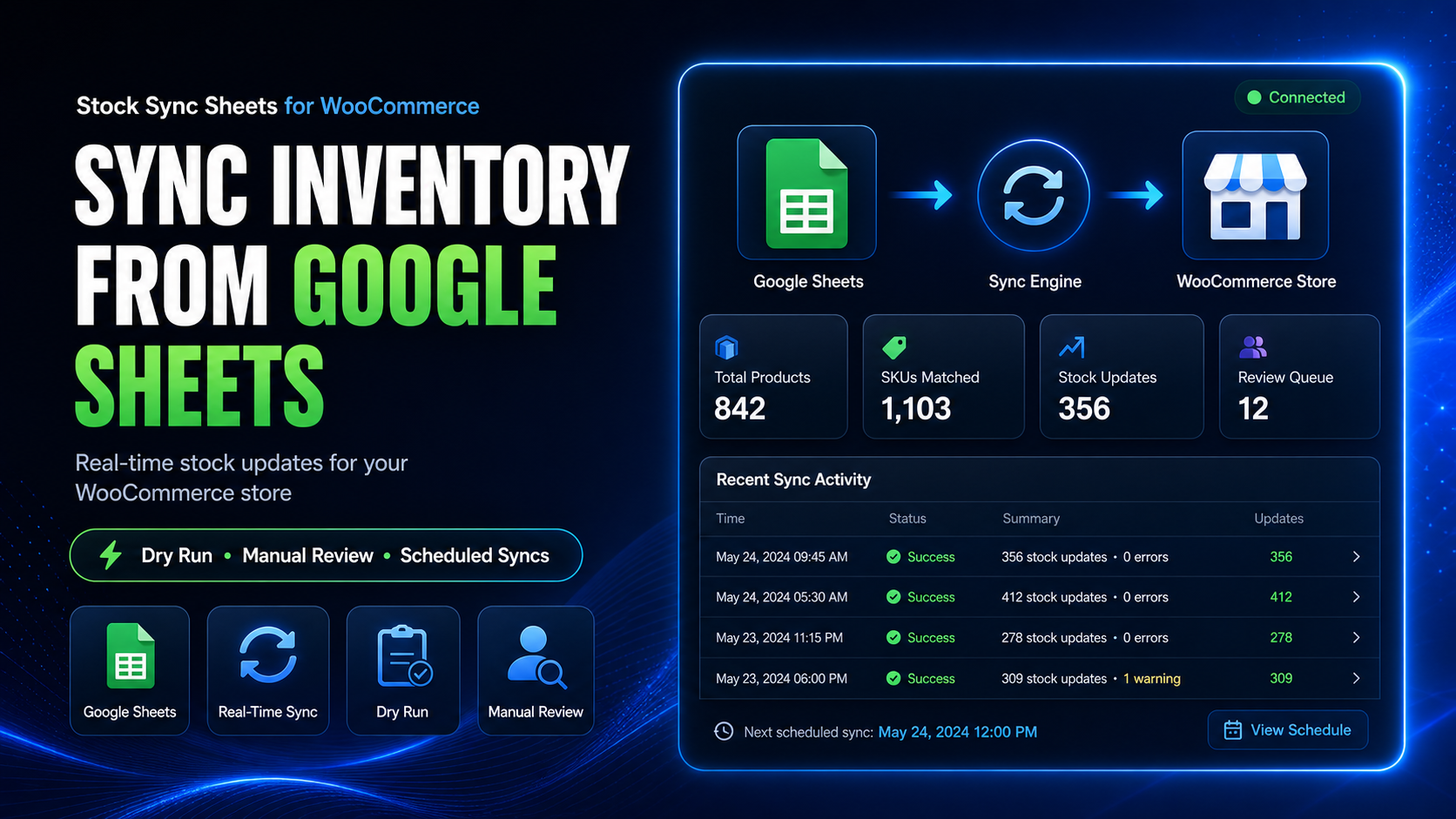
Looking for a FlexStock alternative? Stock Sync Sheets is built for WooCommerce stores that want Google Sheets stock sync with Dry Run, Manual Review, confirmed matches, Product Builder, AI Review, Sheet Push, and Push on Sale.
FlexStock is a known WooCommerce Google Sheets inventory tool. Stock Sync Sheets is a different option for store owners who want a review-first workflow before stock, product, and pricing-related updates go live.
- ✔WooCommerce stock sync from Google Sheets
- ✔Dry Run before live stock updates
- ✔Manual Review for uncertain matches
- ✔Confirmed Matches, Ignored Matches, and Blacklist controls
- ✔Product Builder and optional AI Review included
- ✔Sheet Push and Push on Sale workflows
Why compare Stock Sync Sheets with FlexStock?
Both products are connected to WooCommerce and Google Sheets workflows. The right choice depends on how you want your store to handle stock, product data, sheet updates, review steps, and automation.
Fair comparison note
This page is not claiming FlexStock is bad. It is for store owners comparing tools and deciding whether Stock Sync Sheets is a better fit for their workflow. Always check each product’s current feature list, pricing, setup requirements, and support terms before buying.
FlexStock-style buyer intent
Some buyers search for FlexStock because they want WooCommerce and Google Sheets connected for product, stock, and bulk editing workflows.
Stock Sync Sheets buyer intent
Stock Sync Sheets is for buyers who want preview, review, confirmed matching, logs, Product Builder, AI Review, and safer workflow controls.
Different workflow priorities
The best option depends on whether you want broad live sheet editing or a more controlled review-first syncing process.
Stock Sync Sheets is built around review-first stock syncing
Stock changes can damage a WooCommerce store when the wrong product is updated. That is why Stock Sync Sheets is built around Dry Run, Manual Review, confirmed matches, ignored items, blacklist controls, logs, and careful setup.
Instead of treating every sheet row as automatically safe, Stock Sync Sheets gives store owners tools to preview, approve, and control the workflow before live WooCommerce stock changes are applied.
- ✔Dry Run before live stock updates
- ✔Manual Review for uncertain matches
- ✔Confirmed Matches for future syncs
- ✔Ignored and Blacklist controls for bad or unwanted matches
More than stock: product building and AI-assisted content
Stock Sync Sheets is not only a stock sync workflow. It also includes Product Builder for creating and updating WooCommerce products from mapped Google Sheet data.
Product Builder AI can stage product titles, descriptions, bullet features, SEO titles, meta descriptions, and focus keyphrases for review before import.
- ✔Create products from mapped sheet rows
- ✔Update existing WooCommerce products
- ✔Support simple, variable, variation, grouped, external, virtual, and downloadable workflows
- ✔Draft product content and SEO fields with optional AI Review
Stock Sync Sheets vs FlexStock: workflow comparison
Use this comparison to decide which workflow fits your store. The goal is not to copy another tool. The goal is to choose the system that fits how your store manages stock, products, sheet updates, and review steps.
| Buyer need | FlexStock-style workflow | Stock Sync Sheets workflow |
|---|---|---|
| Google Sheets stock management | Designed around managing WooCommerce inventory and product data from Google Sheets. | Designed around WooCommerce stock sync from Google Sheets with Dry Run, review, logs, and matching controls. |
| Review before live stock updates | Check the current FlexStock workflow and setup requirements before relying on live updates. | Dry Run and Manual Review are central parts of the stock sync workflow. |
| Uncertain product matches | Check how your chosen setup handles uncertain or incorrect product matches. | Uncertain matches can go to Manual Review before live sync. |
| Confirmed matches | Check current matching options in FlexStock before purchase. | Confirmed Matches help future syncs reuse approved product links. |
| Ignored and blacklist controls | Check whether your workflow needs ignored rows or bad-match blocking. | Ignored Matches and Blacklist controls are built into the match management workflow. |
| Product creation from Google Sheets | FlexStock promotes adding and managing WooCommerce products from Google Sheets. | Product Builder creates and updates WooCommerce products from mapped sheet data with preview and optional AI Review. |
| AI product content | Check FlexStock’s current AI/content features if this matters to your store. | AI Review can draft product content and SEO fields before import. |
| Sale-to-sheet stock updates | Check FlexStock’s current two-way or real-time sync details before purchase. | Push on Sale can update Google Sheets when WooCommerce orders reduce stock. |
| Separate price workflow | Check how price changes are handled in your FlexStock plan and setup. | Price Sync is handled by a separate add-on for regular and sale price workflows. |
Choose Stock Sync Sheets if you want stronger review controls
Stock Sync Sheets is the better fit when your main concern is preventing bad stock updates, reviewing uncertain matches, and keeping product workflows controlled before live changes happen.
You want Dry Run first
Preview what the plugin found before live WooCommerce stock updates happen.
You want Manual Review
Send uncertain product matches into a review workflow before syncing.
You want confirmed matching
Save approved matches so future syncs are cleaner and faster.
You want bad-match protection
Use ignored matches and blacklist controls to stop unwanted match behaviour repeating.
You want Product Builder
Create and update WooCommerce products from mapped Google Sheet data.
You want AI Review
Draft product descriptions, bullet features, SEO titles, meta descriptions, and focus keyphrases for review.
When FlexStock may still be worth checking
A fair alternative page should be honest. FlexStock may still be worth testing if its current feature set, setup style, pricing, and live sheet editing workflow suit your store better.
Do not buy either plugin blindly
Test the demo, read the documentation, check current feature lists, and confirm whether the plugin handles your product types, sheet structure, price fields, variation data, schedules, and review needs before using it on a live store.
You want sheet-first bulk editing
If your priority is editing product data directly in a live sheet-style workflow, compare FlexStock’s current bulk editing workflow.
You want broad two-way sync
If your priority is broad two-way syncing, check FlexStock’s current sync details, limits, setup process, and plan differences.
You use marketplace workflows
If your store depends on vendor marketplace features, check current compatibility, add-ons, and support for your exact setup.
The real decision: speed-first or review-first?
The best plugin is not always the one with the biggest feature list. The best plugin is the one that matches how your store avoids mistakes.
If you want a fast live sheet-editing style workflow, compare FlexStock carefully. If you want a controlled WooCommerce Google Sheets workflow with Dry Run, Manual Review, Product Builder, AI Review, logs, and confirmed matching, Stock Sync Sheets is built for that.
- ✔Review-first sync workflow
- ✔Manual Review for unclear rows
- ✔Confirmed matching for future runs
- ✔Product Builder and AI Review included
Helpful Stock Sync Sheets resources
These pages explain the workflows that make Stock Sync Sheets a strong FlexStock alternative for stores that want safer review controls and broader product workflows.
Plugin overview
See the main buyer guide for Stock Sync Sheets, including Stock Sync, Dry Run, Manual Review, Product Builder, AI Review, schedules, and Push on Sale.
WooCommerce Stock Sync Plugin Comparison
Compare WooCommerce stock sync plugin workflows by Google Sheets support, Dry Run, Manual Review, confirmed matches, Product Builder, Sheet Push, and Push on Sale.
Stock Sync
Learn how WooCommerce stock sync from Google Sheets works with Dry Run, Manual Review, logs, schedules, and matching controls.
Product Builder
Create and update WooCommerce products from mapped Google Sheet data, including images, attributes, variations, and AI Review.
Sheet Push
See how WooCommerce stock and product-related data can be pushed back to Google Sheets.
Push on Sale
Learn how WooCommerce sale stock changes can be pushed back to Google Sheets in real time.
Setup guides
Use setup videos and guides before relying on live stock sync, Sheet Push, Product Builder, or Price Sync workflows.
FlexStock Alternative FAQs
What is a good FlexStock alternative for WooCommerce Google Sheets stock sync?
Stock Sync Sheets is a FlexStock alternative for WooCommerce stores that want Google Sheets stock sync with Dry Run, Manual Review, confirmed matches, Product Builder, AI Review, Sheet Push, and Push on Sale.
Is Stock Sync Sheets the same as FlexStock?
No. Both tools work with WooCommerce and Google Sheets, but the workflows are different. Stock Sync Sheets focuses on preview, review, confirmed matching, Product Builder, AI Review, Sheet Push, and controlled sync workflows.
Should I choose Stock Sync Sheets or FlexStock?
Choose based on your workflow. If you want review-first syncing with Dry Run, Manual Review, confirmed matches, Product Builder, and AI Review, Stock Sync Sheets is worth testing. If you want a different live sheet-editing workflow, compare FlexStock’s current setup and features carefully.
Does Stock Sync Sheets include Product Builder?
Yes. Product Builder is included with the main Stock Sync Sheets plugin and helps create or update WooCommerce products from mapped Google Sheet data.
Does Stock Sync Sheets include AI Review?
Yes. AI Review is included as part of Product Builder and can stage product content and SEO drafts before import.
Does Stock Sync Sheets support sale-to-sheet updates?
Yes. Push on Sale can update Google Sheets when WooCommerce sales reduce stock, helping shared sheet workflows stay fresher after orders.
Does Stock Sync Sheets sync prices?
The main plugin handles stock and product workflows. Regular price and sale price syncing are handled by the separate Price Sync Add-On.
Try Stock Sync Sheets as your FlexStock alternative
Use Stock Sync Sheets if your WooCommerce store needs Google Sheets stock sync with Dry Run, Manual Review, confirmed matches, Product Builder, AI Review, Sheet Push, and Push on Sale.