
Safer WooCommerce inventory updates
WooCommerce Dry Run Stock Sync
WooCommerce dry run stock sync gives store owners a safer way to preview stock updates before changing live products, so bulk inventory work does not have to feel like a risky one-click mistake.
- Preview stock quantities before they update WooCommerce.
- Catch wrong products, wrong matches, and suspicious stock changes earlier.
- Send uncertain matches to Manual Review instead of guessing.
- Reuse approved matches with Confirmed Matches for repeat workflows.
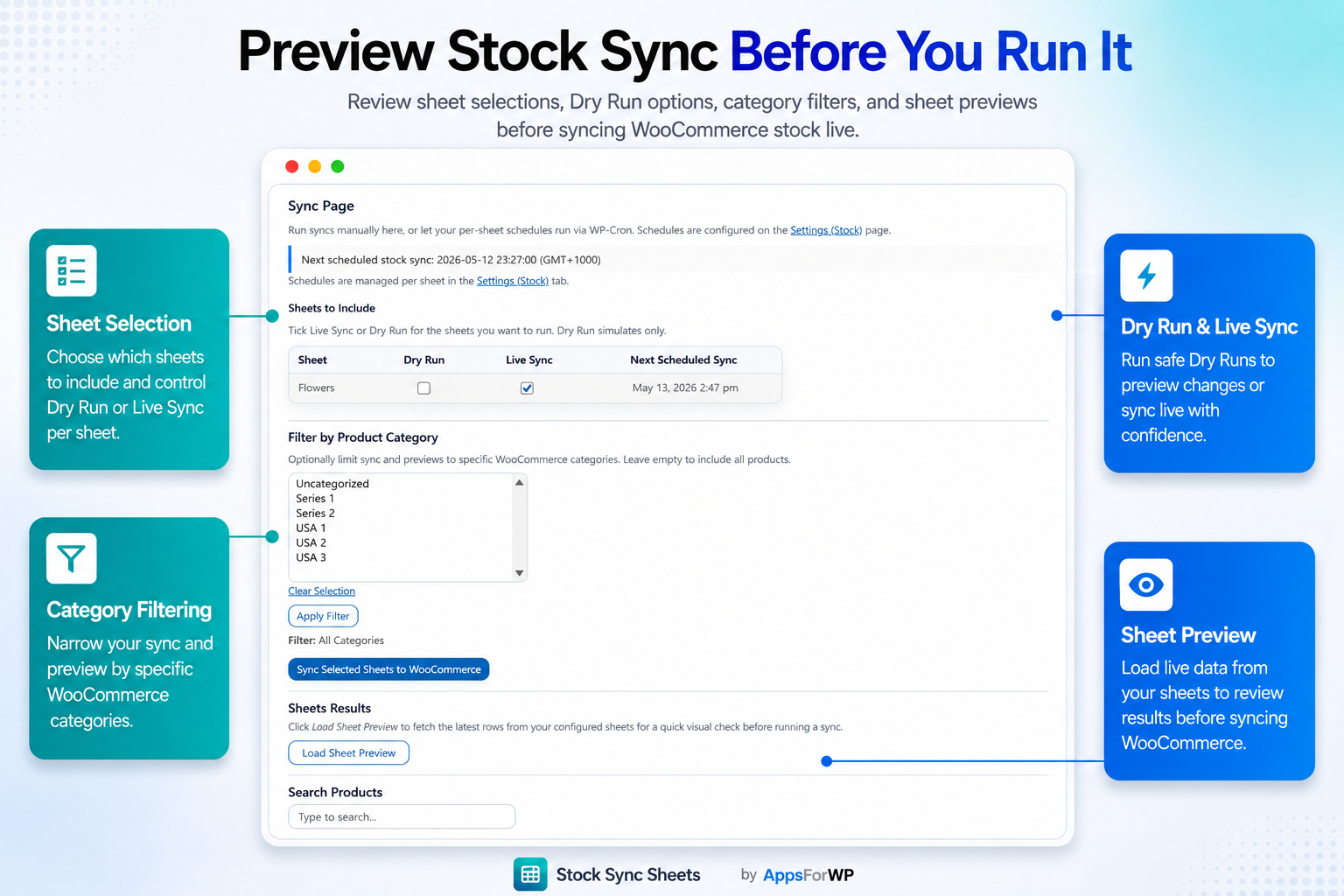
A preview-first workflow helps you review stock changes before live WooCommerce products are updated.
Why WooCommerce Dry Run Stock Sync Matters
Inventory updates affect sales, fulfilment, customer trust, and team confidence. When a bulk update goes wrong, the problem is rarely limited to one product.
A WooCommerce store may need to update hundreds or thousands of stock quantities at once. Those numbers might come from a supplier file, an internal stock sheet, a warehouse count, or a spreadsheet maintained by more than one person. The update itself may only take seconds, but the consequences of a wrong update can last much longer.
If an item that is actually out of stock is accidentally marked available, customers can buy products you cannot ship. If available products are accidentally set to zero, the store may stop selling items that should still be live. If a spreadsheet row matches the wrong WooCommerce product, stock can move on the wrong SKU without anyone noticing until an order, support ticket, or fulfilment issue exposes the mistake.
That is why a preview step matters. Dry Run is not about slowing the team down. It is about giving the team a controlled checkpoint before live inventory changes happen. Instead of importing or syncing blindly, the store owner can see what the system intends to update and decide whether the result makes sense.
Stock Sync Sheets is built around that safer workflow. It helps WooCommerce stores connect spreadsheet-driven stock management with preview checks, Manual Review, Confirmed Matches, ignored items, blacklists, scheduled syncs, and Sheet Push where configured.
Preview first
Dry Run shows planned stock changes before they affect live products, so the team can check the update path.
Review uncertain matches
Uncertain product matches can be handled before the sync writes stock quantities to WooCommerce.
Repeat safer workflows
Confirmed Matches help approved product relationships carry forward into future stock syncs.
What Is WooCommerce Dry Run?
Dry Run means testing the intended stock update before applying it to live WooCommerce inventory.
In a WooCommerce stock sync workflow, Dry Run is a preview mode. It lets you load the spreadsheet data, check how rows are being interpreted, review product matches, and inspect the stock changes that would happen if the sync were allowed to continue.
The important point is simple: Dry Run separates review from execution. Without a preview step, a store owner may only discover an issue after the update is already live. With a dry run WooCommerce process, the store has a chance to inspect the plan first.
This matters because inventory data is sensitive. A stock field may look like a basic number, but that number controls whether a product can be purchased. Bulk inventory updates are powerful because they save time, but the same power can create bigger mistakes when a file is outdated, a product code is wrong, or a column is mapped incorrectly.
Dry Run exists because bulk updates need a safety check
Many store owners are cautious about stock automation because they have seen what manual mistakes can do. A single wrong spreadsheet column can push bad numbers across a catalogue. A supplier file may use names that are close but not identical to WooCommerce product names. A SKU may be missing, duplicated, changed, or formatted differently.
WooCommerce dry run stock sync helps reduce that unnecessary risk by giving store owners a readable preview. It does not remove the need for good data, sensible product identifiers, or human judgement. It does give the team a better place to catch issues before customers are affected.
Previewing stock changes makes the workflow easier to trust
Inventory teams do not only need speed. They need confidence. A sync that runs quickly but cannot be checked can feel risky, especially for stores with valuable products, fast-moving stock, multiple suppliers, or multiple staff editing the source sheet.
A preview stock updates WooCommerce workflow gives the team a practical checkpoint. The store can review planned quantity changes, look for unexpected matches, and confirm whether the update should proceed. That makes the workflow easier to repeat because the team does not have to choose between manual checking and blind automation.
Dry Run vs Direct Bulk Stock Updates
The difference is not whether WooCommerce stock can be updated. The difference is whether the store gets a meaningful review point before the update goes live.
| Inventory task | Direct bulk update | Dry Run stock sync workflow |
|---|---|---|
| Review before changes | Often limited or skipped when the update is imported directly. | Designed to preview planned stock changes before live products are updated. |
| Wrong product risk | A bad match can update the wrong product before the issue is spotted. | Uncertain matches can be reviewed before the sync proceeds. |
| Wrong quantity risk | Bad source data may be pushed live quickly. | Suspicious changes can be noticed during the preview stage. |
| Repeat workflows | Teams may repeat manual checking each time. | Confirmed Matches can support more consistent future syncs. |
| Multiple staff | Staff changes may be harder to audit before import. | The spreadsheet remains the source, but the sync still has a review step. |
| Large catalogues | Manual checking becomes harder as product count grows. | Preview, Manual Review, and match controls help larger updates stay manageable. |
| Scheduling | Manual updates usually depend on someone remembering the task. | Scheduled syncs can be used after the manual workflow has been tested. |
| Confidence | The team may only know the result after changes are live. | The team can inspect the intended result before committing the update. |
Why Store Owners Fear Bulk Inventory Mistakes
Bulk stock updates are useful, but they also concentrate risk. A small spreadsheet problem can become a store-wide problem if it is not caught early.
Most WooCommerce stock mistakes are not dramatic technical failures. They are ordinary workflow problems. A supplier sends an updated file with a changed column order. A staff member edits the wrong row. A SKU is copied with an extra space. A product name is similar to another product. A sale reduces stock in WooCommerce, but the spreadsheet still shows the previous quantity.
When updates are manual, the team may spend hours checking and importing. When updates are automated without review, the team may worry that the system will move too quickly. A dry run WooCommerce process gives the team a middle path: faster than checking every product manually, but safer than pushing every spreadsheet row directly into the live catalogue.
This is especially important for stores that manage stock through Google Sheets. The sheet is convenient because staff can edit it, suppliers can provide data, and teams can maintain stock without logging into WooCommerce for every adjustment. But that convenience should still be paired with safeguards before the store changes customer-facing availability.
- Wrong stock can cause overselling or missed sales opportunities.
- Wrong product matches can affect products that were not meant to be changed.
- Outdated spreadsheet data can overwrite newer stock information.
- Large catalogues make manual checking harder and more time-consuming.
- Multiple staff members can create version and ownership confusion without a clear workflow.
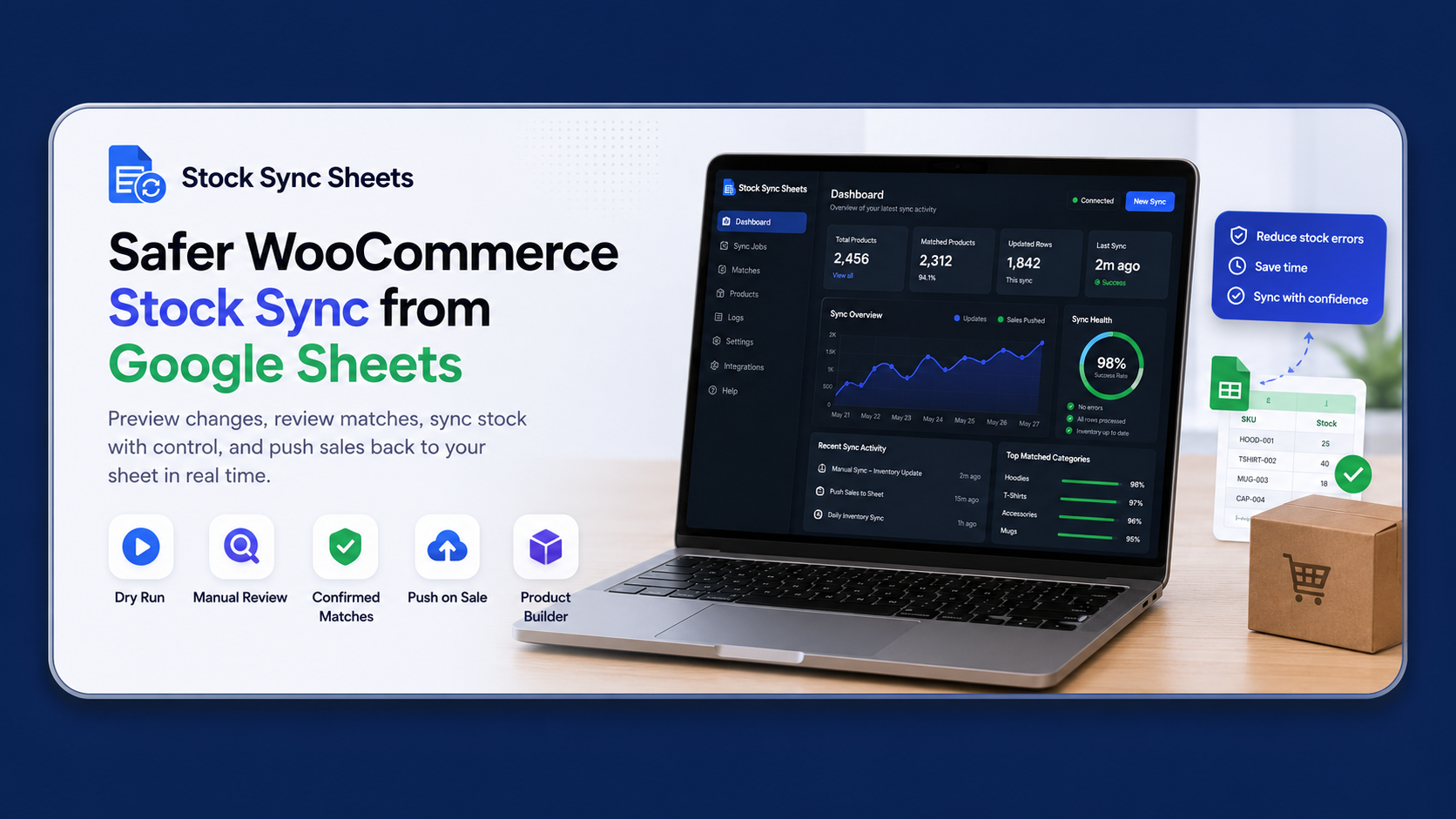
Manual Review helps keep uncertain matches away from live stock updates until they are checked.
How Stock Sync Sheets Handles Preview Stock Updates WooCommerce Workflows
Stock Sync Sheets is designed for stores that want spreadsheet-driven inventory control without skipping review, matching, and repeatability.
Connect the stock source
The workflow starts with the spreadsheet or sheet configuration that contains the stock data your team wants to use. The sheet acts as the working inventory source, while WooCommerce remains the live store.
Run a preview before live changes
Dry Run lets the store review intended stock updates before applying them. This is the key safety point for any test stock sync WooCommerce workflow.
Review uncertain product matches
If matching is uncertain, the workflow should not guess blindly. Manual Review gives the store owner a chance to decide how those products should be handled.
Approve repeatable matches
Confirmed Matches help approved product relationships carry forward. That can reduce repeated manual decisions when the same product appears again in future updates.
Use ignored items and blacklist controls
Some rows or products should not be updated automatically. Ignored and blacklist controls help keep those exceptions away from unwanted sync activity.
Move to scheduling after testing
Scheduling is useful after the manual workflow has been tested successfully. A preview-first setup helps the store understand what will happen before relying on repeat runs.
Dry Run Does Not Replace Good Inventory Data
It gives your team a safer checkpoint before live products change.
Use clear identifiers
SKUs, product IDs, or consistent product references make matching easier to inspect and maintain.
Check large changes
Large stock movements should be reviewed carefully, especially when they affect best sellers or high-value items.
Keep exceptions visible
Products that should not sync should be handled through review, ignored records, or blacklist controls.
Who Benefits Most From WooCommerce Stock Sync Preview?
A bulk stock update preview is useful for any WooCommerce store that wants speed without giving up control.
Stores using Google Sheets as an inventory control panel
If your team already works in Google Sheets, Stock Sync Sheets can help connect that workflow to WooCommerce in a more controlled way. Staff can continue managing inventory in a familiar sheet, while the sync process adds review and matching safeguards before live updates.
Stores with frequent supplier stock changes
Supplier stock files can change often. A google sheets stock preview workflow helps the store inspect what the latest data would do before it updates product availability.
Stores with large catalogues
The larger the catalogue, the harder it becomes to check every product manually. Dry Run does not remove the need to pay attention, but it makes the update easier to review in a structured way.
Stores with multiple staff members
When more than one person touches inventory data, the chance of accidental edits increases. Previewing stock changes helps the team catch unexpected changes before they affect customers.
Agencies and store builders
Agencies managing WooCommerce inventory workflows for clients need repeatable steps. A dry run, Manual Review, and Confirmed Matches give the workflow clearer checkpoints that can be explained, tested, and repeated.
Where Dry Run Fits With the Full Stock Sync Sheets Workflow
Dry Run is one safety layer. Stock Sync Sheets also includes connected tools for matching, review, scheduling, product workflows, and store-to-sheet updates. Price Sync is built into Stock Sync Sheets for regular price and sale price updates from Google Sheets at no extra cost, while keeping price updates in their own controlled workflow.
Stock Sync
Sync WooCommerce stock quantities and stock status from Google Sheets using a controlled workflow. Learn more on the Stock Sync page.
Sheet Push
Where configured, Sheet Push can send WooCommerce stock reductions and sale updates back to Google Sheets. See the Sheet Push page.
Product Builder
For stores that also build product data from sheets, Product Builder supports spreadsheet-driven product creation and updates. Visit Product Builder.
Preview stock updates before they go live
If bulk inventory updates make you nervous, the answer is not to avoid syncing forever. The better answer is to use a workflow that lets you preview, review, confirm, and then update with more confidence.
Frequently Asked Questions
Practical answers for WooCommerce store owners comparing direct updates with a safer stock sync preview workflow.
What does WooCommerce dry run stock sync mean?
It means previewing the stock changes that would be made before updating live WooCommerce products. The goal is to check the planned update first instead of applying changes blindly.
Does Dry Run update live products?
Dry Run is intended as a preview step. It helps you inspect planned stock changes before choosing whether the live update should proceed.
Why is previewing stock updates important?
Inventory mistakes can create overselling, missed sales, customer service issues, and fulfilment problems. Previewing gives you a chance to catch wrong quantities or wrong matches earlier.
Can Dry Run help with wrong product matches?
Yes, it can help expose matching problems before stock is applied. Stock Sync Sheets also includes Manual Review and Confirmed Matches to support safer matching decisions.
Is this only for large WooCommerce stores?
No. Small stores can benefit because even a small catalogue can be hurt by the wrong stock update. Larger catalogues simply make the review workflow more important.
Can I use Google Sheets as the stock source?
Yes. Stock Sync Sheets is built for WooCommerce stores using Google Sheets and spreadsheet-driven stock workflows.
Does Dry Run remove all inventory risk?
No workflow removes all risk. Dry Run reduces unnecessary risk by adding a review point before live changes. You still need accurate data, sensible matching, and careful review.
Can stock sync be scheduled?
Stock Sync Sheets includes scheduled sync workflows. Scheduling should be used after the manual and preview workflow has been tested successfully.
What happens to uncertain matches?
Uncertain matches can be sent to Manual Review instead of being treated as safe automatically. That gives the store owner a chance to approve or control the match.
What are Confirmed Matches?
Confirmed Matches are approved product relationships that can be reused on future syncs. They help make repeated stock workflows more consistent.
Does Stock Sync Sheets support more than stock sync?
Yes. Stock Sync Sheets includes Stock Sync, Sheet Push, Product Builder, and Price Sync for regular and sale prices. Price Sync is built into the main plugin at no extra cost, with guides and support resources available for the complete workflow.
Where should I start?
Start with the Stock Sync Sheets feature page, then review the setup guides before configuring your first controlled test.
Final Recommendation
For WooCommerce stores that rely on spreadsheets, a dry run stock sync workflow is the safer route than pushing large inventory changes without a preview.
Bulk stock updates are unavoidable for many WooCommerce stores. Products sell, suppliers change availability, warehouses adjust quantities, and teams need a practical way to keep inventory moving. The question is not whether stock should be updated. The question is how much control the store has before those updates affect customers.
WooCommerce dry run stock sync gives store owners a better checkpoint. It helps teams preview stock updates, spot suspicious changes, handle uncertain matches, and build a repeatable workflow around real inventory data. That is especially valuable when Google Sheets is already the place where the team manages stock.
If you want to manage WooCommerce stock from Google Sheets without turning every update into a risky bulk action, Stock Sync Sheets is built for that workflow. Start with a preview, use Manual Review where needed, confirm matches you trust, and only move toward scheduling once the workflow behaves the way your store expects.