
Low Stock Notifier for WooCommerce
RixonApps Low Stock Alerts for WooCommerce is available now as a free plugin from WordPress.org. It helps store owners catch low-stock products earlier with clear alerts, daily stock digests, Slack or webhook notifications, and practical stock risk reporting before products sell out.
ok add the sentance to the page
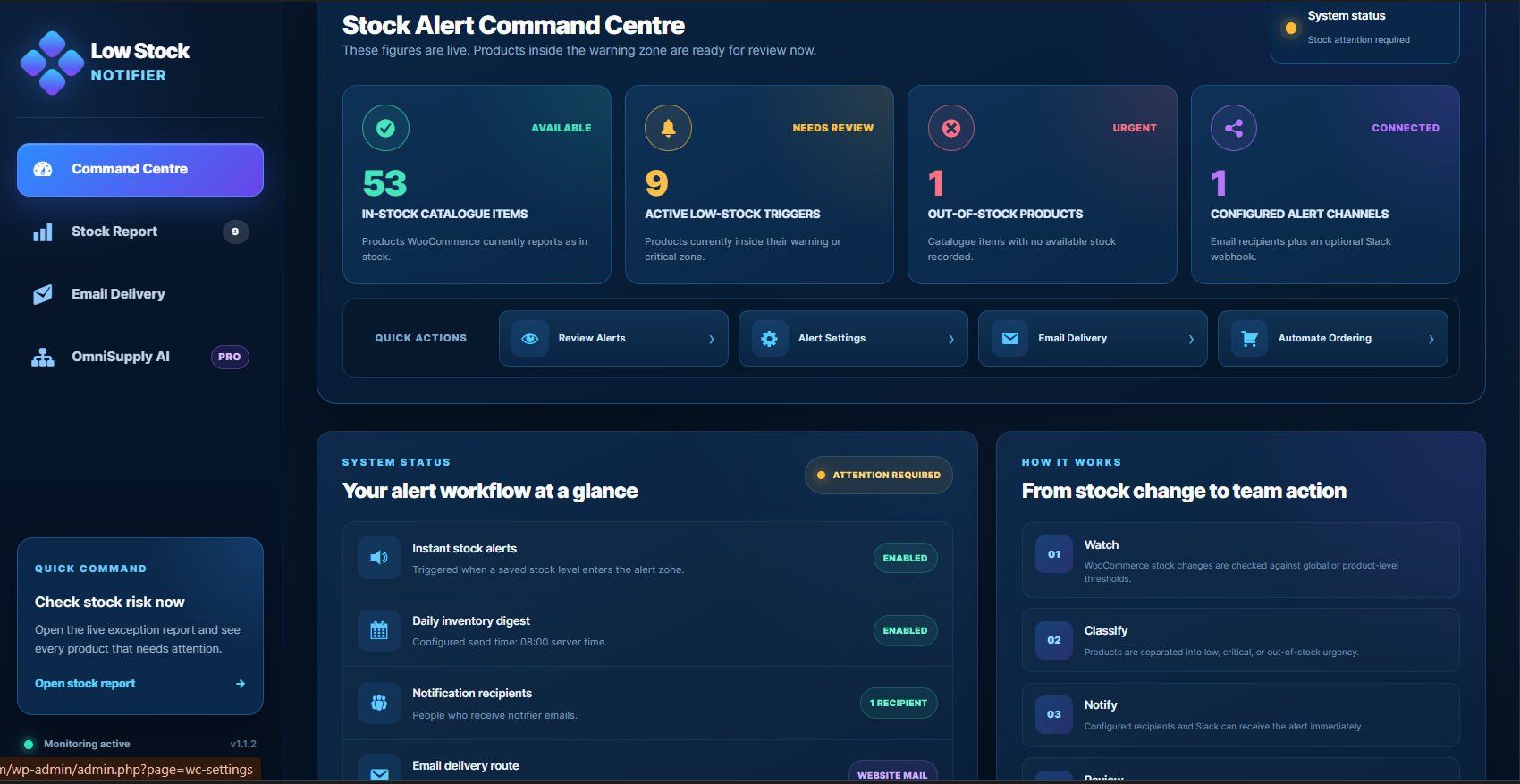
Low Stock Notifier for WooCommerce stock alerts
Stop waiting until a customer, supplier delay, or empty shelf reveals a stock problem. Keep the important stock risks visible with alerts that are easier to review and act on.
Instant low-stock alerts
Send notifications when products reach their configured low-stock threshold, so the right person can react before a fast-moving item runs out.
Daily stock digest
Summarise stock risks in one daily report for owners, managers, buyers, or support teams who need a quick view of what needs attention.
Team-ready recipients
Route alerts to the people responsible for buying, operations, fulfilment, or client support instead of burying stock problems in one admin inbox.
Slack and webhook support
Use notifications where your team already works. Send stock risk updates into Slack-style workflows or webhook-driven internal processes.
Clear stock risk reporting
Review low-stock, out-of-stock, and attention-needed products in a practical report instead of checking product screens one by one.
Built for practical stores
Use Low Stock Notifier for WooCommerce as a lightweight monitoring layer alongside your existing purchasing, stock sync, or supplier workflow.
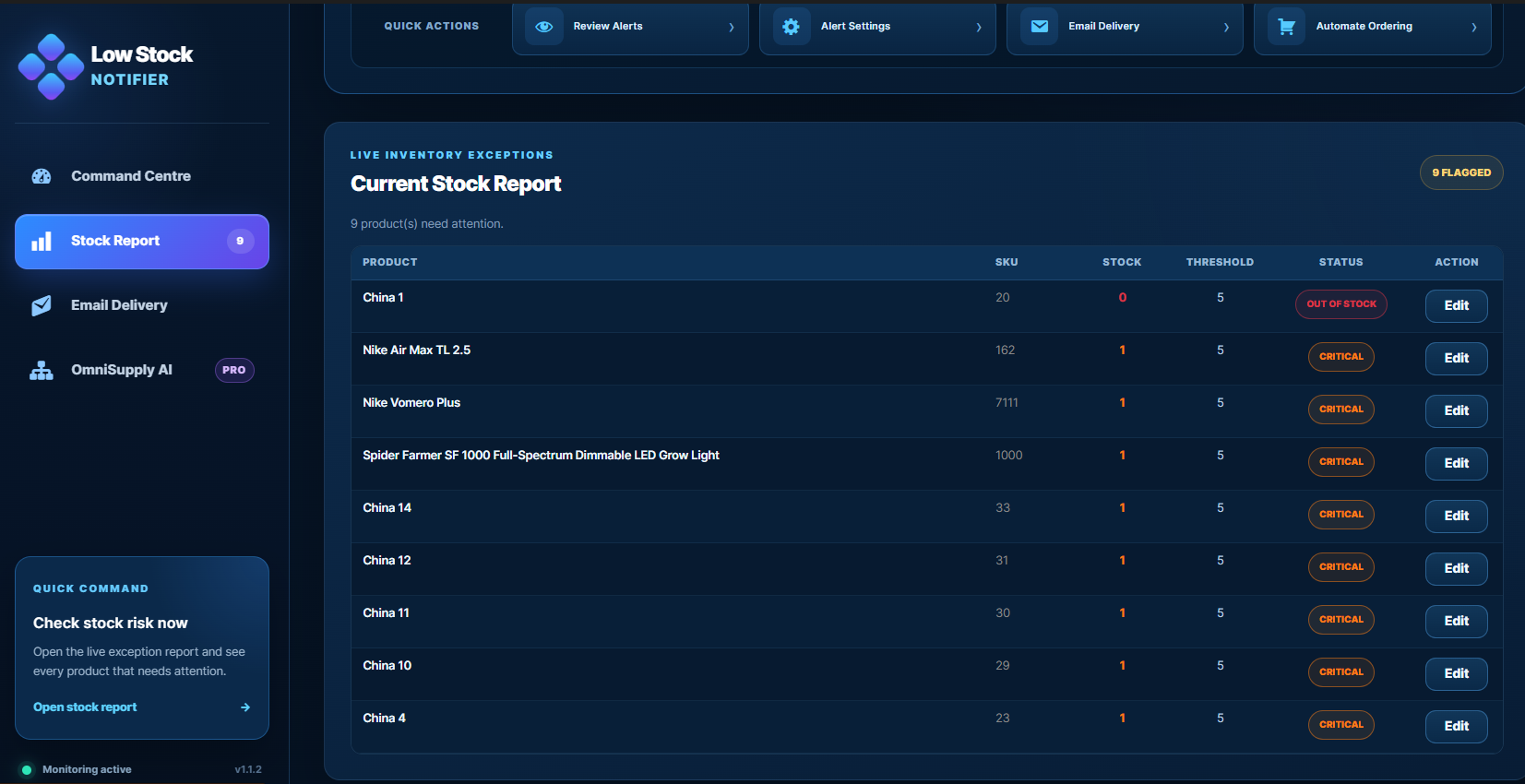
See stock problems before they become sales problems
Low Stock Notifier for WooCommerce is designed for stores that need a cleaner way to watch stock risk. Instead of manually checking every product, your team gets a focused view of the items that need replenishment, review, or supplier follow-up.
The goal is simple: make stock problems visible early enough for the team to act. That can mean reordering a best seller, checking a supplier lead time, reviewing a slow restock, or preventing a campaign from sending traffic to products that are about to run out.
- Monitor products against low-stock thresholds.
- Review stock risk in a clear report format.
- Send stock notices to the team members who need them.
- Use alerts as an early warning system for purchasing decisions.
A simple alert workflow for WooCommerce stock
The plugin is built around a practical sequence: watch the products, classify the risk, notify the right people, then review what needs action.
Watch
Track WooCommerce products against stock levels and low-stock thresholds that matter to your store.
Classify
Separate normal stock from products that are low, out of stock, or worth reviewing before a sales push.
Notify
Send email, digest, Slack-style, or webhook alerts so the stock problem reaches the right workflow.
Review
Use the stock report to decide what to reorder, pause, promote carefully, or investigate with suppliers.
Useful for owners, teams, and agencies
Low Stock Notifier for WooCommerce fits stores where stock visibility affects revenue, fulfilment, and customer service. It is especially useful when several people share responsibility for buying, product management, or client operations.
- Store owners who want fewer surprise stockouts.
- Operations teams that need daily stock risk visibility.
- Agencies managing WooCommerce stores for clients.
- Teams using spreadsheet, supplier, or replenishment workflows alongside WooCommerce.
Use alerts before stock becomes urgent
A stock alert system does not replace good purchasing decisions, but it gives your team a better signal. Low Stock Notifier for WooCommerce keeps the next stock problem closer to the surface, where it can be handled earlier.
Contact AppsForWP SupportLow Stock Notifier questions
Quick answers for WooCommerce store owners comparing alert, digest, and stock monitoring workflows.
Is this only for out-of-stock products?
No. The main value is earlier visibility. Low-stock alerts help your team act before products fully sell out.
Can a team receive the alerts?
Yes. The workflow is designed so stock notices can be sent to the people responsible for buying, operations, fulfilment, or support.
Does this work with spreadsheet stock workflows?
It can sit alongside spreadsheet-led stock workflows by giving the team clearer WooCommerce stock risk visibility between stock updates.
Where should I start?
Start by deciding which stock thresholds matter, who should receive alerts, and whether your team needs instant notices, a daily digest, or both.
Download the free low stock alert plugin
RixonApps Low Stock Alerts for WooCommerce is available free from WordPress.org. Use it to bring stock risks into a clear notification workflow, so your team can review the right products before they become urgent.