WooCommerce Stock Replenishment Plugin
WooCommerce stock replenishment plugin workflows should help store owners spot low stock, match products to suppliers, review reorder suggestions, and send purchase-order drafts without losing manual control. OmniSupply AI is built for WooCommerce stores that need a safer supplier directory and replenishment workflow before stock problems become sales problems.
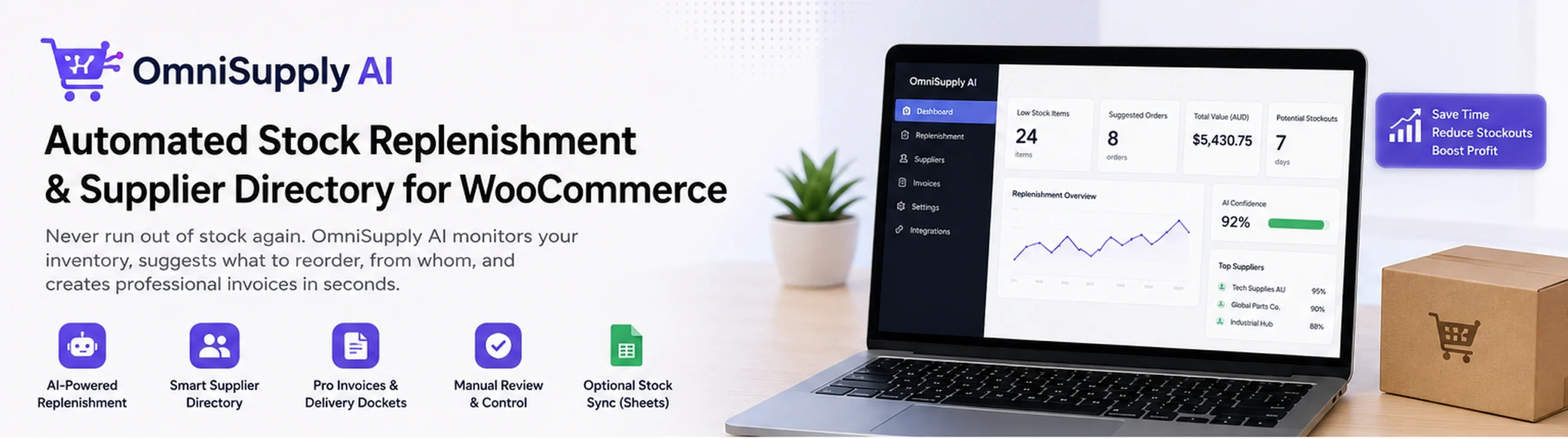
WooCommerce Stock Replenishment Plugin for Supplier Reorders
A WooCommerce stock replenishment plugin should do more than show low stock. OmniSupply AI helps connect reorder decisions to the suppliers that actually fulfil the products, so replenishment becomes a controlled supplier reorder workflow instead of a spreadsheet guessing exercise.
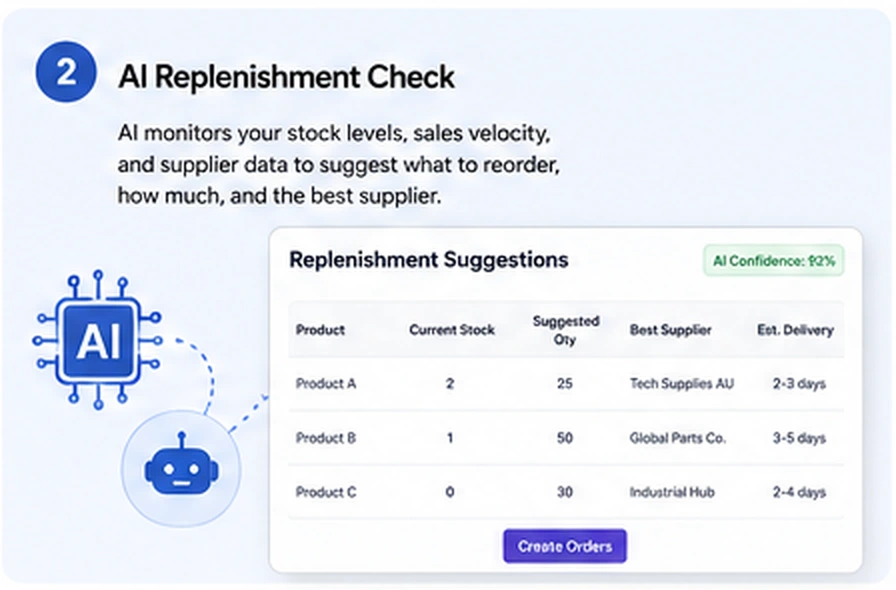
OmniSupply AI is designed for store owners who need automated stock replenishment support, but still want to keep a human review step before supplier communication goes out. The app can help identify products that may need reordering, show supplier context, and prepare cleaner purchase-order communication from inside the WooCommerce workflow.
- Use reorder point style checks to find stock that needs attention.
- Review supplier details before preparing a purchase-order request.
- Keep manual control over purchase-order drafts before anything is sent.
- Reduce copy-paste work between WooCommerce, spreadsheets, and supplier email threads.
If your workflow starts with Google Sheets stock control, review the main WooCommerce Stock Sync Plugin page first.
Supplier Directory for WooCommerce Stores
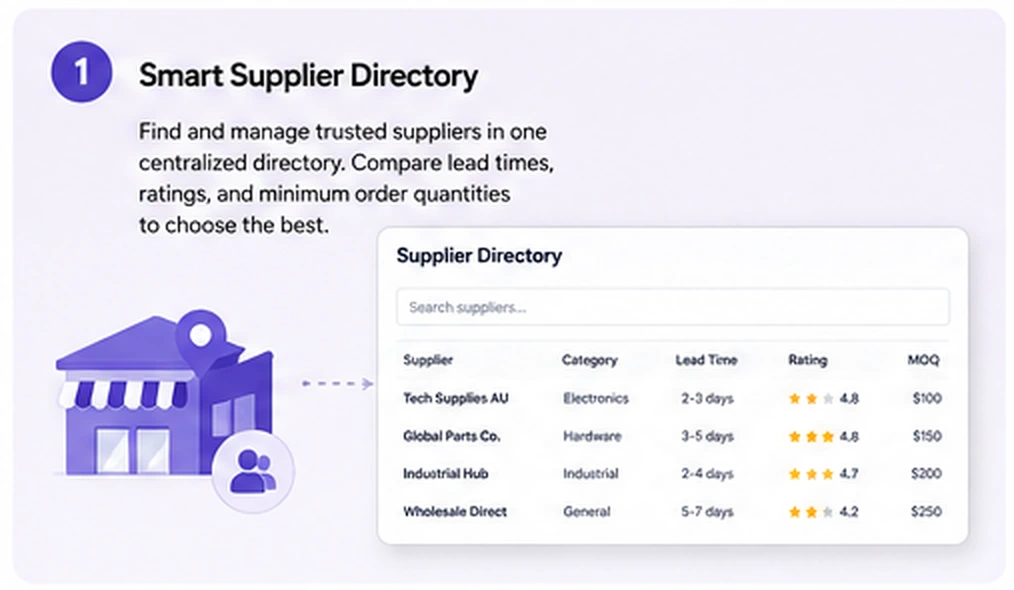
A WooCommerce supplier directory gives each reorder a clear source. Instead of treating every low-stock product the same way, OmniSupply AI helps you keep supplier names, supplier type, recipient addresses, saved email signatures, and fulfilment context close to the stock replenishment dashboard.
That matters when one store works with multiple suppliers, dropship partners, replenishment suppliers, or internal procurement contacts. Better WooCommerce supplier management makes it easier to filter supplier rows, narrow the table, and focus on the products that actually need action.
- Add replenishment suppliers for purchase-order workflows.
- Keep dropshipping supplier context separate from stock reorder communication.
- Use supplier filtering to reduce noise when checking reorder needs.
- Prepare supplier email purchase order drafts with more consistent contact details.
AI Purchase-Order Drafts With Manual Review
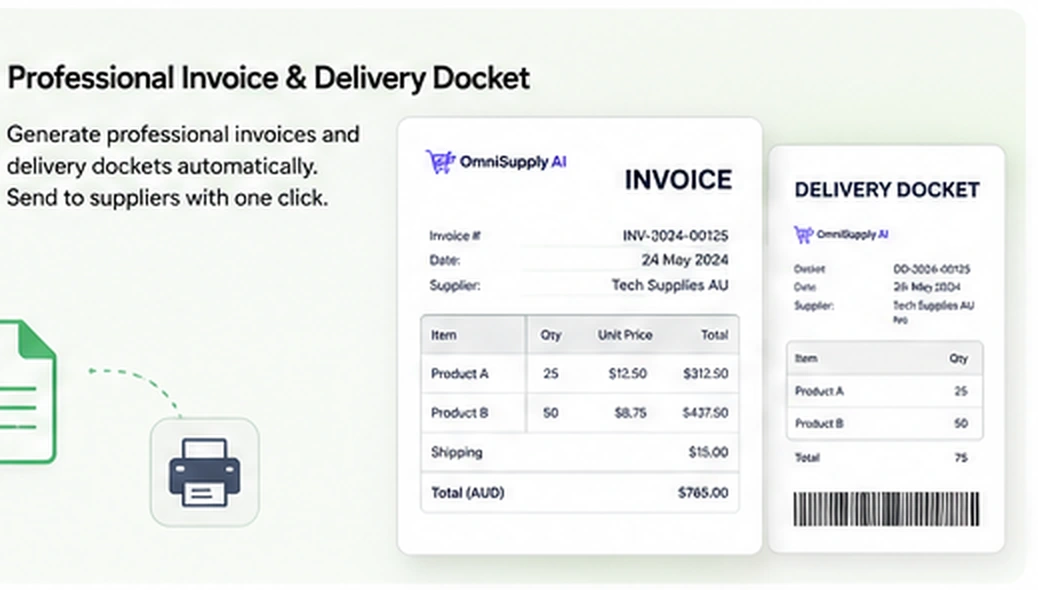
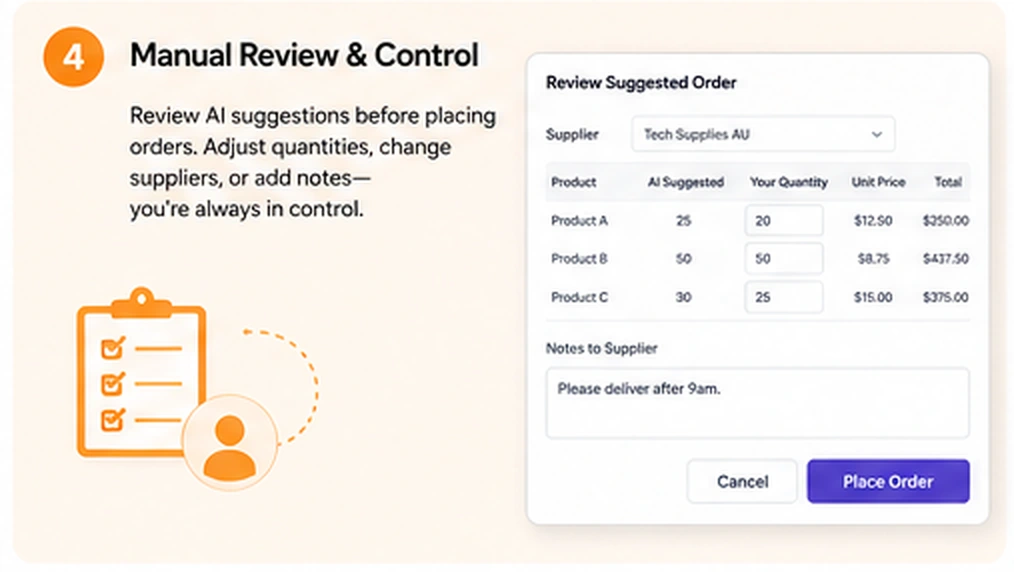
AI purchase-order draft generation should save time without removing review. OmniSupply AI is built around editable drafts, manual approval, and clear supplier context, so the store owner can check product lines, quantities, supplier recipient details, and email wording before taking action.
For many stores, a WooCommerce purchase order plugin becomes risky if it sends supplier communication too quickly. OmniSupply AI keeps the safer workflow front and centre: generate the draft, review the details, then approve the next step manually.
- Use AI to prepare a purchase-order message instead of writing every reorder email from scratch.
- Review the suggested supplier, product lines, and reorder quantity before sending.
- Keep purchase-order sending controlled for stores that do not want blind automation.
- Support a practical supplier reorder workflow without forcing a full ERP system.
Safer Reorder Checks Before You Send
WooCommerce restock automation should not mean every suggested reorder goes straight to a supplier. OmniSupply AI supports a more careful approach by giving the store owner a clear review stage before supplier communication is completed.
This is useful for stores where low stock reorder alerts need a final check because supplier packs, lead times, seasonal demand, or product matching issues can change what should be ordered. A WooCommerce stock replenishment plugin should help you move faster, but it should not hide important decisions.
- Check supplier rows before purchase-order communication is sent.
- Review calculated reorder needs instead of relying only on memory.
- Keep a human approval point in the supplier reorder workflow.
- Use safer matching practices when stock and supplier data need extra attention.
For safer stock matching workflows, read about WooCommerce stock sync with Manual Review.
Built for WooCommerce Inventory Workflows
OmniSupply AI fits best when the store already treats inventory as an operating workflow, not a one-off admin task. It can sit beside stock sync, supplier checks, purchase-order drafts, replenishment review, and sheet-based inventory processes.
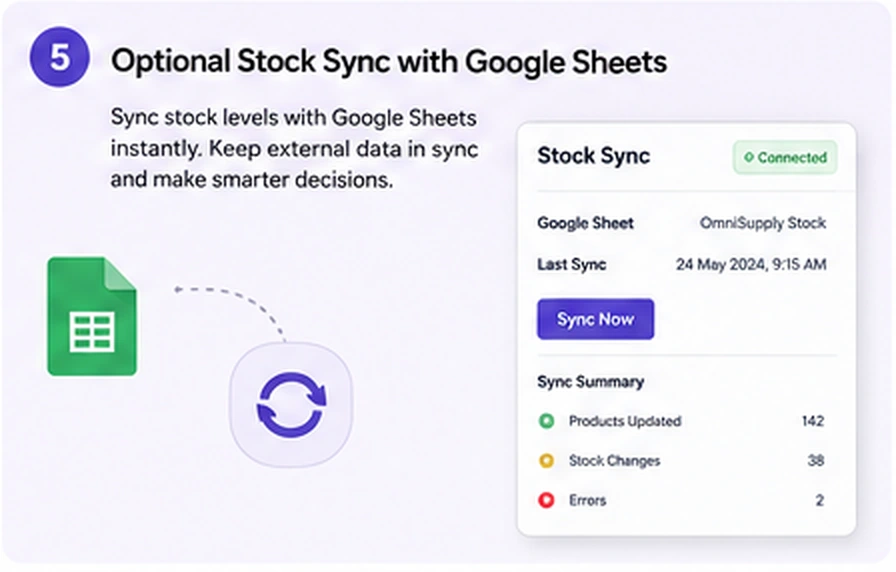
If your store uses Google Sheets as part of inventory control, OmniSupply AI can complement the Apps For WP stock workflow. Stock Sync Sheets is listed externally on WooCommerce.com, and you can review that product here: Stock Sync Sheets on WooCommerce.com.
For stores that use sheet-based stock control, the combination of stock sync, manual review, Sheet Push after sales, and supplier replenishment can create a more complete WooCommerce inventory replenishment process.
- Use stock data to guide supplier reorder checks.
- Connect replenishment decisions with supplier directory details.
- Use supplier management alongside stock sync and product workflows.
- Keep real-time Sheet Push after sales as part of the wider inventory process.
To understand Sheet Push after sales, read the WooCommerce sales to Google Sheets workflow.
OmniSupply AI vs Manual Supplier Reordering
Manual supplier reordering often works when a store is small, but it becomes harder to trust when product counts, supplier counts, and reorder timing increase. OmniSupply AI gives WooCommerce stores a more structured way to review replenishment needs without jumping straight into uncontrolled automation.
Manual supplier reordering
- Low stock is checked by memory, spreadsheets, or separate reports.
- Supplier details are often copied from old emails or notes.
- Purchase-order emails are rewritten manually each time.
- Reorder decisions are harder to review consistently.
OmniSupply AI workflow
- Low stock and supplier context are reviewed inside a focused workflow.
- The supplier directory keeps contact and supplier type details available.
- An AI purchase-order draft can reduce repetitive email preparation.
- The store owner keeps manual approval before supplier communication.
Reorder point checks
Use a WooCommerce reorder point plugin style workflow to identify products that need supplier attention before stock runs out.
Supplier email drafts
Prepare clearer supplier email purchase order communication while still reviewing every important detail before sending.
Replenishment dashboard
Use a stock replenishment dashboard to make WooCommerce supplier directory data and reorder decisions easier to manage.
Connect Replenishment With Stock, Product, and Support Workflows
A WooCommerce stock replenishment plugin works best when it supports the wider store process. Use the resources below to connect OmniSupply AI with setup, stock sync, product creation, Manual Review, and support workflows.
Start with setup
Use the quick start documentation before connecting live store workflows or changing stock processes.
Review all guides
Find setup help for stock sync, settings, Manual Review, Sheet Push, Product Builder, and troubleshooting.
Build product data
If product creation is also part of your workflow, map product information from Google Sheets before import.
Frequently Asked Questions
What is OmniSupply AI?
OmniSupply AI is an app for WooCommerce supplier directory and stock replenishment workflows. It helps store owners review low stock, connect products to supplier details, and prepare purchase-order drafts with manual approval.
Is this a WooCommerce stock replenishment plugin?
Yes. The page is positioned around the WooCommerce stock replenishment plugin search intent because OmniSupply AI focuses on supplier reorder checks, WooCommerce inventory replenishment, supplier management, and purchase-order draft workflows.
Does it automatically send supplier purchase orders?
The safer workflow is manual review first. OmniSupply AI can help prepare an AI purchase-order draft, but the store owner should review supplier details, reorder quantities, and email content before sending.
Who is this best for?
It is best for WooCommerce stores that work with suppliers, monitor low stock reorder alerts, manage replenishment manually, or want a more structured supplier reorder workflow without losing control.
Does this replace Stock Sync Sheets?
No. Stock Sync Sheets handles Google Sheets stock sync workflows. OmniSupply AI is focused on supplier directory, automated stock replenishment support, and purchase-order draft preparation. The workflows can support each other.
Where can I get help?
Use the support page if you need help with setup, supplier configuration, stock sync workflows, Manual Review, Sheet Push, Product Builder, or troubleshooting.
Prepare Supplier Reorders With More Control
Use OmniSupply AI when your WooCommerce store needs supplier directory control, low stock reorder alerts, AI purchase-order draft support, and a review step before supplier communication. The goal is faster replenishment preparation without blind automation.