WooCommerce REST API and Google Sheets Stock Sync
The WooCommerce REST API can be used to build a custom Google Sheets stock sync, but most store owners do not need to build and maintain their own integration. Stock Sync Sheets gives WooCommerce stores a ready workflow for syncing stock from Google Sheets with Dry Run, Manual Review, Confirmed Matches, logs, schedules, Sheet Push, and Push on Sale.
- ✔ Avoid building a custom REST API stock sync from scratch
- ✔ Connect Google Sheets to WooCommerce with a plugin workflow
- ✔ Preview changes before updating live products
- ✔ Review uncertain product matches before syncing
- ✔ Use Sheet Push and Push on Sale for WooCommerce-to-sheet updates
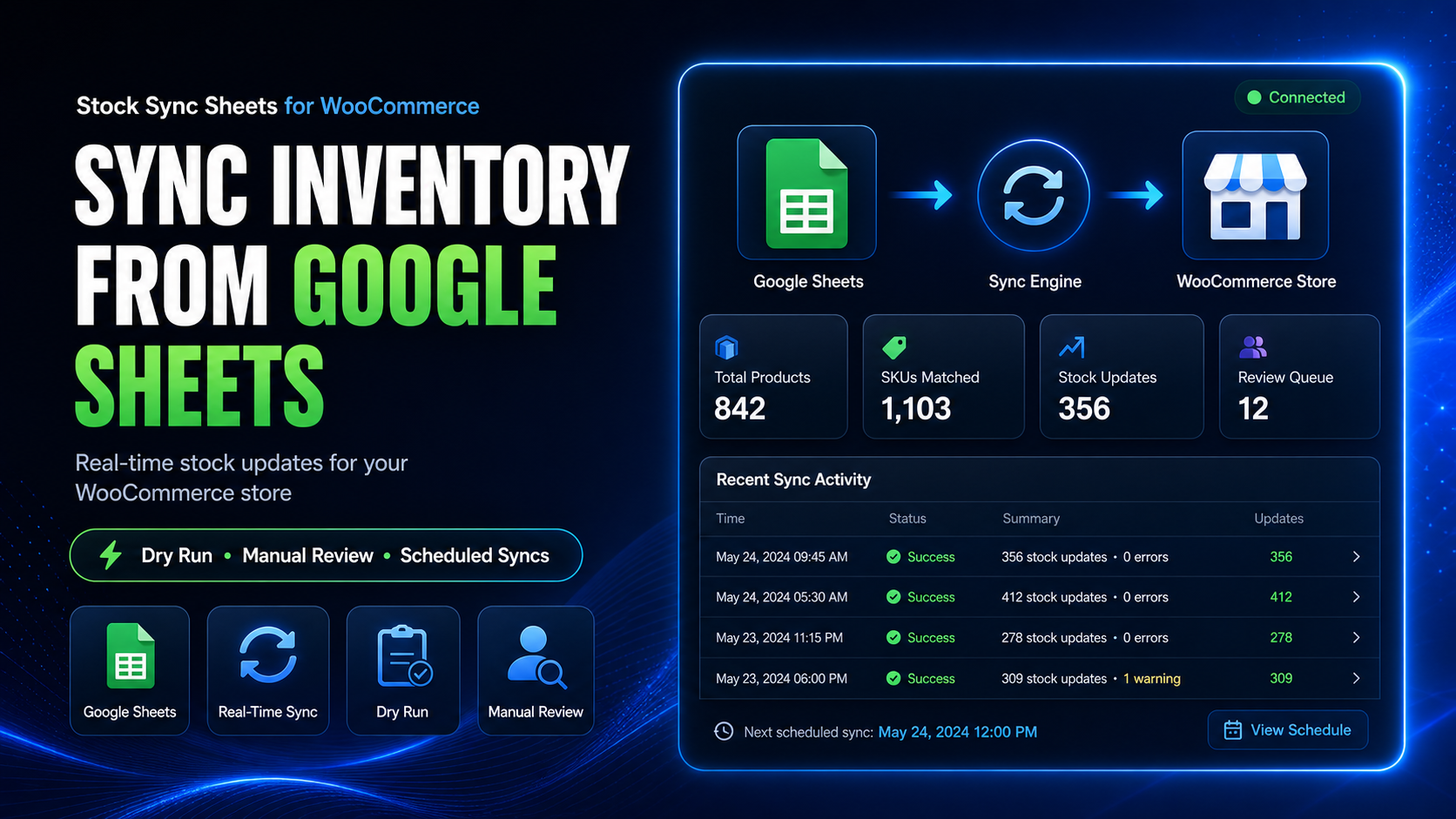
Do you need a custom WooCommerce REST API stock sync?
A custom REST API integration can work, but it is usually a developer project. Store owners need to consider setup, authentication, matching, testing, logging, failures, and long-term maintenance.
REST API integrations need setup
A custom build needs API credentials, permissions, request handling, Google Sheets access, WooCommerce product lookups, and stock update logic.
Testing is not optional
Stock updates affect live products. A custom integration needs safe preview logic, test runs, error handling, and a way to avoid updating the wrong product.
Product matching is the hard part
Matching a sheet row to the right WooCommerce product, variation, SKU, model code, or product ID needs more than a simple API request.
Maintenance keeps going
API keys, sheet layouts, product fields, WooCommerce updates, stock rules, and error handling can all change over time.
What the WooCommerce REST API can do
The WooCommerce REST API is useful for developers who want to build custom systems. It can read and update product data, but the API itself is not a complete stock sync workflow.
A custom REST API stock sync normally needs these parts
To turn Google Sheets into a WooCommerce stock sync system, a developer usually needs to build or maintain logic for:
- Reading rows from Google Sheets.
- Finding the correct WooCommerce product or variation.
- Handling SKUs, product IDs, model codes, and product names safely.
- Checking whether the stock quantity is valid before updating WooCommerce.
- Updating stock quantity and stock status in WooCommerce.
- Preventing wrong matches from updating live products.
- Logging success, skipped rows, errors, and failed updates.
- Scheduling repeat syncs without duplicate or overlapping runs.
- Handling API authentication and permission issues.
- Maintaining the integration when sheet layouts or store data changes.
Custom REST API build vs Stock Sync Sheets
This is the practical difference. The REST API is a development path. Stock Sync Sheets is a plugin workflow designed for store owners using Google Sheets.
| Requirement | Custom REST API integration | Stock Sync Sheets workflow |
|---|---|---|
| Google Sheets connection | Needs custom code or a separate connector to read sheet rows. | Uses plugin settings to connect sheet ID, tab name, row range, and mapped columns. |
| Product matching | Needs custom matching logic for SKU, product ID, model code, names, and variations. | Supports matching workflows with Manual Review and Confirmed Matches. |
| Preview before live updates | Needs a custom preview or test mode built by the developer. | Includes Dry Run so stock changes can be checked before live sync. |
| Uncertain matches | Needs a custom review interface or the integration may skip or guess. | Uses Manual Review so uncertain matches can be approved before syncing. |
| Bad match protection | Needs custom ignore, block, or exception handling. | Includes Ignored and Blacklist controls for safer repeat workflows. |
| Logs and troubleshooting | Needs custom logging and error visibility. | Includes sync logs to help review what happened during sync. |
| Scheduled syncs | Needs custom scheduling and overlap protection. | Includes scheduled sync options after setup is tested. |
| WooCommerce to Google Sheets | Needs custom write-back logic. | Uses Sheet Push and Push on Sale workflows for store-to-sheet updates. |
| Ongoing maintenance | Developer must maintain the integration as store and sheet workflows change. | Plugin workflow is maintained as part of Stock Sync Sheets. |
Why Stock Sync Sheets is safer for most store owners
A working API request is not the same thing as a safe stock management workflow. Stock Sync Sheets focuses on the steps store owners need before live product stock changes.
Dry Run safety
Preview the stock updates before changing live WooCommerce products.
Manual Review
Send uncertain product matches to review instead of forcing risky automatic updates.
Confirmed Matches
Save approved matches so future Google Sheets stock syncs become cleaner and faster.
Ignored and Blacklist controls
Prevent unwanted rows or bad product matches from being reused in future syncs.
When should you use the REST API instead?
There are still valid reasons to build a custom WooCommerce REST API integration. The point is to choose it for the right reason, not because it is the only way to connect Google Sheets.
You have a developer
A custom API build makes more sense when you have a developer who can build, test, monitor, and maintain it properly.
You need a custom system
If your store is part of a larger ERP, warehouse, or custom application, API development may be the right path.
You have strict internal requirements
Some businesses need a fully custom integration for internal rules, compliance, approval processes, or infrastructure requirements.
You need features beyond plugin scope
If the workflow is highly custom and cannot fit a plugin-based sheet sync, custom development may be necessary.
Tell it straight
If your goal is simply “sync WooCommerce stock from Google Sheets safely,” building a custom REST API integration is usually more work than needed. If your goal is a custom inventory platform, the API route may make sense.
How Stock Sync Sheets replaces the usual custom API work
Instead of coding a full integration, the plugin gives store owners a clear stock sync workflow inside WordPress.
Sheet setup
Add your Google Sheet ID, tab name, row range, and column mappings through plugin settings.
Stock Sync
Use mapped sheet data to update WooCommerce stock quantities and stock status.
Manual Review
Review uncertain matches before they affect live WooCommerce products.
Logs
Check what matched, what changed, what skipped, and what needs attention.
Sheet Push
Create or update Google Sheets from WooCommerce product data for shared stock workflows.
Push on Sale
Send WooCommerce stock changes back to Google Sheets when sales reduce stock.
A practical workflow for store owners
If you are not building a full custom platform, this is the safer path for WooCommerce Google Sheets stock sync.
Connect your sheet
Set the sheet ID, tab, row range, and columns used for matching and stock quantity.
Run Dry Run
Preview what Stock Sync Sheets would update before touching live stock.
Review matches
Resolve uncertain product matches in Manual Review and save Confirmed Matches.
Sync safely
Run live stock syncs or schedules only after the preview and review process is clear.
WooCommerce REST API and Google Sheets stock sync FAQ
Clear answers for store owners comparing API development with a ready WooCommerce Google Sheets stock sync plugin.
Can WooCommerce stock be updated through the REST API?
Yes. Developers can use the WooCommerce REST API as part of a custom stock update system, but they still need to build the surrounding workflow for Google Sheets access, matching, validation, logging, scheduling, and error handling.
Do I need the WooCommerce REST API to sync stock from Google Sheets?
No. If your goal is to sync stock from Google Sheets without building a custom integration, Stock Sync Sheets gives you a plugin-based workflow inside WordPress.
Is a custom REST API integration better than a plugin?
Not automatically. A custom integration may be better for highly specific systems, but it usually requires development and maintenance. A plugin is usually better when you want a ready workflow for WooCommerce and Google Sheets.
What is the biggest risk with a custom stock sync?
The biggest practical risk is updating the wrong product or overwriting live stock without enough preview, matching review, logs, and safeguards.
Can Stock Sync Sheets handle uncertain product matches?
Yes. Uncertain matches can be sent to Manual Review so you can approve the correct WooCommerce product before syncing.
Can WooCommerce stock changes be pushed back to Google Sheets?
Yes. Stock Sync Sheets includes Sheet Push and Push on Sale workflows for WooCommerce-to-Google-Sheets stock updates.
Use the API when you need custom development. Use Stock Sync Sheets when you need a ready workflow.
For most WooCommerce stores, the practical goal is not building API code. It is syncing stock from Google Sheets safely with Dry Run, Manual Review, Confirmed Matches, logs, schedules, Sheet Push, and Push on Sale.
Get Stock Sync Sheets Open Setup Guide