

Create and update WooCommerce products from Google Sheets with a cleaner catalog workflow
Product Builder helps you turn spreadsheet data into a practical WooCommerce catalog workflow instead of repeatedly creating and editing products by hand.
Create new products, update existing ones, map fields from your sheet columns, and support broader catalog workflows including categories, tags, attributes, images, and custom product data from Google Sheets.
Why Product Builder matters
- ✔ Create WooCommerce products from Google Sheets faster
- ✔ Update existing products from the same sheet workflow
- ✔ Map columns to product fields, categories, tags, attributes, and images
- ✔ Reduce manual catalog work and repeated data entry
A stronger way to manage WooCommerce catalog data from Google Sheets
Product Builder is one of the most useful parts of Stock Sync Sheets because it helps spreadsheet-based businesses create and update WooCommerce catalog data without doing the same product work twice.
Why store owners use Product Builder
When product data already lives in Google Sheets, re-entering it manually into WooCommerce wastes time and creates more room for inconsistency. Product Builder helps turn that spreadsheet into a more useful catalog workflow.
Create WooCommerce products from Google Sheets
Build new WooCommerce products from spreadsheet data instead of manually creating each product inside WooCommerce.
Update existing products from the same workflow
Use Product Builder to update existing product data from the same sheet-based workflow as your catalog changes.
Map fields from sheet columns
Map your sheet columns to WooCommerce product fields so the data goes where you want it to go.
Support broader catalog fields
Work with more than titles and descriptions by supporting categories, tags, attributes, images, and broader product data workflows.
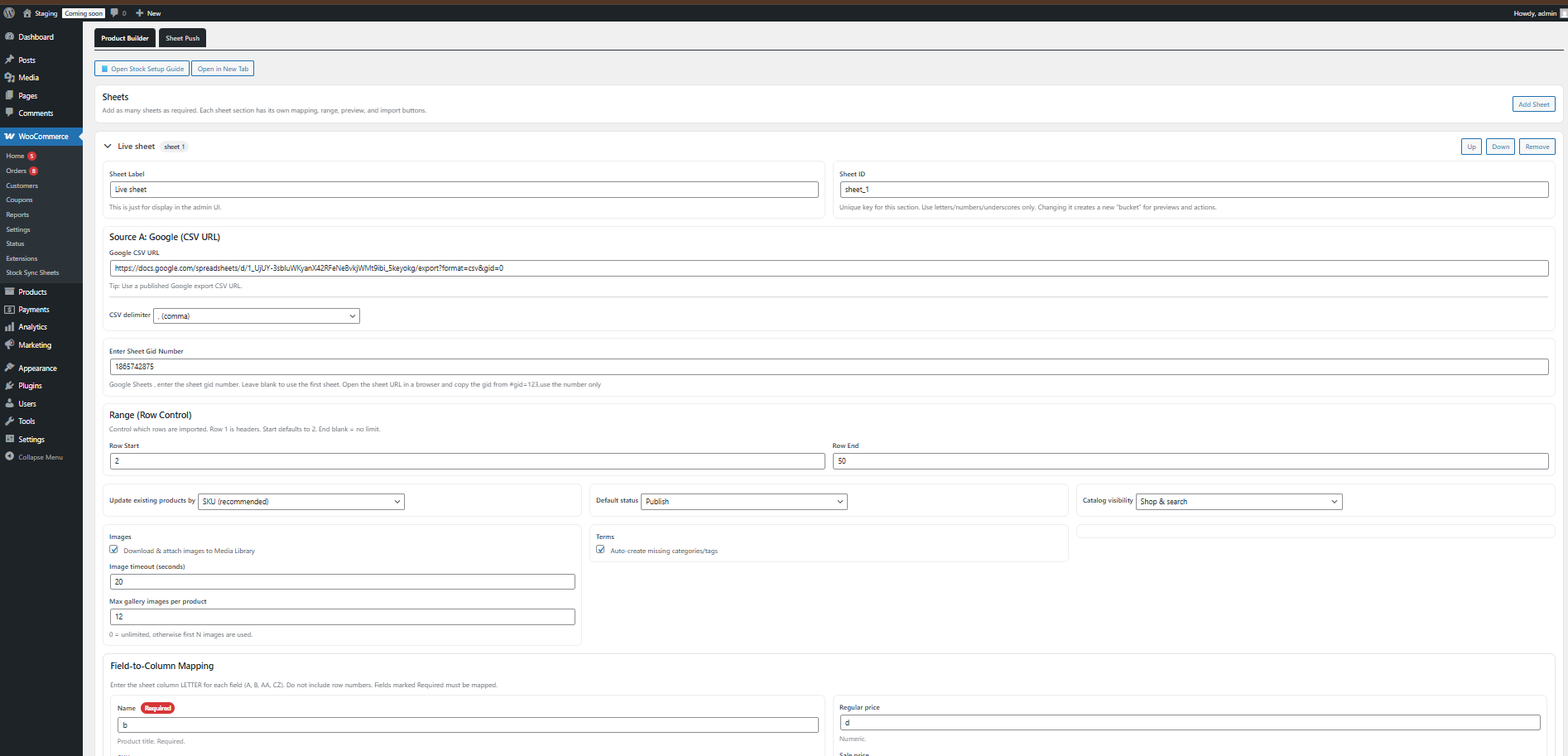
See the Product Builder page in action
This is where merchants configure product creation and update workflows from Google Sheets inside Stock Sync Sheets.
More than a simple product importer
This is where Product Builder becomes much more valuable. It is not just about importing rows once. It is about giving your store a cleaner ongoing workflow for creating and updating product data from Google Sheets.
Reduce repeated manual product entry
Spend less time creating products one by one when the source data already exists in a spreadsheet.
Stop entering the same data twice
Use your Google Sheet as a practical product source instead of duplicating product work across multiple places.
Handle structured catalog data better
Map product fields more clearly so categories, tags, attributes, images, and other product details are easier to manage.
Keep larger catalogs more manageable
Make product creation and updates easier to handle when your store has many products or frequent catalog changes.
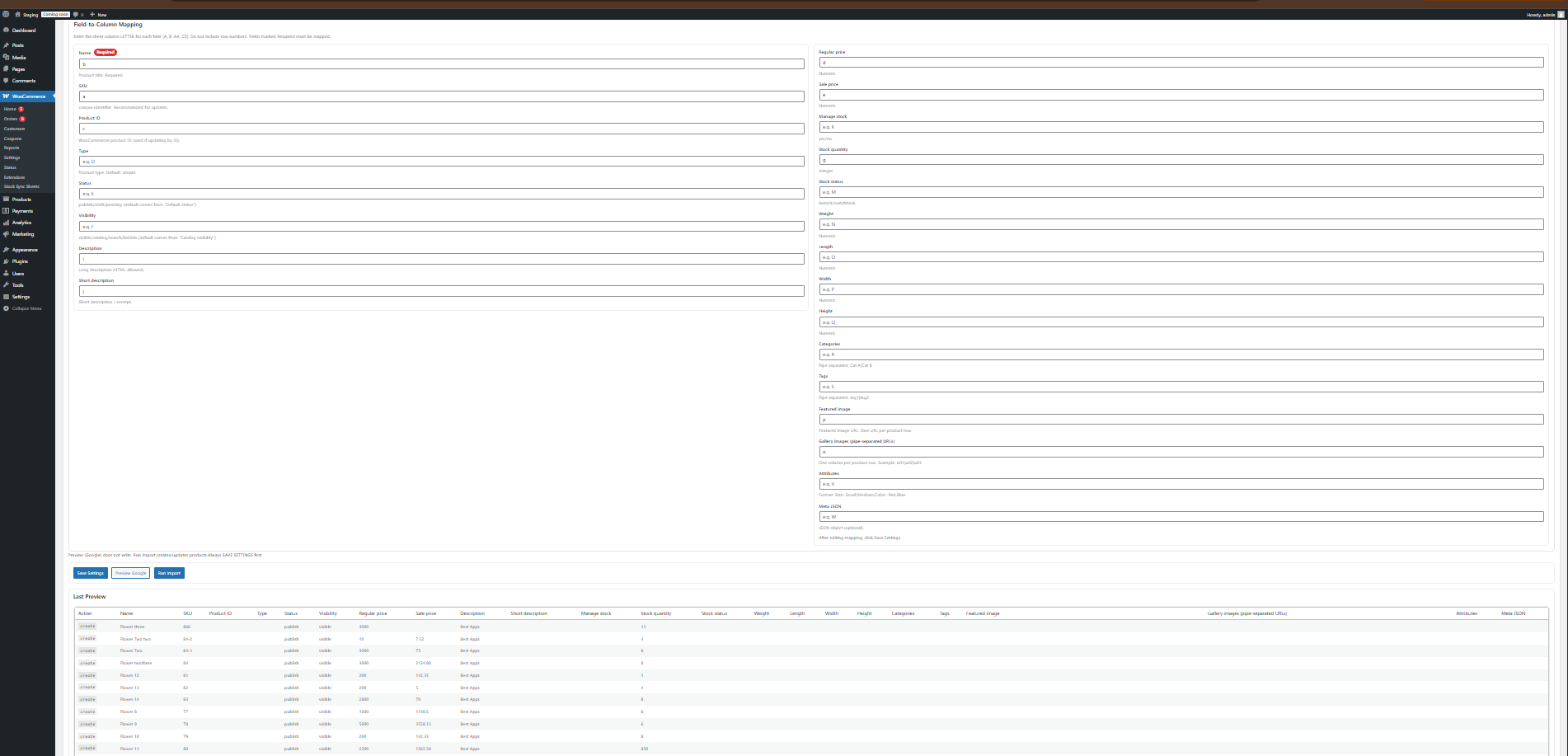
Field mapping and build logs make the workflow clearer
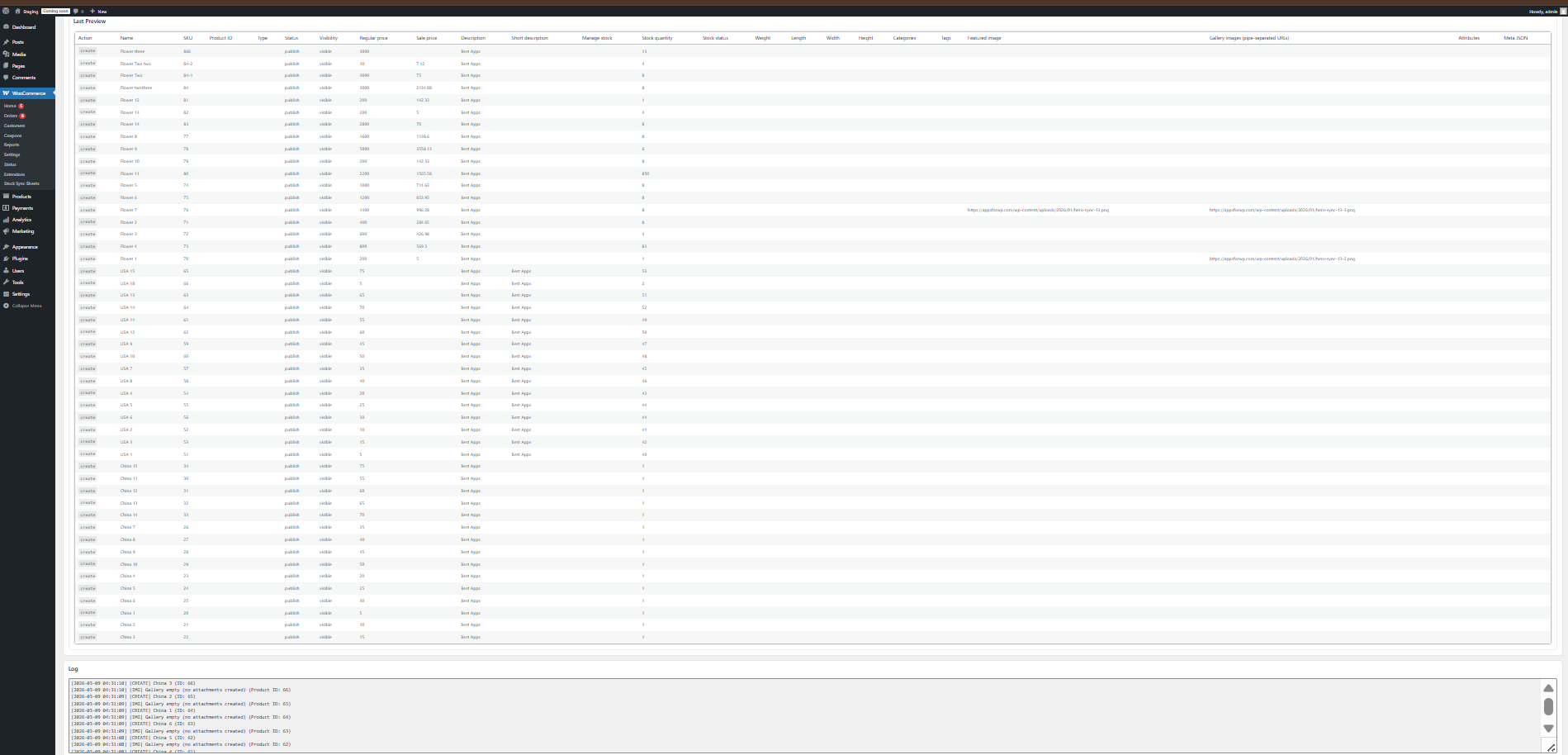
Product Builder is designed to stay practical. You can configure field mapping, review what is being built or updated, and use logs to understand what happened.
What Product Builder can handle
This is one of the biggest reasons the feature matters. Product Builder helps with broader WooCommerce catalog workflows, not just simple product creation.
Categories and tags
Use sheet data to support cleaner assignment of product categories and tags as part of your catalog workflow.
Attributes and structured product data
Map attribute-style data and other structured fields from your sheet into WooCommerce more practically.
Images from sheet URLs
Support product image workflows using image URLs stored in your spreadsheet.
Custom and broader product fields
Use Product Builder as part of a more flexible spreadsheet-driven catalog system instead of a narrow one-time import tool.
How Product Builder works
The workflow stays practical: connect the sheet, map the fields, review the build, and then create or update products from the spreadsheet data.
Connect your Google Sheet
Use the sheet that contains the product data you want to create or update in WooCommerce.
Map your fields
Choose how sheet columns match the WooCommerce product fields you want to build or update.
Review before building
Preview what the builder will do before creating new products or updating existing ones.
Create or update products
Run the builder so WooCommerce products are created or updated from the Google Sheets workflow.
Who this WooCommerce Product Builder is built for
Product Builder is especially useful for businesses that already organize product data in spreadsheets and want a cleaner way to move that data into WooCommerce.
Stores with growing catalogs
Useful when product setup and updates become too time-consuming to manage manually inside WooCommerce.
Spreadsheet-based product workflows
Helpful when your business already maintains product information in Google Sheets and wants to use that data more efficiently.
Merchants using image URLs in sheets
Support product images from sheet URLs as part of a more complete spreadsheet-driven product workflow.
Teams that want a practical catalog system
Built for businesses that want a more usable workflow instead of repeating product data entry by hand.
What is included in Stock Sync Sheets
Product Builder is included in the main plugin together with the wider Google Sheets workflow tools used across Stock Sync Sheets.
Included in the core plugin
Product Builder is included in Stock Sync Sheets. It is part of the main plugin, not a separate add-on.
Works with the wider workflow
Use Product Builder alongside stock sync, Sheet Push, and other spreadsheet-based tools to manage catalog and inventory workflows more cleanly.
Price Sync is the separate add-on
Product Builder is included in core. Price Sync is the separate add-on if you want price updates from Google Sheets.
Product Builder FAQs
What is Product Builder in Stock Sync Sheets?
Product Builder helps you create WooCommerce products from Google Sheets and update existing products using a broader spreadsheet-driven catalog workflow.
Can Product Builder update existing WooCommerce products?
Yes. Product Builder can update existing WooCommerce products from Google Sheets, not just create new ones.
Can I map fields from sheet columns?
Yes. You can map fields from your Google Sheet columns to the WooCommerce fields you want to create or update.
Can Product Builder handle categories, tags, attributes, and images?
Yes. Product Builder is designed for broader product workflows including mapped fields such as categories, tags, attributes, images, and other product data.
Can I preview before building products?
Yes. Product Builder includes preview-style workflow support so you can review what will be created or updated before proceeding.
Is Product Builder included in the core plugin?
Yes. Product Builder is included in the main Stock Sync Sheets plugin.
Stop building WooCommerce products by hand
Use Product Builder from Google Sheets to create products faster, update existing products more cleanly, and manage your WooCommerce catalog through a more practical spreadsheet-driven workflow.
Buy Now